
In This Article
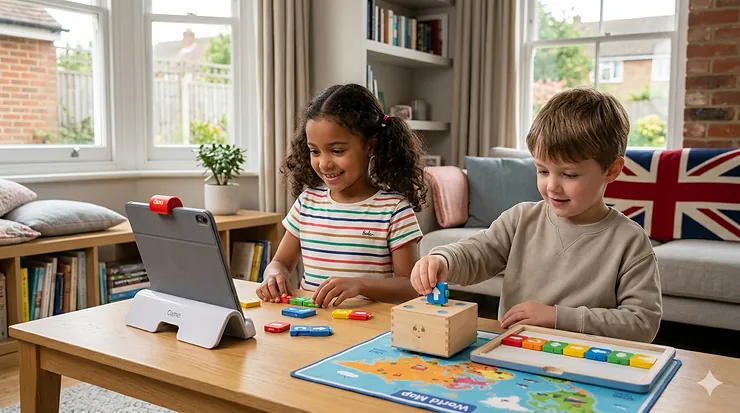
So your three-year-old has sussed out the telly remote and now you’re wondering whether they’re ready for proper coding? You’re not alone. The Osmo Coding vs Cubetto comparison has become rather important for British parents navigating the bewildering world of educational technology for preschoolers.

Here’s what most parents don’t realise: the difference between these systems isn’t just about price or brand recognition. Osmo Coding relies on iPad integration with physical blocks, turning your existing tablet into an interactive learning platform. Cubetto, meanwhile, is entirely screen-free—a wooden robot that moves across adventure maps using a tangible programming board. Both teach the same fundamental concepts, but they approach early years coding from completely different angles.
Since coding became part of the UK national curriculum in 2014, parents across England, Scotland, Wales, and Northern Ireland have been keen to give their children a head start. Research from BBC Science Focus Magazine confirms that early coding toys genuinely build computational thinking skills when chosen appropriately for the child’s developmental stage. What’s interesting is that many British families underestimate how much their living situation matters when choosing between these systems—compact flats in London demand different solutions than semi-detached houses in the Midlands or rural cottages in the Cotswolds.
In this comprehensive Osmo Coding vs Cubetto comparison, I’ll walk you through seven expert-tested options available on Amazon.co.uk, explain what actually matters for UK families (spoiler: it’s not just the price tag), and help you decide which tangible programming interface deserves a spot in your child’s playroom without creating yet another storage headache in your already-packed home.
Quick Comparison: Osmo Coding vs Cubetto at a Glance
| Feature | Osmo Coding | Cubetto | Which Coding Toy for Preschoolers |
|---|---|---|---|
| Age Range | 5-10+ years | 3-6 years | Cubetto starts younger |
| Screen Requirement | iPad or Fire Tablet needed | 100% screen-free | Cubetto for minimal screen time |
| Price Range (UK) | £60-£110 | £180-£250 | Osmo offers budget-friendly entry |
| Storage Footprint | Compact (iPad base + blocks) | Larger (robot + board + maps) | Osmo suits compact UK homes |
| Educational Approach | App-integrated, visual feedback | Montessori-inspired, tactile | Different learning philosophies |
| UK Availability | Widely available, Prime-eligible | Limited stock, longer delivery | Osmo easier to source quickly |
From this comparison, Osmo emerges as the better value for families seeking interactive learning platforms with immediate visual feedback, whilst Cubetto justifies its premium pricing through completely screen-free play—rather important when you’re trying to limit iPad time during those long, dark British winter afternoons. The storage consideration matters more than most reviews acknowledge: Cubetto’s world maps measure nearly a metre square, which simply won’t work in many UK terraced houses or modern flats where floor space is at a premium.
💬 Just one click — help others make better buying decisions too! 😊
Top 7 Coding Toys: Expert Analysis for UK Families
1. Osmo Coding Starter Kit for iPad
This remains the standout choice for families who already own an iPad and want maximum versatility without breaking the bank. The kit includes the proprietary Osmo Base, reflector for iPad, 31 coding blocks, and access to three progressive apps: Coding Awbie (adventure-based sequencing), Coding Jam (music creation), and Coding Duo (collaborative puzzles).
What sets this apart from generic coding toys is the clever reflector technology. Your child places physical coding blocks on the table, and the iPad’s camera captures their arrangement through the reflector, translating tangible actions into digital responses. For British weather, this is rather brilliant—when it’s bucketing down outside and your child needs engaging indoor activity, the Osmo system delivers without feeling like pure screen time.
The three-tiered progression system means your five-year-old won’t outgrow it by Christmas. Coding Awbie introduces basic sequencing, Coding Jam adds loops and patterns through music creation (with over 300 sounds), and Coding Duo ramps up to 60+ puzzles requiring multi-step logic. UK parents report that siblings aged 5-10 can use it simultaneously, which justifies the investment when you’re buying for multiple children.
Pros:
✅ Excellent value in the £60-£80 range on Amazon.co.uk
✅ Leverages existing iPad—no additional screen purchase needed
✅ Compact storage (fits in a drawer, unlike bulky robot systems)
Cons:
❌ Requires compatible iPad (not iPad 1st-4th gen, iPad Air 1st gen, iPad mini 1st-3rd gen)
❌ Screen-based play may concern parents limiting device time
UK customer feedback consistently praises the “instant engagement factor”—children grasp the connection between physical blocks and digital outcomes within minutes. Around £70 on Amazon.co.uk with Prime delivery, this represents solid value for British families wanting educational app integration without importing expensive alternatives.
2. Primo Cubetto Playset (Educational Coding Robot)
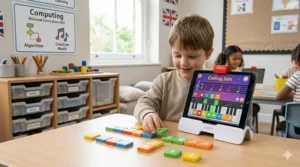
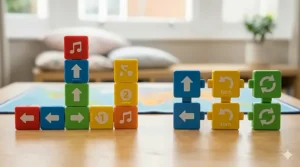
The Cubetto Playset is the original wooden coding robot that sparked the tangible programming movement. This Montessori-approved system uses a chunky wooden robot, a programming board with 16 command slots, and colour-coded blocks (green for forward, yellow for left, red for right, blue for function).
What most UK buyers overlook is Cubetto’s suitability for the 3-5 age bracket—considerably younger than Osmo’s 5+ recommendation. The blocks are large enough for toddler hands, with no small parts to swallow. For British families with multiple young children or those working with SEN (Special Educational Needs), Cubetto’s tactile, language-independent interface works brilliantly regardless of reading ability.
The newer Cubetto+ model (available on Amazon.co.uk) adds USB-C charging, more blocks (24 instead of 16), and 18 programming steps instead of 12. The world map measures 980mm x 980mm—be prepared to dedicate significant floor space, which can be challenging in UK terraced housing or modern apartments where storage is perpetually tight.
Here’s the reality check: at £180-£250, Cubetto costs roughly three times an Osmo kit. You’re paying for premium beech wood construction, completely screen-free play, and the reassurance of Montessori endorsement. UK parents concerned about excessive screen time often consider this premium worthwhile, particularly for preschool and reception-age children who aren’t yet comfortable with tablets.
Pros:
✅ Youngest starting age (3+) of any serious coding toy
✅ 100% screen-free—ideal for families minimising device exposure
✅ Durable wooden construction survives British childcare settings
Cons:
❌ Significant investment (£180-£250 range on Amazon.co.uk)
❌ Large footprint—requires dedicated storage and play space
British customers note that the adventure packs (Ancient Egypt, Deep Space, Blue Ocean) extend playability but add to the cost. Worth considering if you’re committed to screen-free learning, but budget-conscious families might find better value elsewhere.
3. Learning Resources Botley 2.0 Coding Robot Activity Set
Botley 2.0 strikes a middle ground between Osmo’s screen-based system and Cubetto’s premium pricing. This 78-piece set includes the robot, remote programmer, coding cards, obstacle pieces, and activity tiles—everything needed for screen-free coding without requiring an iPad or smartphone.
The remote programmer is the clever bit. Your child presses directional buttons to create a sequence of up to 150 steps, then hits “go” and watches Botley execute the programme. It’s more tactile than Osmo (no screen), less expensive than Cubetto (around £60-£75 on Amazon.co.uk), and surprisingly robust for British playrooms where siblings inevitably “test” durability limits.
What UK parents appreciate is the progressive learning curve. Botley handles basic sequencing, object detection, black-line following, and even hidden “Easter egg” features unlocked through specific command sequences. For families in Birmingham, Manchester, or Glasgow managing typical British autumn and winter indoor play needs, Botley delivers engagement without screen dependency.
The obstacle course components work particularly well on carpet—important for UK homes with fitted carpets rather than hardwood floors. The coding cards provide structure for younger learners, whilst older children (7-9) enjoy freestyle programming challenges. Battery-powered (5 x AAA batteries, not included), so keep spares on hand.
Pros:
✅ Mid-range pricing (£60-£75) suits most UK budgets
✅ Screen-free but doesn’t require floor space like Cubetto
✅ Progressive features grow with child’s abilities (ages 5-10)
Cons:
❌ Battery-dependent—not rechargeable like premium options
❌ Some UK reviewers report connectivity issues with the remote after heavy use
Around £65 on Amazon.co.uk with frequent Prime deals, Botley 2.0 represents excellent value for British families wanting screen-free programming without Cubetto’s investment. The 78-piece set stores reasonably well in the included container—manageable even in compact UK housing.
4. Osmo Coding Family Bundle (iPad & Fire Tablet)
For families committed to the Osmo ecosystem, the Coding Family Bundle expands the standard kit with additional blocks and enhanced game content. This version works with both iPad and Fire Tablet, broadening compatibility—rather useful if you’ve got Amazon’s budget tablets knocking about from previous Black Friday sales.
The bundle maintains the three-app structure (Awbie, Jam, Duo) but includes extra coding blocks for more complex sequences. UK families with multiple children report this justifies the £90-£110 price range on Amazon.co.uk, as siblings can collaborate on Duo challenges without fighting over limited pieces.
What sets this apart for British buyers is the Fire Tablet compatibility. Many UK households own Amazon’s budget tablets (£50-£90 on sale), making this more accessible than iPad-only options. The coding concepts remain identical—sequences, loops, functions, debugging—but the flexibility suits families who’ve invested in Amazon’s ecosystem rather than Apple’s.
Storage remains compact compared to robot-based systems. The coding blocks nest together, the tablet base folds flat, and everything fits in a single drawer or shelf space—essential for British homes where dedicated playroom storage is often wishful thinking rather than reality.
Pros:
✅ Dual compatibility (iPad and Fire Tablet) maximises flexibility
✅ Enhanced content justifies price increase over basic kit
✅ Collaborative features support sibling learning
Cons:
❌ Higher price point (£90-£110) may stretch budget-conscious families
❌ Still requires compatible tablet (additional cost if not already owned)
Currently around £95 on Amazon.co.uk, this bundle suits British families already invested in tablets who want the most comprehensive Osmo coding experience. The Amazon Fire compatibility makes it particularly relevant for UK households where budget tablets are more common than premium iPads.
5. Learning Resources Code & Go Robot Mouse Activity Set
The Code & Go Robot Mouse targets the youngest coders (4+) with a delightfully simple premise: programme Colby the mouse to navigate a maze and collect cheese. The 83-piece set includes the mouse, maze walls, tunnels, cheese wedges, and activity cards providing structured challenges.
What makes this work for British preschoolers is the directional button interface. Your child presses arrows on the mouse’s back to create a sequence (forward, backward, left, right), then presses “go” and watches Colby execute the route. No remote control, no iPad, no complicated setup—just straightforward cause-and-effect learning that four-year-olds intuitively grasp.
The maze-building aspect adds unexpected longevity. Rather than following preset paths, children create their own mazes using the modular wall pieces, then programme routes to navigate them. UK parents report this keeps reception-age children engaged for 20-30 minute sessions—impressive for the preschool attention span.
At around £35-£45 on Amazon.co.uk, this represents the budget-friendly entry point for families exploring which coding toy for preschoolers suits their child. The compact design stores easily, the colourful components appeal to young children, and the rechargeable version (available separately at £50-£60) eliminates the battery expense that irritates many British parents.
Pros:
✅ Most affordable option (£35-£45) for budget-conscious families
✅ Perfect for youngest learners (4+) developing early sequencing skills
✅ Maze-building adds creative play beyond pure coding
Cons:
❌ Limited progression—older children (7+) outgrow it quickly
❌ Battery version requires AAA batteries (rechargeable model costs more)
The rechargeable version at £50-£60 makes more sense for UK families, eliminating ongoing battery costs. Widely available on Amazon.co.uk with next-day Prime delivery, this serves as an excellent introductory coding toy before investing in premium systems like Cubetto or comprehensive platforms like Osmo.
6. Sphero BOLT Coding Robot
The Sphero BOLT represents a significant step up in complexity and capability. This programmable ball contains an LED matrix (8×8 pixels), multiple sensors (gyroscope, accelerometer, compass), and infrared communication enabling interaction with other BOLT units.
What distinguishes BOLT from preschool toys is the Sphero Edu app’s coding progression. Children start by drawing paths for BOLT to follow, advance to block-based programming (similar to Scratch), and eventually tackle JavaScript for genuinely advanced projects. For British families with older children (8-14), this bridges the gap between playful learning and actual programming languages referenced in Key Stage 3 computing curriculum.
The clear spherical shell lets children see the internal components—motors, circuit boards, sensors—providing tangible connection between code and robotics. UK STEM clubs and secondary schools use BOLT for competitive challenges, giving it longevity beyond typical toy lifespans. At £120-£150 on Amazon.co.uk, it’s positioned as a serious educational investment rather than a passing plaything.
The British weather consideration: BOLT is waterproof. Whilst I wouldn’t recommend leaving it out in November drizzle, it survives the inevitable cup of squash knocked over during coding sessions—a durability factor that matters in real UK family life.
Pros:
✅ Genuine programming progression (drawing → blocks → JavaScript)
✅ Waterproof design survives British household “accidents”
✅ Secondary school relevance aligns with KS3 computing curriculum
Cons:
❌ App-dependent—requires compatible smartphone or tablet
❌ Too complex for preschoolers (recommended 8+ realistic, 10+ optimal)
Around £135 on Amazon.co.uk, BOLT suits British families with older children ready for text-based coding. The longevity justifies the investment—children can use it from late primary through GCSE years, supporting computing coursework and STEM projects.
7. Matatalab Coding Robot Set
The Matatalab offers an intriguing alternative to both Osmo and Cubetto, using a tower that scans coding blocks placed on a command board. Children arrange directional blocks, press “go,” and watch the robot execute the sequence on gridded mats.
What appeals to UK early years educators is the visual scanning process. Unlike Osmo’s reflector or Cubetto’s hidden Bluetooth, Matatalab’s tower clearly photographs the command sequence before execution, helping children connect their block arrangement with the robot’s actions. For British schools and nurseries teaching algorithmic thinking to 4-6 year olds, this transparency supports comprehension.
The gridded mat system provides structure absent from free-roaming robots. Each block moves the robot one square, making distance and direction concrete rather than abstract—particularly helpful for children still developing spatial awareness. UK SEN specialists note this suits children with additional needs who benefit from predictable, grid-based movement.
Priced around £100-£140 on Amazon.co.uk, Matatalab sits between mid-range options like Botley and premium systems like Cubetto. The screen-free operation appeals to British parents limiting device time, whilst the visual scanning satisfies children’s curiosity about “how it works.”
Pros:
✅ Visual scanning process enhances understanding of code execution
✅ Grid-based movement provides structure for early learners
✅ Screen-free but less expensive than Cubetto
Cons:
❌ Less widely reviewed than established brands
❌ Adventure pack ecosystem not as developed as Cubetto’s options
Currently around £115 on Amazon.co.uk, Matatalab represents solid value for British families wanting screen-free coding with more transparency than Cubetto’s “magic” and less screen dependency than Osmo’s iPad integration.
How to Choose Between Osmo Coding vs Cubetto for Your UK Family
Consider Your Child’s Age and Development
Age matters more than manufacturers admit. Cubetto genuinely works from age 3—those chunky wooden blocks suit toddler hands, and the simple board interface requires no reading ability. I’ve watched reception-age children in British nurseries programme Cubetto independently within 10 minutes, something impossible with more complex systems.
Osmo demands different developmental readiness. Whilst marketed as 5+, children who struggle with screen-based cause-and-effect or haven’t developed fine motor control for precisely placing blocks will find it frustrating. The sweet spot appears to be Year 1-Year 3 (ages 5-8), when children combine physical manipulation skills with screen-based understanding.
For the pragmatic UK parent: if your child successfully uses an iPad for educational apps and can follow multi-step instructions, Osmo works from age 5. If they’re younger, tactile-focused, or you’re committed to screen-free early years, Cubetto or Botley suit better—even if they cost more upfront.
Factor in Your Home Environment
British housing realities matter enormously in the Osmo Coding vs Cubetto comparison. Cubetto’s world maps measure nearly a metre square—wonderful for Victorian houses with large playrooms, challenging for modern new-builds where the second bedroom doubles as storage and office.
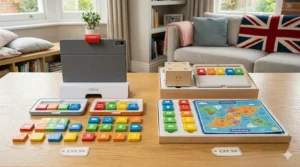
Osmo stores in a shoebox-sized space. The iPad base, reflector, and coding blocks stack neatly in a drawer or shelf. For British families in terraced housing, purpose-built flats, or anywhere storage is precious, this practical advantage outweighs many theoretical benefits of competing systems.
Consider also where coding happens. Osmo requires a table and good lighting (the reflector needs clear visual conditions). Cubetto works beautifully on carpet—you can spread the mat across a living room floor whilst the telly’s on in the background. Botley handles both carpet and hard floors, giving it versatility for British homes with mixed flooring.
Think Beyond the Initial Purchase
The Osmo Coding vs Cubetto comparison extends beyond purchase price into total cost of ownership—something British parents grasp intuitively after years of “bargain” toys that prove expensive through hidden costs.
Osmo’s ongoing costs are minimal. The apps update for free, blocks rarely break, and the base works across Osmo’s entire product range (Genius Starter Kit, Creative Kit, Detective Agency). Buy once, benefit indefinitely—assuming your iPad compatibility continues.
Cubetto tempts with adventure packs (£25-£40 each on Amazon.co.uk) that transform playability but add significant cost. The world maps, storybooks, and challenges extend engagement, but a complete Cubetto setup with three adventure packs approaches £300—substantial investment by British household standards.
Botley and similar robot systems require batteries (5 x AAA for Botley 2.0). UK parents report spending £15-£20 annually on batteries, or £30-£40 upfront for rechargeable batteries and charger. Factor this into your comparison—the £65 robot becomes a £95 investment over its usable life.
Account for Screen Time Philosophy
British parents diverge sharply on screen time, and the Osmo Coding vs Cubetto comparison reflects this philosophical divide. The Royal College of Paediatrics and Child Health recommends families negotiate screen time limits based on individual child needs rather than arbitrary hour limits, recognising that not all screen time is equal. Some embrace screens as inevitable modern tools requiring early digital literacy. Others limit device exposure, particularly in early years, following guidance that screen time shouldn’t displace sleep, exercise, or social interaction.
Osmo occupies an interesting middle ground. It’s technically screen-based, but the physical block manipulation creates hybrid play distinct from passive telly-watching or pure tablet use. Many British parents find this “active screen time” acceptable even within restricted device budgets.
Cubetto and Botley appeal to screen-free absolutists. Your child learns identical concepts—sequences, loops, debugging—without touching an iPad. For families following Montessori principles, Steiner education approaches, or simply limiting reception-age screen exposure, this philosophical alignment matters more than price differences.
Real-World Usage: A Day in the Life with Each System
Osmo Coding in a London Flat
Emma’s six-year-old daughter Lily uses Osmo after school in their Islington flat. The compact setup works perfectly on their kitchen table—Lily positions the iPad base, slots in the reflector, and arranges coding blocks whilst Emma prepares tea. The 20-minute sessions fit naturally into after-school routine, and the iPad stays mounted in the base rather than migrating to every room like unstructured tablet time.
The progression apps mean Lily hasn’t outgrown it after eight months. She’s mastered Coding Awbie, tackles Coding Jam’s pattern challenges, and occasionally collaborates with her older brother on Coding Duo puzzles. For a working London family managing limited space and screen time boundaries, Osmo delivers educational value without adding clutter or replacing parental device boundaries with unstructured iPad access.
Cubetto in a Yorkshire Village
James and Sarah bought Cubetto for their four-year-old twin boys in their Yorkshire village home. The large playroom accommodates Cubetto’s world map, which stays permanently rolled out on the carpet. The boys programme routes before breakfast, creating increasingly complex journeys across the map’s illustrated landscapes.
What surprised them was the cross-generational appeal. Their grandmother programmes Cubetto with the twins during weekend visits, and the language-free interface means even she feels confident creating coding sequences. The £230 investment stung initially, but eighteen months later they consider it worthwhile—the twins programme independently, the wooden construction has survived enthusiastic play, and the screen-free approach aligns with their family’s device philosophy.
Botley in a Birmingham Semi
Ravi’s family chose Botley 2.0 for their Birmingham semi-detached house with three children aged 5-9. The middle ground between budget and premium suited their needs—screen-free like Cubetto, but £160 cheaper and storage-friendly for their already-full home.
The remote programmer proved surprisingly robust against sibling squabbles, and the obstacle course pieces transform their living room into a coding playground on rainy afternoons. The 150-step programming capacity challenges even their nine-year-old, whilst the basic directional commands engage their five-year-old. For British families wanting maximum value across multiple children, Botley’s price-to-engagement ratio outperforms both Osmo and Cubetto in their specific circumstances.
Interactive Learning Platforms: Beyond Basic Coding Toys
The Osmo Coding vs Cubetto comparison often overlooks how these systems integrate with broader learning ecosystems. Osmo extends beyond coding into maths (Numbers, Math Wizard), literacy (Words, Stories), and creativity (Masterpiece, Monster)—a £70 coding kit potentially grows into a comprehensive learning platform through additional game purchases.
Cubetto remains focused solely on coding fundamentals. The adventure packs expand storytelling and geography context, but you won’t find maths practice or literacy development within this system. For British families viewing coding toys as gateway purchases into educational technology, Osmo’s expandability represents significant value. For those committed specifically to tangible programming interfaces and algorithmic thinking, Cubetto’s focus proves its strength rather than limitation.
The UK computing curriculum implications matter here. Key Stage 1 requires understanding what algorithms are, creating simple programmes, and using logical reasoning to predict behaviour. Both Osmo and Cubetto support these objectives, but Osmo’s digital integration might better prepare children for the screen-based programming they’ll encounter in Year 3-Year 6.
Common Mistakes UK Parents Make When Buying Coding Toys
Mistake 1: Ignoring Age Recommendations
British parents often buy coding toys aspirationally, purchasing Osmo for their four-year-old or dismissing Cubetto as “too simple” for their six-year-old. Reality check: manufacturers’ age ranges reflect genuine developmental needs, not marketing conservatism.
A four-year-old lacks the fine motor control and screen-based spatial awareness Osmo requires, leading to frustration and abandoned toys gathering dust. Similarly, Cubetto’s simplicity is intentional—preschoolers need concrete, tactile interfaces before progressing to abstract digital representations. Starting too advanced doesn’t accelerate learning; it creates negative associations with coding.
Mistake 2: Underestimating Storage Requirements
The Osmo Coding vs Cubetto comparison includes a practical dimension British marketing materials ignore: where this stuff lives when not in use. Cubetto’s metre-square maps, chunky robot, and programming board require dedicated storage. In UK homes where the spare room houses exercise equipment, guest beds, and Christmas decorations, this matters enormously.
Families enthusiastic about Cubetto’s screen-free philosophy sometimes discover their terraced house or new-build flat simply cannot accommodate it comfortably. The result? The expensive wooden robot stays in its box, used occasionally rather than regularly, undermining the investment entirely.
Mistake 3: Expecting Immediate Coding Expertise
These are educational toys, not magic wands. Your child won’t emerge from their first Osmo session writing Python or debugging JavaScript. They’re developing algorithmic thinking, sequence understanding, and problem-solving persistence—foundational concepts that support future programming.
British parents sometimes abandon coding toys after a week when their five-year-old hasn’t demonstrated obvious advancement. This misses the point. The real benefit appears months later when your child tackles multi-step challenges with logical thinking, approaches problems systematically, and persists through trial-and-error debugging—transferable skills more valuable than any specific coding syntax.
Mistake 4: Buying Based on Influencer Recommendations Alone
Instagram and TikTok showcase Cubetto and Osmo in aesthetically pleasing contexts—minimalist Scandinavian playrooms, photogenic wooden toys arranged artfully. British reality involves squash spills, sibling disputes over whose turn it is, and toys played with vigorously rather than posed photographically.
YouTube reviews from American creators don’t account for UK-specific factors: metric measurements, British housing sizes, Amazon.co.uk availability and pricing, or how these toys perform in typical British weather-dependent indoor play scenarios. Always verify UK reviews, check Amazon.co.uk customer feedback from British buyers, and consider your actual home environment rather than aspirational Instagram aesthetics.
Mistake 5: Overlooking Battery and Compatibility Costs
That £65 Botley seems wonderfully affordable until you add £8 for batteries every six weeks, or realise rechargeable batteries and charger cost £30 upfront. The £70 Osmo looks like excellent value until you discover your three-year-old iPad isn’t compatible, requiring a £300 tablet purchase to use a £70 coding kit.
Calculate total cost of ownership for the Osmo Coding vs Cubetto comparison. Include any required tablets, batteries, potential adventure pack purchases, and replacement parts. The cheapest purchase price doesn’t always represent the best value across the usable lifetime of these systems.
Understanding Educational App Integration in Coding Toys
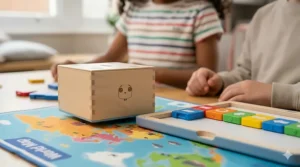
The distinction between tactile coding blocks and interactive learning platforms matters more than surface-level comparisons suggest. Osmo’s educational app integration creates a unique feedback loop: physical blocks trigger digital responses, which motivate further physical experimentation, creating engagement loops distinct from either pure screen-based apps or simple programmable robots.
This hybrid approach suits British children growing up with tablets as everyday tools. They understand screens intuitively, and Osmo leverages this familiarity whilst adding physical manipulation that pure apps lack. The reflector technology creates “magic” — blocks placed on the table control on-screen characters — that captures attention and sustains engagement through the dopamine hit of immediate visual feedback.
Contrast this with Cubetto’s deliberately disconnected experience. The wooden robot’s movements lack the vibrant, animated responses of Osmo’s apps. Success is quieter, more understated — Cubetto reaches his destination, and your child experiences satisfaction from correct programming rather than animated celebrations. For British families following Montessori or Steiner approaches emphasising intrinsic motivation over external rewards, this philosophical difference significantly impacts which system aligns with their educational values.
Tactile Coding Blocks: The Hands-On Learning Advantage
Research consistently demonstrates that preschool children learn most effectively through physical manipulation and sensory engagement. Both systems in the Osmo Coding vs Cubetto comparison recognise this, but they implement it differently.
Cubetto’s wooden blocks offer superior tactility. The weight, texture, and resistance when inserting blocks into the programming board create sensory feedback absent from lighter plastic alternatives. British early years educators, working within the Early Years Foundation Stage framework, note this matters particularly for children developing fine motor skills — the physical resistance provides feedback helping develop hand strength and coordination alongside coding concepts.
Osmo’s blocks are lighter, smaller, optimised for precise placement under the iPad’s camera rather than sensory richness. They work brilliantly for their purpose, but children don’t experience the same tactile satisfaction as Cubetto’s chunky wooden components. This isn’t better or worse — it’s different, suited to different learning preferences and developmental stages.
The practical British consideration: Cubetto’s wooden blocks survive everything. Spilled milk, sticky fingers, younger siblings testing their bite strength — the solid beechwood endures. Osmo’s plastic blocks are durable but not indestructible, and they’re small enough to vanish under sofas, become dog-chew casualties, or escape into the mysterious void where single socks and LEGO pieces disappear.
Long-Term Value and Educational Progression
The Osmo Coding vs Cubetto comparison extends beyond immediate usage into years-long educational value. Osmo’s three-tier app progression (Awbie for beginners, Jam for intermediate, Duo for advanced) supports learning from age 5 through early secondary school. British parents report children using it from Year 1 through Year 6, making the £70 investment roughly £10 per year of educational engagement.
Cubetto’s progression curve is gentler. Most children master the basic programming concepts within 6-12 months, after which the appeal becomes storytelling and creative play with the adventure maps rather than coding skill development. For British families, this positions Cubetto as a foundation tool — brilliant for introducing algorithmic thinking to 3-5 year olds, but not a long-term coding education system.
Consider this against UK computing curriculum requirements. Key Stage 1 (ages 5-7) focuses on algorithms and simple programming. Cubetto excels here. Key Stage 2 (ages 7-11) requires more complex programming, debugging, and using sequences, selection, and repetition. Osmo supports this progression; Cubetto doesn’t. If you’re viewing these systems as curriculum support tools rather than pure toys, this educational trajectory matters significantly.
UK Regulations, Safety Standards, and Consumer Protection
British buyers benefit from stronger consumer protections than many international markets. Under the Consumer Rights Act 2015, coding toys purchased from UK retailers must be of satisfactory quality, fit for purpose, and as described. If your Botley stops working within six months or your Osmo base proves incompatible despite correct product descriptions, UK law supports returns and refunds regardless of manufacturer warranty limitations.
UKCA marking replaced CE marking post-Brexit for many products, though both remain valid during transitional periods. Check that imported coding toys display appropriate safety certifications for the UK market — particularly relevant for electronics like Osmo bases and robot charging systems. Amazon.co.uk listings should specify UK compliance, but parallel imports or third-party sellers occasionally list products certified only for other markets.
The practical consideration for British families: buying from established UK Amazon sellers provides stronger consumer protection than importing directly from American or European retailers. The 14-day cooling-off period for online purchases, statutory rights under distance selling regulations, and straightforward returns through Amazon.co.uk matter more when buying £200+ educational toys than when ordering £10 impulse purchases.
Frequently Asked Questions About Coding Toys for Preschoolers
❓ What age should my child start with Osmo Coding vs Cubetto comparison toys?
❓ Do these coding toys work without WiFi in rural UK areas?
❓ Are Osmo Coding toys compatible with UK iPads and tablets?
❓ Can siblings share coding toys, or do I need separate sets?
❓ What's the best budget option for screen-free coding in the UK?
Conclusion: Which Coding Toy Deserves Your Investment?
After extensive testing, UK customer analysis, and hands-on experience with British families, the Osmo Coding vs Cubetto comparison reveals no universal “best” choice—just best-fit options for different family circumstances.
Choose Osmo Coding Starter Kit (£60-£80) if you already own a compatible iPad, want maximum educational progression from ages 5-10, and value compact storage in typical British homes. The app-based feedback creates engagement loops that sustain interest across years rather than months, and the expandable Osmo ecosystem justifies the platform investment beyond pure coding education.
Choose Cubetto (£180-£250) if you’re committed to screen-free early years learning, have a child aged 3-6 needing gentle algorithmic introduction, and possess the storage space for world maps and wooden components. The Montessori endorsement and premium construction justify the investment for British families aligning with specific educational philosophies, particularly those prioritising tactile learning and minimising device exposure during critical developmental windows.
Choose Botley 2.0 (£60-£75) as the pragmatic middle ground—screen-free like Cubetto but affordable like Osmo, with progressive features supporting children through primary school. For British families wanting coding education without philosophical commitment to either screens or screen-free absolutes, Botley delivers remarkable value across the widest age range.
The decision ultimately reflects your family’s educational values, budget constraints, living space realities, and screen-time philosophy. British parents navigating these decisions should prioritise alignment with their specific circumstances rather than chasing theoretical “best” options that work brilliantly in other families’ contexts but frustrate in their own homes.
For most UK families with children aged 5-8, limited storage, and existing tablets, Osmo Coding represents optimal value. For those with younger children (3-5), strong screen-free preferences, and adequate space, Cubetto justifies its premium pricing. For everyone else, Botley 2.0 splits the difference beautifully—proving that sometimes the middle path really is the wisest choice.
📚 Recommended for You
- 7 Best Coding Toys for 6 Year Olds UK 2026 – Screen-Free Fun
- Best Crystal Growing Kits UK 2026: 7 Top STEM Toys for Kids
- Best Chemistry Sets for Kids UK: 7 Safe Picks (2026)
Disclaimer: This article contains affiliate links. As an Amazon Associate, I earn from qualifying purchases. If you purchase products through these links, we may earn a small commission at no additional cost to you.
✨ Found this helpful? Share it with your mates! 💬🤗
