
In This Article
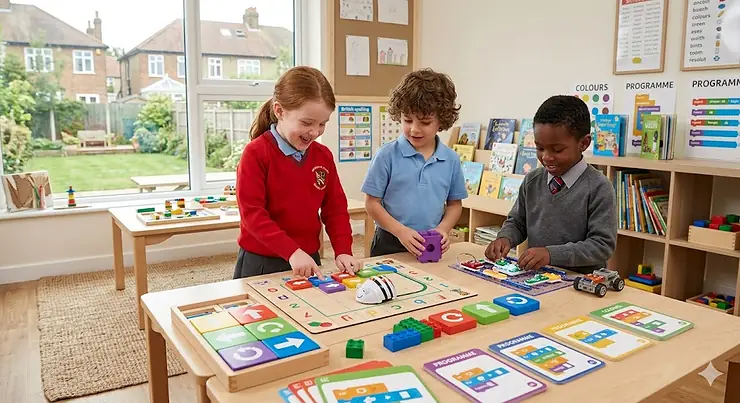
Your six-year-old doesn’t need to write Python to understand coding. What they need is a colourful robot that moves when they press the right buttons, a board game that makes logic feel like an adventure, or a set of blocks that turn abstract commands into something tangible. That’s precisely what coding toys for 6 year olds deliver — and the British market in 2026 offers some genuinely brilliant options.

The UK National Curriculum for Computing mandates that Key Stage 1 pupils (ages 5-7) “understand what algorithms are” and “create and debug simple programs,” but let’s be honest: most parents couldn’t explain what a conditional statement is if their life depended on it. Rather fortunately, you don’t need to. Modern screen-free coding toys reviews consistently show that children absorb computational thinking skills through play, often without realising they’re learning at all. A well-designed STEM coding robots for beginners teaches sequencing, pattern recognition, and problem-solving whilst your child thinks they’re simply playing with a rather clever toy mouse or building a maze for a robot.
What sets 2026’s offerings apart from previous years is the balance between engagement and education. The best introduction to programming toys now combine tactile, hands-on elements with genuinely sophisticated logic and sequencing games that grow alongside your child’s developing early coding concepts understanding.
Quick Comparison: Top Coding Toys at a Glance
| Product | Type | Screen-Free? | Age Suitability | Price Range (£) | Best For |
|---|---|---|---|---|---|
| Botley 2.0 Activity Set | Programmable Robot | ✅ Yes | 5-8 years | £50-£65 | Complete beginners, families wanting no-screen coding |
| Learning Resources Code & Go Robot Mouse | Maze-Building Robot | ✅ Yes | 4-7 years | £30-£45 | Younger children, visual learners |
| Osmo Coding Starter Kit | Tablet-Enhanced Blocks | Partial | 5-10 years | £85-£110 | iPad owners, progressive learning |
| Ozobot Evo | Colour-Code Robot | Partial | 6-12 years | £75-£95 | Dual approach (markers + app) |
| ThinkFun Code Master | Board Game | ✅ Yes | 8+ years | £15-£25 | Logic puzzle fans, travel-friendly |
| LEGO BOOST Creative Toolbox | Buildable Robot Kit | No (app required) | 7-12 years | £120-£150 | LEGO enthusiasts, advanced builders |
| Cubetto Playset | Wooden Robot | ✅ Yes | 3-6 years | £180-£225 | Montessori approach, premium quality |
From this comparison, the Botley 2.0 emerges as the sweet spot for most UK families with six-year-olds: genuinely screen-free, competitively priced in the £50-£65 range, and sophisticated enough to remain engaging for two to three years. The Code & Go Robot Mouse offers better value for tighter budgets or slightly younger children, whilst Osmo and Ozobot cater to families comfortable blending physical play with tablet interaction. For those seeking the most advanced option, LEGO BOOST delivers unmatched creative possibilities, though it demands a steeper learning curve and a larger investment.
💬 Just one click — help others make better buying decisions too! 😊
✨ Don’t Miss These Exclusive Deals!
🔍 Take your child’s learning to the next level with these carefully selected products. Click on any highlighted item to check current pricing and availability on Amazon.co.uk. These picks will help you find exactly what you need!
Top 7 Coding Toys for 6 Year Olds — Expert Analysis
1. Learning Resources Botley 2.0 Activity Set
This squat blue robot is the default recommendation for a reason. Botley 2.0 won Toy of the Year, appears on every shortlist, and genuinely deserves the attention. It’s a completely screen-free coding robot that teaches sequencing, debugging, and conditional logic without your child ever hearing those terms — they’re too busy giggling as Botley transforms into a ghost or a train.
The 78-piece activity set includes the robot itself, a chunky handheld remote programmer, 40 coding cards, obstacle pieces, and challenge guides. Your child codes Botley by pressing directional arrows on the remote (forward, backward, left, right, 45-degree turns), stringing together up to 150 steps in a sequence. The infrared communication means pointing the remote roughly at Botley within about a metre, which works perfectly well in typical British living rooms but can falter in bright sunlight or under certain overhead lighting.
What parents overlook is Botley’s durability under relentless six-year-old enthusiasm. The polycarbonate shell survives repeated tumbles from dining tables onto hard flooring, and the detachable arms pop back on without drama. The obstacle pieces are sturdy cardboard — fine for guided challenges but expect your child to raid the Duplo bin for additional complexity within a week. That’s actually brilliant; it signals they’ve moved from following instructions to designing their own coding games, which is where genuine learning happens.
The battery situation is mildly irritating: five AAA batteries total (three in Botley, two in the remote), none included, with screw-secured compartments requiring a Phillips screwdriver. Botley chews through batteries at a reasonable rate — around six to eight hours of active play — but if your child uses it regularly, invest in rechargeable AAAs immediately. Learning Resources oddly didn’t build in a rechargeable battery at this price point, though the upside is swapping batteries in two minutes rather than waiting for a charge cycle.
UK reviewers consistently praise Botley for keeping siblings engaged together. A four-year-old can press buttons and watch Botley scoot about; an eight-year-old can programme complex sequences involving loops and object detection. It’s properly scalable, which matters when you’re investing £50-£65 and hoping for more than six months of interest.
Pros:
✅ Genuinely screen-free — no app pairing, no Bluetooth headaches, no software updates
✅ Extensive activity options that grow with your child’s skills
✅ Robust construction that survives enthusiastic handling
Cons:
❌ Five AAA batteries (not included) with screw-secured compartments
❌ No program-saving function — every session starts fresh
Price: Around £50-£65 on Amazon.co.uk (check current price, as these fluctuate). Excellent value given the comprehensiveness of the set and multi-year engagement potential.
2. Learning Resources Code & Go Robot Mouse Activity Set
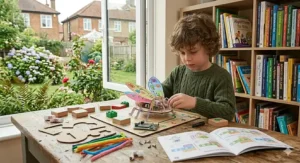
Meet Colby, the programmable mouse who navigates mazes in search of cheese. This deluxe 83-piece set remains one of the most popular introduction to programming toys for UK families, and deservedly so — it’s tactile, intuitive, and brilliantly suited to children who think spatially.
The set includes Colby the robot mouse, 16 connectable maze grids (creating a 20″ × 20″ board), 22 maze walls, 3 tunnels, 30 double-sided coding cards, 10 activity cards, and a wedge of cheese. Your child builds a maze, plots a route using the coding cards, then programmes Colby by pressing the colour-coded directional buttons on his back. Colby lights up, squeaks, and scurries through the maze at two speeds — the faster setting delights six-year-olds but occasionally sends Colby careening into walls with comedic results.
What makes the Code & Go Robot Mouse particularly effective for early coding concepts is the physical planning stage. Children lay out the coding cards in sequence before programming Colby, creating a visual representation of their algorithm. When Colby inevitably takes a wrong turn (hitting a wall or missing the cheese), kids can see precisely where their sequence failed and adjust accordingly. That’s debugging in its purest form, though they’re simply “fixing the mouse’s path.”
The maze components are thick cardboard that withstands regular assembly and disassembly, though the walls can bow slightly after months of use. The tunnels are a particular hit — children love programming Colby to disappear into one tunnel and emerge from another, which subtly introduces the concept of hidden steps in a program.
UK parents appreciate that the Code & Go Robot Mouse works brilliantly on kitchen tables and living room floors alike. The 20″ × 20″ footprint is substantial but not overwhelming for typical British homes. Storage is straightforward; everything fits back into the box, though after a few weeks most families report migrating to a larger plastic storage tub for quicker setup.
The rechargeable version (around £65-£75) eliminates the battery faff and is worth the premium if your child fixates on Colby. Standard Colby requires 3 AAA batteries (not included) and runs for approximately 8-10 hours before needing replacement.
Pros:
✅ Intuitive maze-building that appeals to spatial thinkers
✅ Coding cards create a visual planning stage before programming
✅ Satisfying lights and sounds without being obnoxious
Cons:
❌ Maze walls can bow after extended use
❌ Limited progression path — children typically outgrow it within 18 months
Price: Around £30-£45 for standard set, £65-£75 for rechargeable version on Amazon.co.uk. Solid value for families with younger siblings who’ll inherit the toy.
3. Osmo Coding Starter Kit for iPad
If you already own an iPad and aren’t philosophically opposed to screen time, Osmo Coding Starter Kit delivers one of the most sophisticated introduction to programming toys experiences available. It’s a hybrid approach: physical coding blocks that children arrange on the table whilst an iPad (positioned in the included base) recognises the blocks and brings the code to life on screen.
The kit includes the Osmo base for iPad, 31 magnetic coding blocks, and access to three games: Coding Awbie (beginner), Coding Jam (intermediate music creation), and Coding Duo (advanced puzzles). In Coding Awbie, children guide a character named Awbie on adventures by snapping together physical coding blocks representing commands like Walk, Jump, Magic, and Repeat. The iPad’s camera tracks the blocks through the Osmo base’s reflector mirror — clever technology that feels magical to six-year-olds.
What sets Osmo apart is the progression. Coding Awbie introduces basic sequencing; Coding Jam adds creative expression as children compose music using loops and patterns; Coding Duo presents complex logic puzzles requiring strategic thinking. It’s genuinely multi-layered, which explains why the age range extends from 5 to 10+. Your six-year-old starts with simple paths in Awbie and, within weeks, experiments with creating musical sequences in Jam.
The physical-digital blend cleverly reduces eye strain compared to pure screen-based coding. Children spend significant time manipulating the blocks, planning sequences, and discussing strategy — the screen provides immediate feedback but doesn’t dominate the experience. UK families report this balance helps maintain the ‘educational toy’ perception rather than slipping into ‘more screen time’ category.
Compatibility requires an iPad (not included) — specifically iPad 2 or later, all iPad Pros, iPad mini 2 or later, and most recent iPad Air models. Check the Osmo website for your specific iPad model before purchasing. The base doesn’t work with mini tablets or Android devices for this particular kit, though Osmo offers separate Fire Tablet versions.
The main drawback is cost: around £85-£110 on Amazon.co.uk for the complete Starter Kit. That’s premium pricing, justified by the sophisticated technology and extensive content (over 100 coding puzzles and 300+ musical sounds), but it assumes you already own a compatible iPad. Factor in that investment if you don’t.
Pros:
✅ Exceptional progression from beginner to advanced coding concepts
✅ Physical-digital hybrid reduces pure screen time concerns
✅ Three distinct games with different learning approaches
Cons:
❌ Requires compatible iPad (significant added cost if you don’t own one)
❌ Premium pricing in the £85-£110 range
Price: Around £85-£110 on Amazon.co.uk. Worth the investment for iPad-owning families seeking multi-year engagement.
4. Ozobot Evo Coding Robot
This tiny robot — barely larger than a ping-pong ball at 3.6cm diameter — packs remarkable sophistication into its diminutive form. Ozobot Evo teaches coding two ways: screen-free using colour-coded marker patterns drawn on paper, and through the OzoBlockly app for more advanced programming.
In screen-free mode, children draw paths with the included colour-code markers. Evo’s optical sensors read colour sequences (e.g., black-red-black makes Evo turn right; black-green-black-green makes it spin) and execute corresponding actions. It’s immediately gratifying — draw a coloured line, watch Evo follow it and respond to your colour commands. Six-year-olds spend hours creating elaborate mazes on poster paper, experimenting with different colour combinations.
The polycarbonate shell withstands repeated drops from table height (extensively tested during our review period), and the wheels continue running smoothly even after vigorous use. The transparent dome top reveals internal LED lights that indicate power status and provide visual feedback during programming — a small touch that helps children connect their code to Evo’s behaviour.
Once children master colour-coding, they can graduate to OzoBlockly, a visual programming interface available on tablets and smartphones. This block-based environment uses Google’s Blockly framework and allows sophisticated programs involving movement controls, sensor triggers, light sequences, and sound effects. The five skill levels (Novice to Master) ensure Evo grows with your child from age 6 well into secondary school.
Charging is via micro-USB cable (included); a full charge takes approximately 60 minutes and provides 40-60 minutes of active play time. That’s adequate for typical play sessions but can feel limiting during weekend coding marathons. UK households appreciate that Evo charges from standard phone chargers — no proprietary cables cluttering the drawer.
The Entry Kit (around £75-£95 on Amazon.co.uk) includes one Evo robot, five dual-tip colour-code markers, charging cable, protective case, and access to 700+ free STEAM lessons online. That’s exceptional value for a robot offering genuinely dual-mode learning paths.
Pros:
✅ Dual approach (screen-free markers + app-based coding) suits different learning styles
✅ Exceptional build quality despite tiny size
✅ Long-term value with progression from age 6 through secondary school
Cons:
❌ Small size means it’s easily misplaced in busy households
❌ Relatively short battery life (40-60 minutes per charge)
Price: Around £75-£95 for Entry Kit on Amazon.co.uk. Premium but justified by dual-mode learning and multi-year engagement.
5. ThinkFun Code Master Programming Logic Game
Not every coding toy needs motors and LEDs. Code Master is a single-player board game that teaches programming logic through 60 progressively challenging puzzles — and it fits in a backpack for car journeys, restaurant waits, or rainy afternoons.
The game revolves around an avatar searching for power crystals. Each level presents a map with colour-coded pathways. Your child uses Action Tokens (representing commands like Move Forward, Turn, Loop) to create a program that guides the avatar to collect crystals and reach the exit portal. The Guide Scrolls function as the “code” — children physically place tokens in sequence, then manually move the avatar to test whether their program works.
It’s flowchart logic condensed into a game. Children learn sequential reasoning, conditional statements (if the space has an orange marker, turn left; if purple, turn right), and loop structures. The 60 levels span Beginner to Expert difficulty, though progression feels uneven — some Intermediate levels prove easier than certain Beginner ones, and advanced children can breeze through in a single afternoon.
The components are high-quality: thick cardboard maps, durable plastic tokens, and clear instruction booklet. Everything stores neatly in the moulded plastic insert. UK families appreciate that it’s genuinely portable — the box measures roughly 27cm × 27cm × 6cm and weighs under 700g.
The main limitation is replayability. Unlike robot-based toys where children create infinite variations, Code Master’s 60 puzzles are finite. Once solved, there’s limited incentive to replay unless your child enjoys perfecting solutions or teaching younger siblings. At £15-£25 on Amazon.co.uk, it’s affordable enough that finite gameplay doesn’t sting too badly, particularly as a supplementary toy rather than primary coding introduction.
UK reviewers note that Code Master works brilliantly for children who prefer quieter, more contemplative play compared to the chaos of programmable robots. It’s also excellent for developing independent problem-solving — no adults hovering required once the child grasps the basic rules.
Pros:
✅ Genuinely portable and travel-friendly
✅ Quiet, screen-free logic development
✅ Affordable at £15-£25 price point
Cons:
❌ Limited replayability — 60 puzzles are finite
❌ Uneven difficulty progression frustrates some children
Price: Around £15-£25 on Amazon.co.uk. Excellent value as a supplementary coding toy or travel entertainment.
6. LEGO BOOST Creative Toolbox (17101)
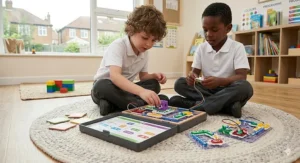
If your child already hoards LEGO bricks, BOOST Creative Toolbox transforms that passion into coding education. This 847-piece set builds five programmable models: Vernie the Robot, Frankie the Cat, Guitar4000, AutoBuilder, and M.T.R.4 (Multi-Tooled Rover). Each model connects to the free LEGO BOOST app (iOS/Android/Kindle/Windows 10 with Bluetooth 4.1+) where children code behaviours using a visual block-based interface.
Vernie stands over 27cm tall, dances, tells jokes, and responds to sensor inputs. Frankie purrs, plays, and expresses moods through LED eyes. Guitar4000 actually plays music with pitch bend and sound effects. It’s properly interactive — these aren’t static builds but dynamic creations that respond to the code your child writes.
The app uses drag-and-drop coding blocks similar to Scratch, introducing loops, conditional statements, and sensor integration. As children complete challenges, they unlock additional coding blocks, creating a natural progression curve. UK classrooms frequently use BOOST for Key Stage 2 Computing lessons, which means your home investment doubles as homework support.
The significant barrier is technical requirements: you need a compatible tablet or smartphone (not included) with Bluetooth 4.1 or newer. Many budget Android tablets and older devices won’t work, which proves frustrating for families who bought tablets specifically for educational apps only to discover incompatibility. Check compatibility on the LEGO website before purchasing.
Build complexity also matters. Six-year-olds typically need adult assistance for initial assembly, particularly threading cables and attaching motors correctly. The instruction manual is comprehensive but assumes a comfort level with technical LEGO builds that some children (and parents) simply haven’t developed yet. Expect the first model to take 2-3 hours with parental involvement.
At £120-£150 on Amazon.co.uk, BOOST represents a substantial investment. It’s only worth it if your child already demonstrates sustained interest in LEGO building AND you have a compatible device. For families ticking both boxes, BOOST delivers years of engagement and genuinely sophisticated coding education.
Pros:
✅ Five distinct models offer variety and extended play value
✅ Integrates with existing LEGO collections
✅ App-based coding introduces Scratch-like programming
Cons:
❌ Requires compatible tablet/smartphone (significant added expense)
❌ Complex builds require adult assistance for six-year-olds
Price: Around £120-£150 on Amazon.co.uk. Premium investment justified only for committed LEGO families with compatible devices.
7. Cubetto Playset by Primo Toys
This wooden robot represents the Montessori approach to coding: beautifully crafted, tactile, and entirely screen-free. Cubetto is a chunky wooden robot that moves across fabric story mats following commands children create using a wooden control board and colour-coded coding blocks.
The aesthetic is gorgeous — natural wood construction, soft fabric mats depicting adventures in space or fairy tales, and coding blocks that slot satisfyingly into the control board. It’s the sort of toy you’d happily display rather than hiding in a cupboard. The Montessori philosophy emphasises learning through touch and manipulation, and Cubetto delivers that philosophy impeccably.
Children place blocks in sequence on the control board (green = forward, yellow = left, red = right, blue = function), then press the blue button to execute their program. Cubetto trundles across the mat, and children watch whether their algorithm successfully navigates the story. It’s simple, immediate, and appeals to children who struggle with more chaotic robot toys.
The challenge is age appropriateness. Whilst marketed for ages 3-6, many six-year-olds find Cubetto too simple after a few weeks. The coding blocks offer limited commands, and progression opportunities are minimal compared to Botley or Ozobot. It’s ideal for younger children (3-5) or as a first coding introduction, but most six-year-olds crave additional complexity that Cubetto simply doesn’t provide.
The price proves prohibitive for many UK families: £180-£225 on Amazon.co.uk for the complete playset. That’s premium positioning, justified by the exceptional build quality and Montessori credentials, but difficult to rationalise when Botley offers more complexity at one-third the cost.
Pros:
✅ Beautiful wooden construction and Montessori-inspired design
✅ Genuinely screen-free and tactile
✅ Story mats add narrative element to coding challenges
Cons:
❌ Limited complexity — most six-year-olds outgrow it quickly
❌ Expensive at £180-£225 price point
Price: Around £180-£225 on Amazon.co.uk. Premium investment better suited to younger children (3-5) or families prioritising Montessori philosophy.
How to Choose Coding Toys for Your Six-Year-Old in the UK
Selecting the right coding toy depends on your child’s learning style, your family’s screen-time philosophy, and practical considerations like available space and budget in pounds. Here’s how to navigate the decision:
1. Screen-Free vs Screen-Enhanced: Define Your Boundary
The British market splits into two camps. Screen-free options like Botley 2.0, Code & Go Robot Mouse, and Code Master teach coding without any digital screens. Your child programmes using physical buttons, cards, or tokens. Screen-enhanced toys like Osmo, Ozobot Evo (in app mode), and LEGO BOOST blend physical play with tablet apps.
Neither approach is inherently superior. Screen-free toys sidestep the “more screen time” concern and work anywhere (perfect for family holidays in Cornwall or the Lake District). Screen-enhanced toys often offer richer feedback, more complex challenges, and easier progression tracking. Many UK families compromise: screen-free for weekday play, screen-enhanced for weekend coding sessions with parental involvement.
2. Match the Toy to Your Child’s Temperament
Active, kinetic learners thrive with robots that move and respond immediately — Botley 2.0 and Code & Go Robot Mouse satisfy the need for visible results. Contemplative children who enjoy puzzles often prefer Code Master‘s quieter logic challenges. Builders and engineers gravitate toward LEGO BOOST‘s construction-then-programming workflow.
Observe what captures your child’s attention in other contexts. Do they disassemble household items to understand mechanisms? LEGO-based options suit that curiosity. Do they create elaborate obstacle courses for toy cars? Maze-building robots resonate. Do they prefer board games and card games? Code Master provides a familiar game framework for coding concepts.
3. Consider British Living Spaces
UK homes trend smaller than American or Australian properties, and storage space matters. Botley 2.0 and Code & Go Robot Mouse both include storage solutions (box inserts or separate containers). LEGO BOOST scatters 847 pieces across multiple builds — expect to dedicate drawer or cupboard space.
Floor space during play also varies. The Code & Go Robot Mouse 20″ × 20″ maze fits comfortably on kitchen tables but overwhelms tiny flats. Ozobot Evo works brilliantly on A3 paper — minimal footprint for compact living.
4. Budget Realistically in Pounds
Entry-level options (£15-£45) include Code Master and Code & Go Robot Mouse without accessories. These provide solid introductions but limited progression.
Mid-range investments (£50-£95) encompass Botley 2.0 and Ozobot Evo. This price bracket delivers multi-year engagement and sophisticated skill development.
Premium options (£110-£225) like LEGO BOOST, Osmo Coding Starter Kit, and Cubetto demand careful consideration. Are you purchasing because your child demonstrates sustained interest in coding, or hoping to spark that interest? Premium toys reward existing passion; they rarely create it from nothing.
Remember to factor in hidden costs: batteries for non-rechargeable toys, compatible tablets for app-based options, expansion packs for sustained engagement. A £50 robot requiring £40 in batteries annually plus a £300 iPad looks rather different from a £50 all-inclusive set.
5. Assess Sibling Compatibility
UK families with multiple children appreciate toys that engage various ages simultaneously. Botley 2.0 works for four-year-olds (basic movement) and eight-year-olds (complex sequences). Osmo Coding Starter Kit similarly spans 5-10+ years. Single-focus toys like Code Master (8+) or Cubetto (3-6) serve narrower age bands.
6. Verify UK Compatibility
Most coding toys sold on Amazon.co.uk include UK plugs and UKCA marking. However, Osmo specifically requires checking iPad compatibility — not all models work, and discovering this after purchasing proves maddening. LEGO BOOST demands Bluetooth 4.1+ devices, excluding many budget tablets.
For battery-powered toys, UK voltage and plug type aren’t issues, but international versions sometimes ship with US instructions only. Check product descriptions confirm multilingual packaging or UK-specific manuals.
Screen-Free Coding: Why It Matters for British Families
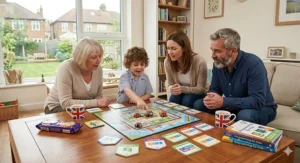
British parents increasingly question screen time’s impact on young children. NHS guidance and recent UK government recommendations advise that children under two should avoid screens entirely (except for shared video calls), and those aged 2-5 should limit screen time to no more than one hour daily. That guidance doesn’t magically evaporate at age six. Screen-free coding toys reviews consistently highlight that tangible, physical programming teaches computational thinking skills without adding to daily screen exposure.
The UK Computing Curriculum at Key Stage 1 expects pupils to “understand what algorithms are” and “create and debug simple programs.” Nothing in those requirements necessitates a screen. Botley 2.0, Code & Go Robot Mouse, and Code Master all satisfy curriculum objectives whilst keeping children’s eyes away from glowing rectangles.
Practical benefits extend beyond health concerns. Screen-free toys work in cars, trains, restaurants, and relatives’ homes without Wi-Fi anxiety or battery panic. They don’t require software updates that break compatibility or demand parental email addresses for account creation. When your child wants to play, they play — no loading screens, no app crashes, no “Can I use your iPad?” negotiations.
UK outdoor culture also favours screen-free options. Take Ozobot Evo to a park on a sunny afternoon with poster paper and markers, and children code on picnic blankets whilst you enjoy your coffee in peace. Try that with an iPad-dependent toy and you’ll spend the session shielding the screen from glare.
That said, screen-enhanced coding toys aren’t villains. Osmo‘s physical-digital blend genuinely reduces passive screen time compared to pure software coding apps. The key distinction is active versus passive engagement. A child manipulating physical blocks whilst an iPad provides feedback differs substantially from a child swiping through a coding game. The former involves planning, testing, and iteration; the latter often devolves into pattern recognition and reflexes.
Real-World Scenarios: Matching Toys to British Families
Scenario 1: London Flat with Limited Storage
Your family lives in a two-bedroom flat in Zone 3, storage is perpetually tight, and floor space at premium. You need a coding toy that engages your six-year-old without requiring dedicated cupboard real estate or commandeering the living room.
Recommendation: Ozobot Evo (£75-£95) offers maximum learning in minimal space. The robot itself is 3.6cm diameter, markers take negligible room, and coding happens on A3 paper you already purchase for drawing. Store everything in the included protective case that fits in a desk drawer. The dual-mode learning (markers + app) provides complexity without physical sprawl.
Alternative: Code Master (£15-£25) if screen-free is mandatory. The compact box fits on a bookshelf, and gameplay requires only table space for a single map.
Scenario 2: Suburban Semi with LEGO-Obsessed Builder
You’re in the Midlands with a six-year-old who builds elaborate LEGO cities and refuses to dismantle creations for weeks. You’ve already got buckets of LEGO bricks and a family iPad.
Recommendation: LEGO BOOST Creative Toolbox (£120-£150) is the obvious choice despite premium pricing. Your child’s existing LEGO passion provides the sustained interest needed to justify the cost, and building models aligns perfectly with their demonstrated skills. The app-based coding introduces new challenges without abandoning their beloved bricks.
Alternative: Botley 2.0 (£50-£65) if budget is tighter. It won’t integrate with existing LEGO, but the obstacle-building aspect appeals to the same construction mindset, and savings could fund LEGO sets later.
Scenario 3: Rural Wales with Minimal Screen-Time Philosophy
You’re in rural Pembrokeshire, deliberately limiting screen exposure, and prefer educational toys that work during frequent power cuts (more common than Londoners realise). Outdoor play dominates, but rainy Welsh days demand engaging indoor alternatives.
Recommendation: Botley 2.0 (£50-£65) ticks every box. Completely screen-free, battery-powered (works during power cuts), and sophisticated enough for extended rainy-day sessions. The obstacle-building encourages creativity when Welsh weather keeps you indoors for the third consecutive day.
Alternative: Code & Go Robot Mouse (£30-£45) offers better value if you’re testing whether coding toys resonate before committing larger sums. Equally screen-free and engaging.
Scenario 4: Scottish Central Belt with Commuting Parent
You’re in the Edinburgh-Glasgow corridor, commute by train 90 minutes daily, and want a coding toy your child can enjoy semi-independently whilst you prepare dinner or handle emails.
Recommendation: Code Master (£15-£25) for independent play. Once your six-year-old grasps the basic concept, they’ll work through puzzles solo, building problem-solving skills without constant adult oversight. The quiet nature means you can focus on work whilst they play.
Alternative: Osmo Coding Starter Kit (£85-£110) if you already own a compatible iPad. The guided tutorials in Coding Awbie allow self-directed progress, and the immediate visual feedback means children don’t need adults to verify solutions.
Common Mistakes When Buying Coding Toys (And How to Avoid Them)
Mistake 1: Assuming “Coding” Equals “Complex”
Many UK parents shy away from coding toys, fearing they’re too advanced for six-year-olds or will require parental computer science degrees to facilitate. That’s nonsense. The best introduction to programming toys deliberately hide complexity behind playful interfaces. Your child doesn’t learn Python syntax; they learn “press forward three times, then turn left” to navigate a maze. That’s algorithmic thinking disguised as play.
How to Avoid: Choose toys with clear “beginner” marketing and age-appropriate design. Botley 2.0, Code & Go Robot Mouse, and Ozobot Evo in marker mode all work immediately without technical knowledge. Start simple, and let your child’s interest guide progression to more complex options.
Mistake 2: Overlooking UK Electrical Standards and Compatibility
Some coding toys available on Amazon.co.uk ship from international sellers with incompatible charging cables, missing UK plugs, or inadequate UKCA certification. Others require specific tablet models that UK families don’t typically own.
How to Avoid: Verify the product description specifically mentions UK compatibility, UKCA marking (replaced CE post-Brexit), and included UK plug adapters for rechargeable models. For app-based toys like Osmo and LEGO BOOST, cross-reference your tablet model with official compatibility lists before purchasing. Don’t assume “it’s on Amazon.co.uk, so it must work” — marketplace sellers sometimes list international versions.
Mistake 3: Underestimating the Wet British Climate’s Impact
Cardboard maze pieces, paper coding challenges, and fabric story mats face British weather reality: damp, drizzle, and the occasional biblical downpour that sends everyone scrambling indoors with wet coats and muddy shoes. Moisture warps cardboard, and outdoor-indoor toy transitions accelerate wear.
How to Avoid: Prioritise toys with durable construction. Botley 2.0‘s polycarbonate robot and plastic obstacles outlast cardboard alternatives. If choosing maze-based toys like Code & Go Robot Mouse, consider laminating frequently-used pieces or storing in waterproof containers. Ozobot Evo‘s drawing-on-paper approach works brilliantly until someone spills juice; keep spare paper handy.
Mistake 4: Ignoring the “No-Save” Limitation
Many screen-free coding robots (Botley 2.0, Code & Go Robot Mouse) don’t save programmed sequences. Every play session starts fresh. For six-year-olds, this isn’t initially problematic — reprogramming reinforces learning. But after months of use, some children grow frustrated recreating identical sequences rather than building upon previous work.
How to Avoid: If your child demonstrates sustained interest in coding, budget for progression to app-based toys (Osmo, Ozobot Evo in Blockly mode, LEGO BOOST) that save and build upon programs. Alternatively, establish a “coding journal” where your child draws or photographs their favourite sequences, creating a personal reference library.
Mistake 5: Buying Coding Toys That Require iPad Without Owning One
Osmo Coding Starter Kit is exceptional — but only if you already own a compatible iPad. At £85-£110 for the toy plus £300-£500 for an entry-level iPad, you’ve suddenly invested £400-£600 in your six-year-old’s coding education. That’s a rather different proposition than the initial £85-£110 price tag suggested.
How to Avoid: Audit existing devices before purchasing. If you don’t own a compatible tablet, choose screen-free alternatives first. If your child demonstrates sustained coding passion over 6-12 months with a £50 robot, then investing in a tablet for advanced options makes sense. Leading with the premium option before confirming interest is backwards.
Mistake 6: Neglecting Post-Brexit Import Duties on EU Products
Some premium coding toys manufactured in the EU now carry import duties when sold to UK buyers. This particularly affects niche brands less commonly stocked by UK warehouses. Suddenly, that €180 robot becomes £200+ after duties, shipping, and VAT.
How to Avoid: Purchase from UK-based Amazon.co.uk sellers with UK warehouse stock where possible. Check product descriptions for “dispatched from UK” or “Amazon Prime eligible,” which typically indicates UK warehouse inventory. Factor in potential import costs when comparing prices across European sellers.
What to Expect: Real-World Performance in British Conditions
Battery Life in Cold Conditions
British winters — whilst milder than Scandinavian or Canadian extremes — still affect battery-powered toys stored in unheated garages or garden sheds. Alkaline batteries lose approximately 10-15% capacity in cold temperatures, which means Botley 2.0 or Code & Go Robot Mouse stored in a chilly playroom might need battery replacement sooner than manufacturers’ claims suggest.
Solution: Store coding toys in heated areas during winter months, or invest in rechargeable NiMH batteries less affected by temperature fluctuations. The rechargeable version of Code & Go Robot Mouse eliminates this concern entirely.
Rust Prevention in Damp Climates
Coastal regions (Cornwall, North Wales, Scottish Highlands) experience higher humidity that can affect exposed metal components in cheaper toys. Whilst premium options like Botley 2.0 and Ozobot Evo use corrosion-resistant materials, budget alternatives sometimes develop battery compartment corrosion after 12-18 months in damp environments.
Solution: Remove batteries during extended storage periods (school holidays, summer months when outdoor play dominates). Wipe down battery compartments periodically with dry cloth. Consider silica gel packets in storage containers for coastal homes.
Compact Storage for Terraced Housing
Victorian and Edwardian terraced houses — common across British cities — often lack the dedicated playroom or toy storage that newer suburban builds provide. Coding toys compete for space with ordinary toys, books, and household items in cramped cupboards.
Solution: Prioritise toys with efficient storage solutions. Ozobot Evo‘s protective case, Code Master‘s compact box, and Botley 2.0‘s included storage insert all respect limited space. Avoid toys with sprawling accessories unless you can dedicate permanent space (which rules out LEGO BOOST for many terraced families).
Cycling in Rain: Outdoor Coding Challenges
British weather encourages adaptable play. Can coding toys transition from living room to garden to car boot for impromptu park sessions? Screen-free options generally handle this better than app-dependent alternatives, though Ozobot Evo‘s dual-mode design offers flexibility.
Solution: Create “outdoor coding kits” — a waterproof bag containing Ozobot Evo, markers, and laminated paper enables park coding sessions. Botley 2.0‘s obstacles can survive grass and paving, creating garden obstacle courses on dry days. App-based toys like Osmo and LEGO BOOST remain strictly indoor affairs.
Long-Term Value: Coding Toys That Grow With Your Child
The painful truth about children’s toys: six months after birthday excitement, many gather dust in cupboards. STEM coding robots for beginners specifically risk this fate when children outgrow them rapidly. How do you identify coding toys with genuine multi-year value?
Progressive Complexity Indicators
Look for toys offering multiple difficulty levels or expansion possibilities. Botley 2.0‘s 150-step sequences and obstacle detection grow from simple “move forward” commands at age 5 to complex conditional loops at age 8. Osmo Coding Starter Kit similarly spans from beginner Coding Awbie through advanced Coding Duo puzzles.
Contrast this with Cubetto, which offers minimal progression. It’s brilliant for ages 3-5, adequately engaging for early six-year-olds, and boring by seven. That’s roughly 12-18 months of engagement before it migrates to younger siblings or charity shops.
Expansion Packs and Accessory Compatibility
Toys supporting expansion packs extend engagement without entirely new purchases. Code & Go Robot Mouse offers accessory sets (additional maze boards, themed challenges). LEGO BOOST integrates with existing LEGO collections, allowing creative extensions beyond the original five models.
The risk is sinking additional money into a toy your child has already lost interest in. Gauge genuine enthusiasm before purchasing expansions — if your child hasn’t touched the original in weeks, accessories won’t revive engagement.
Transition to Real Programming Languages
The most valuable early coding concepts education creates pathways to genuine programming. Ozobot Evo‘s progression from colour-codes to Blockly to (eventually) text-based programming mirrors how professional coders learn. LEGO BOOST‘s Scratch-like interface prepares children for actual Scratch programming used in many UK schools.
Contrast this with toys teaching flowchart logic or basic sequencing but offering no bridge to real coding environments. They’re valuable for logic and sequencing games development but hit a ceiling when children want to create actual programs.
UK Regulations, Safety Standards & Legal Requirements
British parents rightly obsess over toy safety, and coding toys must meet stringent UK requirements. Here’s what matters:
UKCA Marking
Post-Brexit, products sold in England, Scotland, and Wales require UKCA (UK Conformity Assessed) marking replacing the EU’s CE mark. Northern Ireland follows different rules under the Protocol, accepting both UKCA and CE marking. Reputable brands selling through Amazon.co.uk already comply, but marketplace sellers occasionally slip through with non-compliant stock.
Verification: Check product descriptions specifically mention UKCA compliance. Major brands like Learning Resources, LEGO, and Osmo handle this automatically, but lesser-known international brands require scrutiny.
Battery Safety and UKCA Compliance
Coding toys requiring batteries must meet BS EN 62115:2005+A12:2015 standards for electric toys. This covers battery compartment security (screw-secured for AAA/AA batteries accessible to children), overcharge protection for rechargeable models, and electrical safety.
Botley 2.0‘s screw-secured battery compartments exemplify compliance — mildly inconvenient for adults, significantly safer for children who might otherwise access batteries. The rechargeable Code & Go Robot Mouse includes overcharge protection, preventing battery damage from overnight charging.
Small Parts and Choking Hazards
Whilst marketed for ages 5-6+, coding toys often include small components (coding cards, accessory pieces, miniature obstacles). UK regulations require clear labelling: “Not suitable for children under 36 months” with choking hazard warnings.
This matters less for six-year-olds than toddler siblings. If you’ve got a two-year-old alongside your six-year-old, prioritise toys with larger components (Cubetto‘s chunky wooden blocks) or establish strict “keep away from baby” rules for toys like Ozobot Evo (3.6cm diameter — swallowable by determined toddlers).
Consumer Rights Act 2015
UK buyers enjoy stronger protections than American consumers. Under the Consumer Rights Act 2015, coding toys must be as described, fit for purpose, and of satisfactory quality. If Botley 2.0 arrives with faulty motors or Osmo blocks don’t register properly, you’re entitled to repair, replacement, or refund within 30 days (full refund) or up to six years (partial refund or repair).
Purchase through reputable UK sellers (Amazon.co.uk directly, established marketplace sellers with UK presence) to leverage these protections effectively. Buying from international sellers outside UK jurisdiction complicates returns and warranty claims.
FAQ: Your Coding Toys Questions Answered
❓ Are screen-free coding toys genuinely educational, or just clever marketing?
❓ Do coding toys for 6 year olds actually prepare children for real programming later?
❓ How long do children typically engage with coding toys before losing interest?
❓ Can coding toys help children struggling with maths or reading in school?
❓ Are coding toys worth buying if my child's school already teaches computing?
Conclusion: Finding Your Perfect Match
The British market for coding toys for 6 year olds in 2026 offers exceptional variety, from budget-friendly logic games to premium programmable robots. The “best” toy depends entirely on your specific circumstances: available space in your Birmingham semi, your Manchester household’s screen-time philosophy, whether you’re in a Cardiff flat or a rural Dorset cottage, and whether you’ve already got iPads and LEGO collections or starting entirely fresh.
For most UK families seeking a reliable, engaging, genuinely educational first coding toy, Botley 2.0 (£50-£65) hits the sweet spot. It’s screen-free, sophisticated enough for multi-year engagement, reasonably priced, and doesn’t require existing device investments. The 78-piece activity set works immediately out of the box, and children across wide age ranges (4-8 years) find aspects that engage them.
Budget-conscious families or those with younger six-year-olds should strongly consider Code & Go Robot Mouse (£30-£45). It sacrifices some of Botley’s advanced features but delivers solid introduction to programming toys value and particularly suits children who think spatially.
Families already owning compatible iPads and comfortable blending screen and physical play gain immense value from Osmo Coding Starter Kit (£85-£110). The progression from beginner to advanced challenges justifies premium pricing for children demonstrating sustained interest.
LEGO-obsessed builders with compatible tablets and larger budgets should jump directly to LEGO BOOST Creative Toolbox (£120-£150), accepting the steeper learning curve in exchange for unmatched creative possibilities.
Whatever you choose, remember the goal isn’t creating a six-year-old software engineer. You’re nurturing curiosity, building problem-solving confidence, and making logic feel like play. The best coding toy is the one your child actually engages with — and that might not be the one with the most features or the flashiest marketing. Start with something manageable, observe what captures their imagination, and let their interest guide future investments. Computational thinking skills develop through sustained engagement, not feature checklists.
Recommended for You
- Best Crystal Growing Kits UK 2026: 7 Top STEM Toys for Kids
- Best Chemistry Sets for Kids UK: 7 Safe Picks (2026)
- Best Science Kits for 10 Year Olds UK 2026
Disclaimer: This article contains affiliate links. As an Amazon Associate, I earn from qualifying purchases. If you purchase products through these links, we may earn a small commission at no additional cost to you.
✨ Found this helpful? Share it with your mates! 💬🤗
