
In This Article
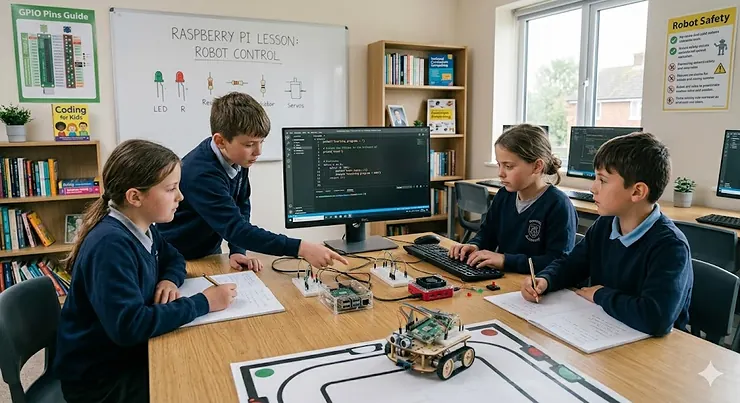
It doesn’t look like much. It’s smaller than a paperback novel, has no screen, no keyboard, and comes in a plain cardboard box. And yet, the Raspberry Pi has quietly become one of the most transformative educational tools in British households — sitting somewhere between a LEGO set and a proper computer science degree, but costing roughly the same as a decent pair of trainers.
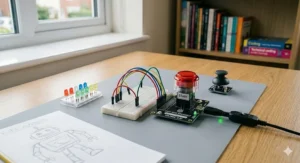
Raspberry Pi kits for kids have exploded in popularity across the UK, and honestly, it’s not hard to see why. The Raspberry Pi Foundation — a Cambridge-based educational charity founded in 2008 — designed these credit-card-sized computers specifically to put real programming power into young hands. The latest Raspberry Pi 5, powered by a 64-bit quad-core Arm Cortex-A76 processor running at 2.4GHz, is now three times faster than its predecessor. That’s not a toy. That’s a proper computer capable of Python, Java, Scratch, and even AI projects.
Here’s the uncomfortable truth, though: a bare Raspberry Pi board is about as useful to an eight-year-old as a pile of LEGO bricks without any instructions. What transforms a £50 circuit board into a genuine learning adventure is the right kit — one with a case, a power supply, a pre-loaded SD card, and ideally a tutorial guide that doesn’t assume your child already has a computer science A-level.
In a 2025 survey conducted by the Raspberry Pi Foundation, 60% of UK parents said it was important their child learns to code, yet more than 70% reported that their child isn’t regularly taught coding at school. That gap — between what parents want and what the curriculum delivers — is exactly where Raspberry Pi kits for kids come in. Whether you’re a complete beginner in a Birmingham semi, a curious teenager in rural Yorkshire, or a parent in Edinburgh looking for a Christmas present that actually means something, this guide will point you in the right direction.
Quick Comparison: Best Raspberry Pi Kits for Kids at a Glance (2026)
| Kit | Pi Included? | Best For | Approx. Price (GBP) | Amazon.co.uk? |
|---|---|---|---|---|
| CanaKit Pi 5 Starter PRO (8GB) | ✅ Yes | Plug-and-play beginners | £120–£150 | ✅ Prime eligible |
| GeeekPi Pi 5 Starter Kit (4GB) | ✅ Yes | Budget-conscious families | £85–£105 | ✅ Prime eligible |
| GeeekPi Pi 5 Starter Kit (8GB Aluminium) | ✅ Yes | Mid-range power users | £100–£125 | ✅ Prime eligible |
| Freenove Complete Starter Kit | ❌ Pi not included | Deep-dive learners (Pi already owned) | £55–£75 | ✅ Prime eligible |
| Freenove Ultimate Starter Kit | ❌ Pi not included | First-time electronics explorers | £35–£55 | ✅ Prime eligible |
| db-tronic Pi 5 8GB Starter Kit | ✅ Yes | Retro gaming & home projects | £100–£130 | ✅ Prime eligible |
| ELECROW CrowPi Advanced Kit (8GB) | ✅ Yes | All-in-one laptop-style learning | £250–£320 | ✅ Prime eligible |
All prices are approximate GBP ranges — check current pricing on Amazon.co.uk as costs fluctuate. All kits ship with a UK-compatible 230V/50Hz USB-C power supply (UK plug Type G included or adaptable). Prime members receive free next-day delivery on most listings.
The table above makes one thing immediately clear: there’s a sharp divide between kits that include the Pi board itself and those that supply only components, sensors, and tutorials. If your child doesn’t already have a Pi, focus on the “Yes” column first. If they’ve already got a board gathering dust, Freenove’s component kits offer extraordinary value — more on that below.
💬 Just one click — help others make better buying decisions too! 😊
✨ Don’t Miss These Exclusive Deals!
🔍 Ready to spark a love of coding in your child? Click any highlighted product name to check current pricing and availability on Amazon.co.uk. These hand-picked kits are ideal for beginners, tinkerers, and curious young coders across the UK.
Top 7 Raspberry Pi Kits for Kids: Expert Analysis
1. CanaKit Raspberry Pi 5 Starter Kit PRO — Turbine Black (8GB, 128GB Edition)
If you want a kit that just works — no fuss, no forum-diving, no frantic YouTube tutorials at 11pm — CanaKit has been quietly nailing this formula since 2012, when it released the very first commercial Raspberry Pi kit. The CanaKit Pi 5 Starter PRO bundles the Raspberry Pi 5 (8GB RAM variant) with a 128GB Class 10 MicroSD card pre-loaded with Raspberry Pi OS 64-bit, a premium three-piece case with integrated fan mount, a low-noise PWM cooling fan, a large passive heat sink, two 4K HDMI cables, and a 5A USB-C PD power supply with noise filter.
That 8GB of RAM matters in practice. Whilst 4GB handles coding and basic desktop use comfortably, 8GB means your child can have a Python IDE, a browser with six tabs, and a Minecraft Education session open simultaneously without the system crawling. The pre-loaded SD card is genuinely appreciated — it eliminates the single biggest frustration for beginners, which is spending an entire Saturday afternoon just getting the operating system running.
The case design is a highlight. The three-piece construction with GPIO access means older kids can wire external components without opening the whole thing up, which is exactly what you want when the LEDs and breadboards come out.
UK parents tend to rate CanaKit highly for build quality and completeness. The power supply carries a noise filter — an unsung hero that prevents voltage spikes from corrupting SD cards, a surprisingly common failure point with cheaper power adapters. This is a proper kit from people who’ve been doing this for over a decade.
✅ Pre-loaded OS means genuinely plug-and-play setup
✅ Premium quality cooling prevents thermal throttling
✅ Excellent UK availability with Prime next-day delivery
❌ Pricier than GeeekPi equivalents
❌ No component sensors or tutorial book included — purely a hardware bundle
Price range: around £120–£150 | A thoroughly complete hardware bundle for the family who wants to get started tonight, not next weekend.
2. GeeekPi Starter Kit for Raspberry Pi 5 4GB (Armor Lite V5 Active Cooler)
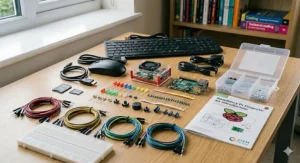
GeeekPi occupies an interesting middle ground in the Raspberry Pi accessories market — technically competent, competitively priced, and honest about what you’re getting. The GeeekPi Pi 5 4GB Kit includes the Pi 5 board (4GB), an ABS case with Armor Lite V5 active cooler, a 64GB pre-loaded SD card, card reader, two 4K HDMI cables, and a 27W USB-C power supply.
The 4GB RAM version is the sweet spot for most children aged 8–14. It handles Scratch, Python, web browsing, and Minecraft Pi Edition without breaking a sweat. The step up to 8GB only becomes relevant when running heavier workloads — machine learning projects, video editing, or genuinely intensive multitasking. For a child still discovering what a GPIO pin actually does, 4GB is more than sufficient.
What sets this kit apart at its price point is the active cooling solution. The Armor Lite V5 combines an aluminium heatsink with a small PWM fan, keeping core temperatures comfortably below throttling thresholds even during sustained coding sessions. That’s relevant in the UK context: houses with poor ventilation in winter can get stuffy, and a Pi tucked in a bedroom on a desk near a radiator will thank you for the extra thermal headroom.
UK reviewers on Amazon consistently praise the packaging — everything arrives in a neat, well-organised box. One small gripe: the instructions assume a degree of pre-existing knowledge that might trip up complete beginners. Pairing this kit with Freenove’s tutorial book (available separately) is a sensible move.
✅ Excellent value at this price point
✅ Active cooling keeps temperatures stable
✅ 64GB SD card is generous for the price
❌ Documentation could be more beginner-friendly
❌ No GPIO sensors or breadboard included
Price range: £85–£105 | Brilliant mid-range option for families who want a reliable, complete kit without overpaying.
3. GeeekPi Starter Kit for Raspberry Pi 5 8GB (Aluminium Passive Cooling Case Armour V5)
The 8GB sibling of the above, but with a notably different thermal philosophy. Whilst the 4GB version uses active cooling (fan + heatsink), this GeeekPi 8GB Aluminium Kit takes the passive route — the entire case acts as a heat sink, using five built-in heatsink pillars and thermal pads to dissipate heat through the aluminium chassis itself.
No moving parts means no fan noise. In a bedroom environment where a child might leave the Pi running overnight for a long project, the whisper-quiet operation is genuinely appreciated by both children and parents. The aluminium construction also gives the kit a premium, almost industrial feel that kids tend to find quite cool — it looks like something you might find in a server room, not a toy cupboard.
The 8GB RAM opens doors to more ambitious projects: running a home web server, experimenting with Python-based AI and machine learning frameworks, or setting up a local network shared storage device. These aren’t beginner activities, but they’re exactly the projects a motivated 13–16-year-old might attempt after six months of experience.
UK buyers should note that passive cooling works best in a cool environment. A well-ventilated desk space is ideal. Tucked into an enclosed shelf or cupboard, any passive cooler will eventually struggle under sustained heavy loads — though for typical coding and browsing, it handles everything comfortably.
✅ Silent operation — no fan noise whatsoever
✅ Premium aluminium build quality
✅ 8GB RAM future-proofs for advanced projects
❌ Passive cooling less effective in warm or poorly ventilated spaces
❌ Slightly higher price than the 4GB active-cooled alternative
Price range: £100–£125 | For the tech-curious teenager who appreciates quality hardware and values a quiet workspace.
4. Freenove Complete Starter Kit for Raspberry Pi 5 (386 Items, 164 Projects)
Right, here’s where things get genuinely exciting. The Freenove Complete Starter Kit doesn’t include a Raspberry Pi board — let’s be clear about that upfront — but what it does include is staggering: 386 individual components (LEDs, resistors, sensors, motors, breadboards, jumper wires, a camera module, a speaker, and much more), 164 hands-on projects, and a 1,170-page tutorial covering Python, C, Java, Scratch, and Processing code. Rated 4.6/5 from over 315 UK reviews on Amazon.co.uk. That’s not an accessory kit. That’s a curriculum.
The tutorial book — available in full as a downloadable PDF — is the real value here. Each of the 164 projects builds on the previous one, starting with “make an LED blink” and eventually reaching temperature sensors, motorised robots, game controllers, and camera-based projects. It’s structured in a way that mirrors actual educational progression: children learn why something works, not just how to copy the code.
For a UK family that already has a Raspberry Pi 5 or Pi 4 board, this kit transforms the hardware from a capable-but-idle computer into a full-blown electronics learning platform. The inclusion of both a camera module and a speaker is particularly thoughtful — these are the components that enable the more spectacular projects, like a basic home security camera or a voice-activated system.
UK parents should be aware: the breadboard wiring projects can get fiddly for younger children. Ideal age range is roughly 10 and above with some adult supervision for the initial sessions.
✅ Extraordinary range of components and projects
✅ Exceptional tutorial quality across multiple languages
✅ Compatible with Pi 5, 4, 3, Zero 2W and more
❌ Pi board NOT included — must purchase separately
❌ Volume of components can feel overwhelming at first
Price range: £55–£75 (Pi sold separately) | Best pure learning kit on the market if you already own a Raspberry Pi.
5. Freenove Ultimate Starter Kit for Raspberry Pi 5 (223 Items, 128 Projects)
The more accessible sibling to the Complete Kit above. The Freenove Ultimate Starter Kit pares the component list to 223 items and 128 projects across a 962-page tutorial, making it slightly less intimidating as a starting point whilst still offering remarkable depth. Rated 4.6/5 from over 4,200 reviews on Amazon.co.uk — that kind of review count at that rating is virtually unheard of in this product category.
What makes this kit stand out for beginners is the tutorial pacing. The 962-page guide is structured to introduce concepts gradually, never throwing children into the deep end. The code examples are provided in Python, C, Java, and Scratch — which is brilliant, because Scratch is typically how UK primary school children encounter coding first, meaning they can start with familiar territory before progressing to Python.
For a parent who isn’t technical themselves — and surveys suggest over half of UK parents fall into this category — the Freenove tutorials are detailed enough that the child can work largely independently after the first few sessions. This isn’t a kit that requires a computer science teacher hovering over the shoulder. It’s designed to be self-directed, which is frankly how the best learning happens.
At its price point, this represents extraordinary value for an educational kit. The main limitation compared to the Complete Kit is simply scope — 128 projects versus 164, and a slightly smaller components list. For most children, 128 projects will keep them occupied for well over a year.
✅ Over 4,200 positive UK reviews — proven track record
✅ Scratch support bridges school learning and Pi coding
✅ Genuinely self-directed learning with detailed tutorials
❌ Pi board NOT included
❌ Some components are quite small — potential challenge for younger children
Price range: £35–£55 (Pi sold separately) | The most cost-effective entry into serious Raspberry Pi learning.
6. db-tronic Raspberry Pi 5 8GB Starter Kit (128GB Edition)
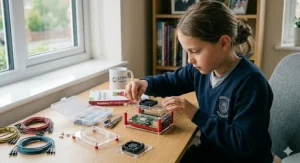
A lesser-known name in the Pi accessories space, but one that’s earned a loyal following on Amazon.co.uk with over 686 reviews and a strong rating. The db-tronic Pi 5 8GB Starter Kit bundles the Raspberry Pi 5 (8GB), a 128GB SD card pre-loaded with Raspberry Pi OS, a case with cooling fan, heatsink, 4K micro HDMI cable, and a 27W power supply. Marketed specifically with smart home, retro gaming, and Home Assistant use cases in mind.
What distinguishes this kit in practice is its orientation towards project-based use. The 128GB SD card is notably generous — it gives children space to install RetroPie (the popular retro gaming operating system), Home Assistant (for smart home automation), and still have room for their Python projects without constantly managing storage. For a UK teenager who wants to turn the Pi into a retro gaming console and a bedroom media server, the db-tronic kit provides the hardware foundation without compromise.
The case design is functional rather than flashy. The active cooling fan is well-calibrated, running quietly under normal loads and spinning up appropriately during intensive tasks. UK buyers consistently mention the responsive customer service, which is worth noting for a product where occasional questions about setup arise.
One thing to appreciate: at its price point, 8GB RAM and 128GB storage makes this kit one of the better-value complete bundles on Amazon.co.uk. It’s not as premium as CanaKit, but it’s also noticeably more affordable for comparable specs.
✅ 128GB SD card generous for project variety
✅ 8GB RAM handles retro gaming and media tasks
✅ Strong UK customer reviews and support
❌ Less brand recognition than CanaKit
❌ Case lacks premium feel of aluminium alternatives
Price range: £100–£130 | Excellent value for a Pi 5 8GB complete bundle — a strong choice for project-oriented teenagers.
7. ELECROW CrowPi Advanced Kit with Raspberry Pi 5 8GB
And now for something altogether different. The ELECROW CrowPi Advanced Kit is not really a starter kit in any conventional sense — it’s closer to an all-in-one educational laptop built around the Raspberry Pi 5. The kit includes the Pi 5 8GB board, a 9-inch HD built-in display, keyboard, mouse, earphones, gamepad, heat sink, and a development board packed with 19 different sensors (LCD display, LED matrix, buzzer, light sensor, PIR motion sensor, ultrasonic sensor, infrared sensor, and more).
The genius of the CrowPi concept is that it removes the most common friction point for new Pi users: “I have a Pi, but I don’t have a monitor or keyboard, and wiring up sensors looks complicated.” The CrowPi eliminates all of that by building everything into a single, portable unit. It’s genuinely laptop-like — children can take it to a friend’s house, bring it on holiday, or use it at the kitchen table without needing to drag along a separate monitor.
For UK families in smaller homes — a terraced house in Manchester or a flat in London, where desk space is a premium — the CrowPi’s self-contained form factor is more than a convenience. It’s practically necessary. The 21-lesson curriculum included with the kit takes children from complete beginner to building functional sensor-based projects, and the gamepad integration makes it particularly engaging for children who arrived via the gaming route.
The price reflects the premium all-in-one nature of the product. This is not a budget purchase. But if your child is serious about learning and you want to invest in something that will hold their attention for years, the CrowPi Advanced Kit is genuinely the most complete learning environment in this round-up.
✅ Truly all-in-one — screen, keyboard, 19 sensors included
✅ Portable — ideal for small UK homes and travel
✅ 21 structured lessons bridge hardware and software
❌ Premium price point — a significant investment
❌ Less flexible than modular setups once sensors are outgrown
Price range: £250–£320 | The Rolls-Royce of Raspberry Pi learning kits — expensive, but transformatively complete.
Which Kit Is Right for Your Child? A UK Buyer’s Framework
Before scrolling back up and clicking the first thing that catches your eye, spend ninety seconds with this decision framework. The right kit depends almost entirely on your situation, not the specs.
If your child is 7–10 and a complete beginner: Start with the GeeekPi Pi 5 4GB Kit for hardware, then pair it with the Freenove Ultimate Starter Kit for components. The total outlay sits comfortably under £150, and the combination provides both a functional computer and hands-on electronics projects from day one.
If your child is 11–14 and already dabbles with coding: The CanaKit Pi 5 Starter PRO is worth the premium — the build quality is exceptional, and the 8GB model handles more ambitious programming projects without frustration. Add the Freenove Complete Kit when they’re ready to move into electronics.
If you live in a small flat or house with limited desk space: The ELECROW CrowPi is worth the investment precisely because it collapses an entire Pi lab into one portable unit. The space-saving argument alone justifies the price for many UK families.
If budget is the primary concern: A db-tronic Pi 5 8GB Kit (Pi included) combined with the Freenove Ultimate Starter Kit (components) gives you the best combined value under £190 — a remarkably complete setup at a reasonable price.
If your teenager wants to go deep: The Freenove Complete Starter Kit’s 164 projects and 1,170-page tutorial will keep them occupied for two years or more. This is educational content that puts most online coding courses to shame.
The UK government’s digital skills strategy has repeatedly identified computing education as a national priority. Investing in a Raspberry Pi kit isn’t just buying a toy — it’s genuinely aligning with a skill set that the UK economy will demand for decades.
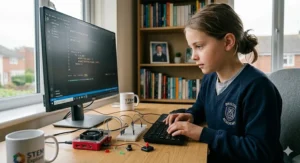
Setting Up Your First Raspberry Pi: What Actually Happens (UK Edition)
Here’s what nobody tells you in the product listing: the first evening with a Raspberry Pi can be either magical or deeply frustrating, and the difference usually comes down to preparation. Here’s the honest sequence of events.
Step 1 — Gather what you need before the kit arrives. Any Raspberry Pi setup requires a monitor with HDMI input (or micro-HDMI adaptor), a USB keyboard, and a USB mouse. Kits like the CanaKit and GeeekPi include the HDMI cable; kits like the Freenove component sets don’t include a board at all. Know what you’re getting before you start unpacking.
Step 2 — Flash the SD card if it isn’t pre-loaded. If your kit doesn’t come with a pre-loaded card (most complete bundles do in 2026), download Raspberry Pi Imager from the official Raspberry Pi Foundation website. It’s free, it’s straightforward, and it works on Windows, macOS, and Linux. Write Raspberry Pi OS Bookworm (the current 64-bit version) to your card.
Step 3 — First boot takes about 3-4 minutes. Don’t panic. The rainbow square is normal. Once the desktop loads, set your timezone (UK = Europe/London), language (en-GB), Wi-Fi, and run the automatic updates. This is the boring part. It still takes ten minutes. Have a cup of tea.
Step 4 — UK-specific tip on power. British homes run at 230V/50Hz, and all major kit power supplies (CanaKit, GeeekPi, db-tronic) are designed accordingly with UK Type G plugs or included adaptors. Never use an unofficial phone charger — the Pi 5 requires a proper 5V/5A (27W) USB-C PD supply. Using an underpowered charger causes strange crashes and SD card corruption, which is about as fun as it sounds.
Step 5 — Start with Thonny IDE and Python. It’s pre-installed on Raspberry Pi OS, designed for beginners, and it’s what the Raspberry Pi Foundation recommends. The official Raspberry Pi getting started guide is genuinely excellent and freely available online.
Most children will be writing their first Python programme within 45 minutes of first boot. Watching a ten-year-old’s face when their code makes an LED blink for the first time is, frankly, worth every penny.
Raspberry Pi vs Alternatives: Why Single-Board Computing Still Wins
There are other options in the “coding for kids” space — BBC micro:bit, Arduino starter kits, various app-based coding toys — and they each have their place. But let’s be honest about what they do and don’t offer compared to Raspberry Pi kits for kids.
| Raspberry Pi 5 Kit | BBC micro:bit | Arduino Starter Kit | Coding App (e.g., Scratch online) | |
|---|---|---|---|---|
| Full Linux OS | ✅ Yes | ❌ No | ❌ No | ❌ No |
| Physical electronics | ✅ Yes | ✅ Limited | ✅ Yes | ❌ No |
| Real programming languages | ✅ Python, Java, C | ✅ MicroPython | ✅ C++ | ✅ Scratch-based |
| Works as a real computer | ✅ Yes | ❌ No | ❌ No | ❌ No |
| UK Price range | £85–£320 | £15–£50 | £25–£100 | Free |
| Best age range | 8–18+ | 7–14 | 10–18+ | 5–12 |
The key differentiator is that a Raspberry Pi is a real computer running a real operating system. When a child learns Python on a Pi, they’re using the same tools, the same syntax, and the same workflows that professional developers use. The transition to writing actual software — not toy versions of it — is essentially zero.
The BBC micro:bit, developed in partnership with the BBC and a consortium of tech companies, is brilliant for younger children and absolute beginners because of its simplicity. But it has a ceiling. A Raspberry Pi doesn’t. A motivated teenager can go from blinking an LED to running a personal web server to experimenting with machine learning on the same device, without ever hitting a hardware wall.
Real UK Families, Real Scenarios: Who Should Buy What
The Jackson family in Bristol, two kids aged 9 and 12. Dad is vaguely technical; Mum works in healthcare and has zero interest in circuits. Budget: around £150. The 9-year-old loves Minecraft; the 12-year-old is into building things.
Recommendation: GeeekPi Pi 5 4GB Kit (Pi included, around £90) plus Freenove Ultimate Starter Kit (components, around £45). The 9-year-old starts with Minecraft Pi Edition and Scratch; the 12-year-old dives into the electronics projects. Total outlay: under £140. Both children served.
Priya, 15, in Edinburgh. Her school doesn’t teach much coding and she wants to get ahead for her Highers and eventual university application in computer science.
Recommendation: CanaKit Pi 5 PRO 8GB Kit (around £135) plus Freenove Complete Starter Kit (around £65). She’ll get a proper desktop computing experience, 164 electronics projects, and a tutorial set that covers Python, Java, and C. This is closer to a self-directed A-level computing supplement than a children’s toy.
The Khan family in a two-bedroom flat in Manchester. Limited desk space. Eight-year-old Tariq is obsessed with games and needs something that doesn’t take over the living room.
Recommendation: ELECROW CrowPi Advanced Kit (around £280). It’s the most expensive option, but for a compact flat, the self-contained nature of the CrowPi is the decisive factor. No external monitor, keyboard, or mouse needed. It packs away like a laptop.
Common Mistakes UK Parents Make When Buying Raspberry Pi Kits
Buying a board-only without realising it. The Raspberry Pi 5 board is sold individually for around £50–£70 depending on RAM. It does not include a power supply, case, SD card, or cables. Buying a board and then discovering you need another £40-£60 of accessories is an extremely common and entirely avoidable mistake. Always buy a complete kit unless you explicitly know what you’re doing.
Choosing 4GB vs 8GB RAM purely on price. For ages 8–13 doing Scratch, Python, and basic electronics, 4GB is genuinely sufficient. For ages 14+ doing more ambitious software projects, running Home Assistant, or experimenting with AI frameworks, 8GB is worth the extra £10–£15. Don’t overthink it, but don’t ignore it either.
Ignoring the tutorial content. Many parents focus entirely on hardware specs and overlook whether the kit comes with educational materials. A Pi with no learning resources is like a piano with no sheet music. The Freenove kits, in particular, offer tutorial content that rivals paid online courses.
Using an underpowered USB charger. Every year, UK buyers post on the Raspberry Pi Forums complaining about unexplained crashes and corrupted SD cards — and in a significant proportion of cases, the culprit is a charger borrowed from an old phone. The Pi 5 requires a dedicated 27W USB-C PD supply. Most complete kits include the correct power supply; if yours doesn’t, buy one separately.
Forgetting about peripherals. Unless you’re buying the ELECROW CrowPi, you’ll need a monitor, keyboard, and mouse that aren’t included in most kits. Many UK families forget this and spend an extra evening rummaging through drawers. Check what you have at home before the kit arrives.
Long-Term Value: What Does a Raspberry Pi Kit Actually Cost to Run in the UK?
Let’s talk total cost of ownership — because a Raspberry Pi kit isn’t a disposable toy. It’s a platform that can grow with your child for years.
| Cost Item | Approximate GBP | Notes |
|---|---|---|
| Starter kit (Pi + accessories) | £85–£320 | One-time purchase |
| Electricity (annual) | Under £5 | Pi 5 draws ~10-12W; UK electricity at ~£0.25/kWh |
| Replacement SD card (if needed) | £8–£20 | Every 2-3 years with heavy use |
| Additional components (optional) | £10–£40/year | LEDs, sensors, breadboards |
| Software & OS updates | £0 | Raspberry Pi OS is free and open-source |
The electricity figure deserves emphasis. Running a Raspberry Pi 5 for four hours every day for a year costs less than a cup of coffee at a high street café. For parents anxious about energy bills — a very real concern in the UK post-2022 — this is meaningfully reassuring. There’s no subscription, no licence fee, and no hidden costs. Raspberry Pi OS, Python, Scratch, LibreOffice, the Minecraft Pi Edition, and thousands of free educational resources are all available at zero cost.
Compare that to a gaming console (£400–£550 upfront, plus £50–£70 per game, plus an online subscription), and the Raspberry Pi’s value proposition becomes rather compelling. It’s not trying to compete with gaming consoles, of course. But for parents looking to spend money on something genuinely educational that won’t bankrupt them over three years, the Pi is an easy argument.
✨ Don’t Miss These Exclusive Deals!
🔍 Whether you’re after a budget bundle or a premium all-in-one kit, these Amazon.co.uk listings are worth checking today. Click any highlighted product to see current prices and Prime delivery options.
Frequently Asked Questions About Raspberry Pi Kits for Kids in the UK
❓ What age is a Raspberry Pi suitable for?
❓ Do Raspberry Pi kits sold on Amazon.co.uk come with UK plugs?
❓ Is the Raspberry Pi 4 still worth buying in 2026, or should I get the Pi 5?
❓ Can my child use a Raspberry Pi for schoolwork and GCSEs?
❓ What's the difference between the Freenove Ultimate and Complete Starter Kits?
Conclusion: The Best £100 You’ll Spend on Your Child’s Future
There’s a sentence that gets repeated a lot in educational technology circles, usually by people who want to sound visionary: “Coding is the literacy of the 21st century.” It’s a bit of a cliché. It’s also, unfortunately, completely true.
The best Raspberry Pi kits for kids aren’t selling you a hobby. They’re selling genuine, transferable skills: logical thinking, problem-solving, comfort with failure and iteration, and a working understanding of how the digital world they already live in actually functions. These are skills that British employers have been crying out for — a point the UK government’s National Digital Strategy makes with some urgency.
For most UK families, the right starting point is somewhere around £130–£160: a complete Pi 5 kit from CanaKit or GeeekPi combined with Freenove’s component and tutorial bundle. That combination provides a proper computer, an electronics lab, and over a year’s worth of structured learning content. It’s not a toy. It’s an education.
And when your child debugs their first Python programme at midnight, mutters something under their breath about variable scope, and fixes it — you’ll understand why this little credit-card-sized computer from Cambridge has quietly changed the world.
✨ Don’t Miss These Exclusive Deals!
🔍 Browse all recommended Raspberry Pi kits on Amazon.co.uk by clicking any highlighted product name above. Prime members get free next-day delivery on most listings. Check current pricing and stock levels before buying — popular kits sell out fast.
Recommended for You
- Botley 2.0 Coding Robot: 7 Best Picks for UK Kids in 2026
- LEGO Boost vs LEGO Mindstorms: Which UK Coding Kit Wins in 2026?
- Best Osmo Coding Starter Kit UK: 7 Top Picks for 2026
Disclaimer: This article contains affiliate links. As an Amazon Associate, I earn from qualifying purchases. If you purchase products through these links, we may earn a small commission at no additional cost to you.
✨ Found this helpful? Share it with your mates! 💬🤗
