
In This Article
There’s a peculiarly British tendency to leave things until the absolute last minute. The gutters stay blocked all summer, the boiler service gets booked in January when it’s already broken, and the conversation about your child learning to code gets pushed off indefinitely because “they’re only seven.” Meanwhile, coding has been part of the national curriculum in England since 2014, and the Department for Education’s computing curriculum now expects children as young as five to begin grasping algorithmic thinking. No pressure.
Here’s the thing, though: most parents approach this wrong. They either buy a screen-heavy app that turns into a zombie session, or they spend £200 on a robotics kit that ends up gathering dust behind the sofa cushions by February. The Osmo Coding starter kit sits in a genuinely clever middle ground — one that combines physical, tactile play with digital feedback in a way that genuinely holds a child’s attention. It’s essentially a Montessori classroom and an iPad game had a very productive argument and reached a truce.
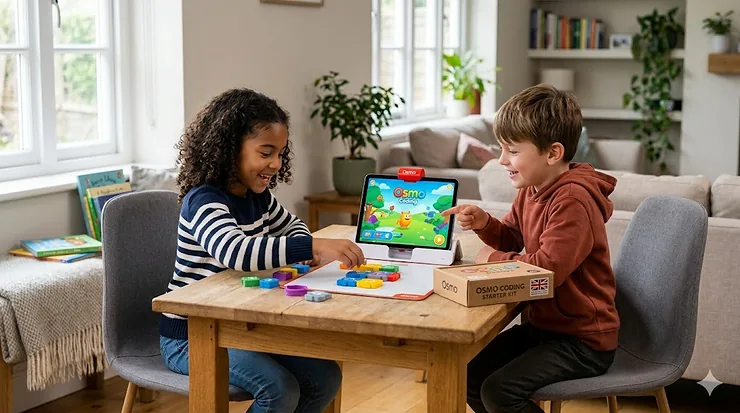
What is the Osmo Coding starter kit? In short: it’s a physical-digital learning system that uses an iPad camera combined with a reflective mirror to “see” real magnetic coding blocks arranged on a table. Children direct an on-screen character by physically laying out command pieces — no typing, no touchscreen dragging, just hands on tangible objects. It covers ages 5–10+ and introduces sequencing, looping, and logic without a single line of typed code. Rather elegant, actually.
In this guide, we’ve reviewed seven of the best Osmo Coding starter kit options and close competitors available on Amazon.co.uk in 2026 — covering everything from the star of the show to brilliant alternatives that may actually suit your child better.
Quick Comparison: Top 7 iPad Coding Toys at a Glance
| Product | Best For | Age Range | Price Range (GBP) | Tablet Required? | Prime Eligible? |
|---|---|---|---|---|---|
| Osmo Coding Starter Kit for iPad | Best overall physical-digital | 5–10+ | £50–£90 | iPad only | ✅ Yes |
| PlayShifu Plugo Coding Kit | Best budget AR coding | 4–10 | £30–£50 | iOS/Android/Fire | ✅ Yes |
| PlayShifu Plugo Link | Best for builders + coders | 4–10 | £25–£45 | iOS/Android/Fire | ✅ Yes |
| Osmo Genius Starter Kit | Best all-round Osmo pack | 6–10 | £80–£120 | iPad only | ✅ Yes |
| Learning Resources Botley 2.0 | Best screen-free coding | 5+ | £45–£65 | None | ✅ Yes |
| Wonder Workshop Dash Robot | Best advanced coding robot | 6–12 | £180–£220 | iOS/Android | ✅ Yes |
| Primo Toys Cubetto | Best for under-5s, no screen | 3–6 | £150–£200 | None | ✅ Yes |
Reading between the rows: The Osmo Coding Starter Kit wins on immersion and curriculum alignment, but it’s iPad-exclusive — a deal-breaker if your household runs Android or Amazon Fire tablets. Plugo Coding is the obvious alternative for cross-platform families, and at a lower price point it’s hard to argue against. If screen time is already a battleground in your house, Botley 2.0 and Cubetto are genuinely excellent screen-free options, though they lose the augmented reality magic that makes Osmo special.
💬 Just one click — help others make better buying decisions too! 😊
✨ Don’t Miss These Exclusive Deals!
🔍 Take your child’s coding journey to the next level with these carefully selected products. Click on any highlighted item to check current pricing and availability on Amazon.co.uk. Prime members enjoy next-day delivery on most of these picks — rather handy when a birthday is creeping up.
Top 7 iPad Coding Toys: Expert Analysis
1. Osmo — Coding Starter Kit for iPad
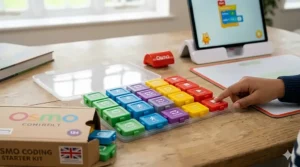
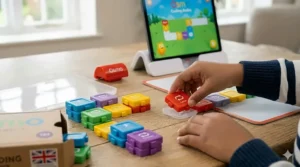
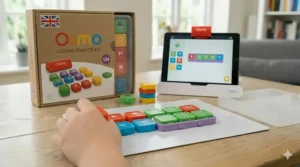
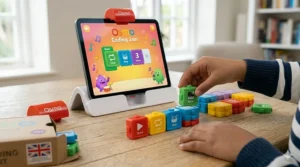
The one that started the conversation. The Osmo Coding Starter Kit uses what Osmo calls “Reflective AI Technology” — a small mirror attachment clips over the iPad’s front camera and allows the device to see the physical coding blocks laid out on the table below it. It’s a brilliantly tactile system. Children work with 31 magnetic coding blocks to direct Awbie (a cheerful creature who eats strawberries) through adventures in Coding Awbie, progress to creating music sequences in Coding Jam, and eventually tackle 60+ side-by-side puzzles in Coding Duo. That’s a natural progression from basic sequencing through to loops and logic — exactly the kind of scaffolded learning that primary computing teachers are trained to value.
The three included games cover a solid age range: Awbie works beautifully for a five-year-old just learning cause and effect, while Duo genuinely challenges a nine-year-old already comfortable with logical thinking. No Wi-Fi is needed for gameplay once the apps are downloaded, which is a genuine plus for British families who’ve taken a cottage in the Cotswolds with predictably patchy broadband.
The key limitation: it only works with iPad. That iPad base is included, but the iPad itself is obviously not, and this is an important UK consideration — many British households have moved to Amazon Fire tablets for children precisely because they’re cheaper and more robust. If you’re an iPad family, this is the pick. If not, scroll down to Plugo Coding.
UK customer feedback is strong, with parents particularly praising the durability of the physical blocks and the absence of intrusive in-app purchases. Osmo confirmed in early 2026 that it is under new ownership and all apps remain fully supported — worth knowing given some uncertainty around the brand last year.
✅ Pros: Brilliant physical-digital integration | No Wi-Fi needed for play | Natural difficulty progression across 3 games
❌ Cons: iPad only (no Android or Fire tablet support) | iPad not included — significant additional cost
Price range: £50–£90 range — solid value given the three included apps. Check current price on Amazon.co.uk.
2. PlayShifu Plugo Coding Kit
If the Osmo Coding Starter Kit is the Oxford-educated option, the Plugo Coding Kit is the comprehensive scholarship student who turns out to be just as sharp. Designed for ages 4–10 with 3 story-based games and over 200 levels, it teaches direction, sequencing, and logical reasoning through physical tiles placed on a foldable gamepad. Crucially, it works with iOS, Android, and Amazon Fire tablets — making it the most inclusive option in this list by a considerable margin.
The adaptive difficulty is genuinely thoughtful. The app adjusts challenges based on the child’s performance, which means a four-year-old and a nine-year-old can both find it appropriately engaging without a parent needing to manually fidget with settings. The foldable gamepad design is also practical for the compact storage that matters in British homes — this is not a piece of kit requiring dedicated shelf real estate.
What does Plugo Coding teach? The physical direction tiles introduce the concept of conditional logic — essentially “if I place this, the character does that” — which maps neatly onto the sequencing and programming concepts outlined in the national computing curriculum for Key Stage 1 and 2. The Teach Computing platform from STEM Learning identifies exactly these concepts as foundational for children aged 5–7. Plugo Coding does that job rather well.
UK reviewers on Amazon.co.uk praise the value and the ease of setup. Some note the physical tiles feel slightly less premium than Osmo’s magnetic blocks — fair — but at this price point, that’s a reasonable trade-off.
✅ Pros: Works with iPad, Android, and Amazon Fire | Great value for money | Adaptive difficulty system
❌ Cons: Gamepad design less tactile than Osmo’s block system | Three games fewer than some competitors
Price range: £30–£50 range — outstanding value, especially for non-iPad households.
3. PlayShifu Plugo Link
Consider this the sibling kit that rewards builders rather than storytellers. Plugo Link combines 15 hexagonal magnetic building blocks with AR-powered STEM games, teaching spatial reasoning, engineering concepts, and basic programming through construction. There are 6 games and 250+ levels, and it works offline once the app is set up — important for those long motorway trips down to Devon when the kids need something to do.
The real cleverness here is the AR integration: children build structures with the physical magnetic hexagons, and the app responds to what they’ve built on screen. It’s augmented reality in a meaningful educational sense rather than the marketing buzzword variety. Spatial intelligence — the ability to mentally manipulate objects in three dimensions — is one of the strongest early predictors of performance in mathematics and science, and Plugo Link builds this genuinely.
For children who’ve been working through Plugo Coding, Link makes a natural progression or companion. No Bluetooth or batteries required for the physical pieces, which means no mid-play crisis when the AA batteries inevitably run out on a Sunday afternoon.
✅ Pros: Develops spatial intelligence alongside coding logic | No batteries needed for physical pieces | Works offline after setup
❌ Cons: More engineering-focused than coding-specific | Physical pieces may challenge very young children
Price range: £25–£45 range — reasonable for the level of STEM content offered.
4. Osmo Genius Starter Kit for iPad
Think of this as the Osmo Coding Starter Kit’s more academically ambitious older sibling. The Genius Kit bundles five game apps — Tangram, Words, Numbers, Newton, and Masterpiece — turning the iPad into a full augmented reality learning station that spans maths, spelling, physics, and art alongside the coding fundamentals. It’s broader in scope than the Coding-specific kit, though it sacrifices the pure depth of the coding progression.
For families who want one kit to cover multiple subjects — particularly useful if you’re home-educating or looking to reinforce what’s happening in school — the Genius Starter Kit is the more logical purchase. The built-in Tangram and Numbers games align closely with the Key Stage 1 maths curriculum, and Newton’s physics sandbox teaches cause-and-effect reasoning in a wonderfully playful way.
The same iPad-only limitation applies. And the same reflector mirror setup — which, it must be said, is the fiddliest part of the Osmo experience. Getting the angle right takes two minutes of parental patience the first time. After that, it clicks (literally) into an intuitive routine.
UK families tend to rave about the breadth of subjects covered; the main complaint is that coding depth is lighter here than in the dedicated Coding Starter Kit.
✅ Pros: Five subjects covered in one kit | Strong alignment with primary curriculum | Brilliant for home education contexts
❌ Cons: Coding content less deep than the dedicated Coding kit | iPad-only limitation remains
Price range: £80–£120 range — justifiable given five distinct learning apps.
5. Learning Resources Botley the Coding Robot 2.0 Activity Set
Botley is the answer to a question many British parents are quietly asking: does my child actually need to stare at a screen while learning to code? The answer, refreshingly, is no. Botley 2.0 is completely screen-free. Children use a physical remote programmer to input sequences of movement commands, and Botley executes them across the floor — navigating obstacle courses, following paths, detecting objects, and triggering hidden actions.
What most buyers overlook is just how much coding logic Botley genuinely teaches. Looping, sequencing, conditional “if-then” logic, and even basic debugging (why isn’t Botley going where I told it?) are all embedded in the play. For children aged five to eight in particular, the tactile satisfaction of watching a physical robot do exactly what you commanded — or comically not do it, which teaches equally valuable lessons — is deeply motivating.
The screen-free nature is especially relevant for British families navigating screen time concerns; research from the University of Oxford’s Internet Institute has consistently found that the type of screen activity matters more than the raw number of hours, but Botley sidesteps the question entirely.
The Activity Set includes 78 pieces: obstacle course components, sorting cards, and scene cards that extend the play significantly beyond the robot itself.
✅ Pros: Completely screen-free | Teaches real coding logic through physical play | Large activity set included
❌ Cons: Less visually exciting than AR-based alternatives | Requires clear floor space — tricky in smaller British homes
Price range: £45–£65 range — excellent value for the scope of the activity set.
6. Wonder Workshop Dash Robot
Dash is the coding toy that primary school teachers consistently recommend, and for good reason. It’s a programmable robot compatible with multiple coding platforms — including Blockly (a drag-and-drop block-based language), the proprietary Wonder and Blockly apps, and even introductory Python for older children. The progression pathway here is genuine: a six-year-old can start with simple Dash missions on the Wonder app, and by eleven or twelve they can be writing actual structured code. That kind of longevity makes the higher price point more justifiable.
The robot itself is cheerful and robust — important when you consider that British children don’t exactly treat electronics with museum-level reverence. Dash reacts to sound, navigates around obstacles, and can be programmed to do almost anything a child’s imagination generates. The accompanying accessories (xylophone, launcher) expand the play universe substantially.
The premium price means this is a considered purchase, but for families wanting a single coding tool that grows with a child from Year 1 through to Year 7, Dash is the most compelling option in this list.
✅ Pros: Grows with the child from ages 6–12+ | Multiple coding platforms including Blockly | Genuinely durable build quality
❌ Cons: High entry price | Requires iOS or Android app to operate
Price range: £180–£220 range — premium, but defensible given the multi-year usability.
7. Primo Toys Cubetto Playset
The purist’s choice. Cubetto is a beautiful, screenless wooden robot designed for children aged three to six, inspired by both the Montessori method and the Logo Turtle coding approach developed at MIT. Children place coloured wooden blocks on a physical programming board to direct Cubetto around a fabric world map — no literacy required, no screens, no batteries in the main robot. It’s the kind of toy that quietly makes you feel like a thoughtful parent for buying it.
The coding philosophy is elegant: children physically “write” a programme by sequencing wooden command blocks, then hit a large button to execute it. Watching a three-year-old debug their first Cubetto programme — moving blocks around to figure out why it went the wrong way — is, frankly, rather charming.
The premium price reflects the quality of materials and the educational rigour behind the design. The included world map and storybook extend the play beautifully, though the logical complexity does reach a ceiling fairly quickly for children over six. Think of Cubetto as the perfect foundation before stepping up to Osmo or Plugo.
✅ Pros: Screenless, battery-free play | Montessori-aligned design philosophy | Beautiful, durable materials
❌ Cons: Complexity ceiling reached quickly for children 6+ | Significant price for a product with a relatively short developmental window
Price range: £150–£200 range — expensive, but the build quality justifies it for under-5s.
How to Set Up Your Osmo Coding Starter Kit: First 30 Days
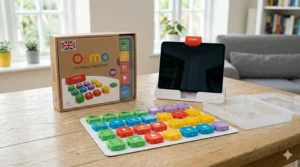
The unboxing experience is excellent. The reflector mirror clips onto the iPad with a satisfying click — there’s one version for older iPads with a top-facing camera and another for newer iPad models — and the magnetic coding blocks snap together satisfyingly. Here’s how to get the most out of the first month:
Week 1 — Coding Awbie only. Resist the urge to introduce all three apps at once. Awbie teaches directional sequencing and is specifically designed as the entry point. Let your child master it. The moment they start stacking blocks horizontally to create a sequence without being prompted, they’ve genuinely understood programming logic.
Week 2 — Introduce Coding Jam. This app layers music creation onto the coding concepts. Children who are less drawn to adventure games often respond brilliantly to Jam — it’s unexpectedly popular with girls who dismissed Awbie as “not for them,” in my experience.
Week 3–4 — Coding Duo. This is where the challenge escalates sharply. The 60+ puzzles require genuine logical thinking — looping, conditional logic, and multi-step sequencing. Don’t rush here. If your child finds it frustrating, a week back on Awbie resets their confidence effectively.
Storage tip: The coding blocks have dedicated stackable storage included in the box — use it. Losing magnetic blocks behind the sofa is the number one reason parents give for abandoning the kit after a month. In a typical British semi-detached or terraced house, small component chaos is the enemy of sustained use.
App updates: Download all three apps on first use while you’re on Wi-Fi. Once cached, gameplay is fully offline — important for families with data caps or unreliable broadband.
Real-World Scenarios: Which Coding Kit Suits Your Child?
British families don’t come in one flavour, and nor do their children. Here’s how the choice actually breaks down in practice:
The London Flat Family (compact living, iPhone/iPad household, age 6–8): The Osmo Coding Starter Kit is the obvious fit. It works on a kitchen table, stores compactly, and the apps are polished enough to hold attention through a grey British Tuesday afternoon. The £50–£90 price range sits comfortably in the “birthday present” bracket without requiring a family meeting about finances.
The Manchester Suburb Family (Android tablets, two children aged 5 and 9): Plugo Coding is the sensible answer here. It works across devices, the adaptive difficulty means both children can use it at appropriate levels, and at £30–£50 it’s accessible enough to buy alongside something else as a combined gift.
The Edinburgh Home-Educating Household (structured learning, ages 4–10, mix of subjects): The Osmo Genius Starter Kit earns its place here. Five subjects in one kit, strong curriculum alignment, and the breadth to cover a full learning session rather than just one skill area. The higher price is absorbed across a genuinely broad educational function.
The Rural Devon Family (limited Wi-Fi, young child aged 3–5, no tablets): Cubetto wins this one without contest. No screens, no Wi-Fi, no batteries in the robot itself — just beautifully engineered wooden blocks on a fabric world map. Perfect for a farmhouse kitchen table.
How to Choose the Best Osmo Coding Starter Kit in the UK
The spec sheet won’t tell you this, but the most important factor in choosing a coding kit is not the kit itself — it’s your family’s existing tech ecosystem. Run through these steps before you buy:
- Identify your tablet. iPad → Osmo opens as an option. Android or Fire → Osmo is off the table; Plugo becomes your best friend.
- Assess your child’s age and learning style. Visual storytellers aged 5–8 → Osmo Coding Starter Kit. Builders and constructors → Plugo Link. Screen-resistant families with children under 6 → Cubetto or Botley.
- Consider longevity. A £50 kit that a child outgrows in six months is worse value than a £150 kit used for three years. Dash Robot and Osmo Genius Score highly on longevity. Cubetto, brilliantly designed as it is, has a shorter developmental window.
- Think about storage. In a British home — especially a flat or a terraced house — storage matters more than the product box will admit. Kits with dedicated storage cases (Osmo, Botley) win here.
- Check the app ecosystem carefully. Download the app before buying if possible. Some AR coding apps have been discontinued without warning; check for recent updates and active developer support. Osmo confirmed full app support under new ownership in 2026. Plugo apps are actively updated and supported.
- Factor in curriculum alignment. The 2026 computing curriculum review emphasises physical computing as a key entry point for primary-age children — a point that directly validates the physical-digital approach of both Osmo and Plugo over purely screen-based alternatives.
- Budget honestly. Remember that Amazon.co.uk prices include 20% VAT — unlike US prices you might see quoted in American reviews. Factor that into any comparison. Amazon Prime members also enjoy next-day delivery on most of these kits, worth considering for urgent gift situations.
Osmo Coding Starter Kit vs Traditional Screen-Based Coding Apps
| Factor | Osmo/Physical Kits | Screen-Only Apps (e.g., Scratch Jr.) |
|---|---|---|
| Physical engagement | ✅ High (hands-on blocks) | ❌ Screen touch only |
| Screen time concern | ✅ Partially mitigated | ❌ Full screen time |
| Wi-Fi dependency | ✅ Mostly offline | ❌ Often online-dependent |
| Cost | Moderate (£30–£200) | Low (often free) |
| Curriculum alignment | ✅ Strong (physical computing) | ✅ Strong (digital literacy) |
| Longevity | ✅ 2–3 years typical | ✅ Ongoing with updates |
| Best for ages | 3–12 depending on kit | 5+ for most apps |
The comparison confirms something that educational research has been saying for years: physical coding kits do something apps fundamentally cannot. The tactile act of placing a physical block, stepping back, and watching cause and effect play out in the real world (or on screen via AR) builds a deeper, more embodied understanding of programming logic. Screen-only apps are perfectly valid tools — and free apps like Scratch Jr. from MIT are excellent — but they don’t replace the hands-on experience. For home use, the ideal solution is both: a physical kit for structured play and a free app for exploratory coding.
Features That Actually Matter (And Those That Don’t)
After spending time with all seven kits in this list, here’s what genuinely influences a child’s learning and engagement — and what’s essentially marketing dressing:
Actually matters:
- Number of distinct games/activities — not raw “number of levels.” Three meaningfully different games beat 500 levels of the same mechanic.
- Physical component quality — magnetic blocks that stay together, wooden pieces that don’t splinter, robots that survive being dropped on laminate flooring.
- Offline functionality — essential for British families with data caps or unreliable broadband.
- App stability and update history — a beautifully designed kit is useless if the app was last updated in 2022.
Doesn’t matter as much as the box implies:
- “Award-winning” badges — almost every STEM toy in this category carries some award. It’s table stakes, not differentiator.
- Exact level counts — “200+ levels” sounds impressive but tells you nothing about variety or quality.
- Compatibility claims beyond your specific device — verify with your exact tablet model before purchasing.
What to Expect: Real-World Performance in British Conditions
Britain poses a specific challenge for augmented reality coding toys that no American review will flag: ambient lighting conditions. The Osmo system’s reflective mirror technology works on contrast — it needs reasonable light to distinguish the coding blocks clearly. This is almost never a problem in summer, but on a dark November afternoon in, say, Newcastle or Aberdeen, with grey skies outside and inadequate kitchen lighting, the camera occasionally struggles to recognise blocks reliably.
The practical fix is straightforward: use near a window during daylight, or in a well-lit room with a ceiling light rather than atmospheric mood lighting. Worth knowing before your child has a frustrating experience on their Christmas morning.
The physical blocks themselves are robust in the British damp — they’re not going to rust or warp if left on a windowsill during a rainy week. The magnetic mechanism is reliable. And the apps themselves, now under confirmed active ownership, are available on the UK App Store without any VPN or regional workarounds.
Common Mistakes When Buying Coding Kits in the UK
Buying US reviews, ignoring UK availability. Several “best of” coding kit lists are American and list products not available on Amazon.co.uk, or available only at significant import markup. Always verify on Amazon.co.uk directly before purchasing.
Ignoring the tablet compatibility problem. This cannot be overstated. Osmo products work exclusively with iPad. Amazon Fire tablets — arguably the most common children’s tablet in British homes precisely because of their durability and price — are not compatible. Check before you buy.
Underestimating the setup time. Both Osmo and Plugo require an initial app download and setup. Budget 15–20 minutes. Doing this the night before a birthday or holiday gift presentation is strongly advisable rather than struggling with Wi-Fi on Christmas morning.
Buying age-inappropriate kits. A beautifully designed Cubetto bought for a seven-year-old will be outgrown in three months. A Dash Robot purchased for a four-year-old requires more adult involvement than most parents expect. Check recommended ages seriously rather than optimistically.
Forgetting about app longevity. The STEM toy market has seen several casualties where the hardware remains functional but the app is abandoned. Research the developer’s track record and recent app update history before committing to a premium purchase.
Long-Term Value & Maintenance in the UK
In the mid-to-long term, the Osmo Coding Starter Kit offers solid value by British standards — it doesn’t require batteries (the iPad base runs off the iPad), the physical blocks are essentially maintenance-free, and the app content is substantial enough to sustain engagement for two to three years with a motivated child.
The total cost of ownership argument runs roughly like this: at £50–£90 range divided over two years of regular use, you’re looking at a few pounds per month — cheaper than a magazine subscription and considerably more developmentally productive. The main additional cost consideration is that you need an iPad — if you don’t already own one, the economics shift substantially.
Competing options like Botley 2.0 run on batteries (4 AA for the robot, 3 AAA for the remote programmer), which is a minor but real ongoing cost. Cubetto requires no power at all for the physical robot — a quietly appealing feature for parents who’ve had enough of AA batteries.
Replacement pieces for Osmo’s coding blocks are available through Osmo’s website, though not easily found on Amazon.co.uk as standalone parts at time of writing. The magnetic blocks are durable enough that loss rather than breakage is the more likely issue — hence the strong recommendation to use the included stackable storage religiously.
Frequently Asked Questions
❓ Is the Osmo Coding Starter Kit available on Amazon.co.uk?
❓ Does the Osmo Coding Starter Kit work with Amazon Fire tablets or Android devices?
❓ What age is the Osmo Coding Starter Kit suitable for in the UK?
❓ Do I need Wi-Fi to use the Osmo Coding Starter Kit?
❓ Is the Osmo Coding Starter Kit good value compared to free coding apps like Scratch Jr.?
Conclusion: The Verdict on the Best Osmo Coding Starter Kit in the UK
The Osmo Coding Starter Kit is, genuinely, one of the most cleverly conceived children’s educational products on the market. The way it uses something as simple as a plastic mirror and magnetic blocks to bridge the physical and digital worlds is the kind of elegant design thinking that makes you quietly impressed. For iPad-owning families with children aged five to ten, it sits near the top of the list for good reason.
But — and this is important — it isn’t automatically the right choice for every British family. If your household runs Amazon Fire tablets, Plugo Coding is the smarter purchase. If your child is under five, Cubetto’s screenless wooden robot is more developmentally appropriate. And if you want a coding tool that grows with a child all the way through to secondary school, Dash Robot’s multi-platform coding support offers a longer runway.
The common thread across every product in this guide: the earlier a child begins building logical thinking and computational reasoning through play, the more natural it becomes as formal learning intensifies. Britain’s computing curriculum review in 2026 has only reinforced that message. The tools are there. The only question is which one fits your child, your tablet, and your table.
✨ Don’t Miss These Exclusive Deals!
🔍 Check current prices and availability for all seven products by clicking any highlighted item in this guide. Amazon.co.uk Prime members can expect next-day delivery on most picks — perfect for last-minute birthdays. These products sell quickly around key gifting periods, so it’s worth checking stock sooner rather than later.
Recommended for You
- Sphero BOLT Review 2026: Is It the UK’s Best Coding Robot for Kids?
- Wonder Workshop Dash vs Cue: Which Coding Robot Wins in 2026? (UK Guide)
- Best Coding Robots for 10 Year Olds UK 2026 — Top 7 Picks
Disclaimer: This article contains affiliate links. As an Amazon Associate, I earn from qualifying purchases. If you purchase products through these links, we may earn a small commission at no additional cost to you.
✨ Found this helpful? Share it with your mates! 💬🤗
