
In This Article
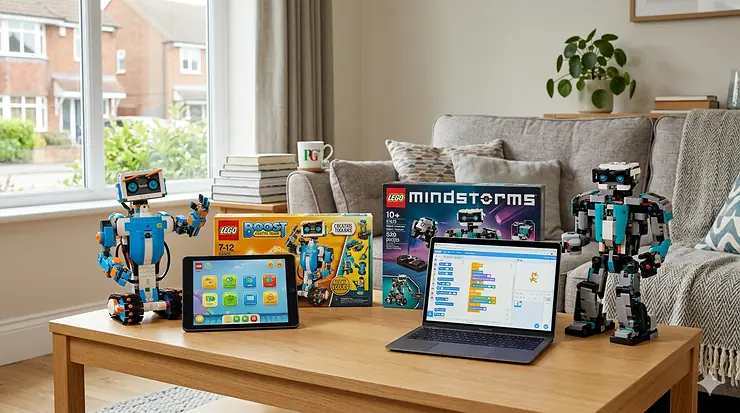
Picture the scene. It’s a rainy Sunday afternoon — not exactly unusual in Britain — and you’re standing in the LEGO aisle (or, more likely, scrolling Amazon.co.uk at midnight) trying to work out whether your child needs LEGO Boost or LEGO Mindstorms. Both boxes promise robots. Both look impressively complicated. Both cost more than you’d planned to spend.
Here’s what the product listings won’t tell you: the choice between LEGO Boost vs LEGO Mindstorms isn’t really about which set has more motors. It’s about developmental readiness, coding ambition, and whether your nine-year-old is more likely to be building Vernie the Robot or reprogramming it in Python within a fortnight.
These two sets represent fundamentally different philosophies. LEGO Boost (set 17101, the Creative Toolbox) was designed as a gentle on-ramp — colourful, forgiving, aimed squarely at children aged seven to twelve who are just dipping a toe into the world of motorised LEGO coding sets. LEGO Mindstorms Robot Inventor (set 51515), by contrast, is a serious piece of kit: deeper hardware, more sophisticated programming, and a learning curve that rewards patience and genuine curiosity.
There’s a complication, though, and it’s worth knowing upfront: both sets were officially discontinued by LEGO at the end of 2022. You’ll still find them on Amazon.co.uk through marketplace sellers, often at varying price points, but official support is winding down. We’ll address what that means for UK buyers in detail later. For now, let’s start with what actually matters: which is right for your child?
What is LEGO Boost vs LEGO Mindstorms? LEGO Boost (17101) is a beginner-friendly, app-based construction and coding set aimed at ages 7–12, featuring simple block-based programming. LEGO Mindstorms Robot Inventor (51515) is an advanced robotics kit for ages 10+, supporting both Scratch-based and Python coding with more powerful sensors and motors.
Quick Comparison: LEGO Boost vs LEGO Mindstorms at a Glance
| Feature | LEGO Boost (17101) | LEGO Mindstorms (51515) |
|---|---|---|
| Recommended Age | 7–12 years | 10+ years |
| Piece Count | 847 pieces | 949 pieces |
| Coding Method | Drag-and-drop app (iOS/Android) | Scratch-based + Python |
| Motors Included | 2 Interactive Motors | 4 Medium Motors |
| Sensors | Colour & Distance Sensor combined | Colour Sensor + Distance Sensor (separate) |
| Hub/Brain | Move Hub (battery-powered) | Intelligent Hub (rechargeable) |
| Power Source | 6 × AA batteries | Built-in rechargeable battery |
| Models Included | 5 (Vernie, Frankie, Guitar, Autobuilder, MTR4) | 5 (Blast, Charlie, Tricky, Gelo, MVP) |
| Python Support | ❌ | ✅ |
| Price Range (GBP) | Around £100–£150 (marketplace) | Around £300–£450 (marketplace) |
| Best For | Young beginners, casual builders | Committed STEM learners, secondary school age |
The gap here is wider than the numbers suggest. Boost is a warm introduction; Mindstorms is a proper commitment. The rechargeable hub alone tells you something — LEGO designed the 51515 for longer, more intensive sessions. Boost’s reliance on six AA batteries, meanwhile, reflects its lighter use case (and will remind UK parents just how quickly those batteries disappear into the sofa cushions). If you’re buying for a seven-year-old, Boost wins on approachability. If your child is already coding at school and itching for more control, Mindstorms rewards that ambition considerably.
💬 Just one click — help others make better buying decisions too! 😊
✨ Don’t Miss These Exclusive Deals!
🔍 Ready to choose between LEGO Boost vs LEGO Mindstorms? Click any highlighted product name to check current availability and pricing on Amazon.co.uk. Stock on discontinued sets moves fast — worth checking sooner rather than later.
Top 7 LEGO Robotics & Coding Kits: Expert Analysis
1. LEGO Boost Creative Toolbox (17101)
The set that introduced a generation of British seven-year-olds to build and program robots, the LEGO Boost Creative Toolbox remains the most accessible entry point in LEGO’s coding history. Its 847 pieces include one Move Hub, two Interactive Motors, and a combined Colour and Distance Sensor — fewer components than Mindstorms, deliberately so. The drag-and-drop LEGO Boost app is genuinely excellent: it uses a visual, icon-based coding environment that a child who’s never seen a line of code can navigate within minutes.
What most UK buyers overlook is that the app’s coding sequences link directly to the physical model you’re building, guiding you through construction and programming simultaneously. The five models — including Frankie the Cat (irresistible to children, quietly charming to adults) and Vernie the Robot — are genuinely playful. The customizable robot designs mean your child isn’t just following instructions; they’re extending and modifying builds, which is where the real learning happens.
The sticking point? Six AA batteries. In British homes where the drawer of miscellaneous batteries is perennially optimistic but practically empty, this is a minor nuisance. Also worth noting: the Boost app hasn’t received a major update since discontinuation, though it still functions on current iOS and Android devices.
UK customers on Amazon.co.uk have generally praised Boost’s accessibility for younger children, with several reviewers noting it works particularly well for ages 7–9.
✅ Intuitive app, superb for beginners
✅ Five varied models with genuine personality
✅ Compatible with other LEGO Powered Up components
❌ Requires AA batteries (no rechargeable hub)
❌ Limited coding depth for children aged 10+
Price range: Around £100–£150 via Amazon.co.uk marketplace. Good value for a first coding kit, given the breadth of included builds.

2. LEGO Mindstorms Robot Inventor (51515)
This is the flagship. The 51515 Robot Inventor set is to LEGO coding what a proper espresso machine is to instant coffee — more complex to operate, considerably more rewarding when you get it right, and probably wasted on someone who just wants a quick fix. Its 949 pieces include a rechargeable Intelligent Hub, four Medium Motors (double Boost’s count), a Colour Sensor, and a Distance Sensor with a break-out interface. The hub runs Scratch-based block coding through the free MINDSTORMS app, but here’s what elevates it: it also supports Python, which is the language your child will encounter in secondary school and beyond.
For UK families thinking ahead to the Key Stage 3 computing curriculum, that Python compatibility is genuinely significant. Schools across England, Scotland, and Wales now teach text-based programming — having a home kit that bridges play and curriculum is a meaningful advantage.
The five models (Blast, Charlie, Tricky, Gelo, and MVP) are more engineering-focused than Boost’s playful designs, and the 50+ in-app activities scale appropriately in difficulty. Charlie drumming in time to music whilst your child adjusts the rhythm via code is exactly the kind of feedback loop that keeps a curious 12-year-old glued to a rainy Saturday afternoon.
UK reviewers consistently highlight the quality of the build experience, though several note the app-only instructions require a tablet or phone nearby — in compact British homes and smaller bedrooms, that’s worth planning around.
✅ Python support — future-proof for secondary school
✅ Rechargeable hub, four motors, separate sensors
✅ 50+ activities scaling from beginner to advanced
❌ Premium price range via marketplace
❌ Discontinued — app support is limited
Price range: Around £300–£450 via Amazon.co.uk marketplace. Expensive, but for a child committed to STEM learning, the depth justifies the investment.
3. LEGO Mindstorms EV3 (31313)
The EV3 is the predecessor to the Robot Inventor, released in 2013 and discontinued alongside the broader Mindstorms line in 2022. In some respects, it’s the more interesting purchase — for a genuinely experienced young engineer. The 31313 set includes 601 pieces, the EV3 Intelligent Brick (programmable via USB, Bluetooth, or Wi-Fi), 2 Large and 1 Medium Motor, a Touch Sensor, Colour Sensor, Infrared Sensor, and an Infrared Remote Beacon. More sensors, more connection options, more flexibility.
What most sellers won’t tell you: the EV3 has an extraordinarily active community — forums, YouTube tutorials, third-party libraries — that the newer 51515 simply hasn’t had time to develop. If your teenager wants to compete in FIRST LEGO League events or build complex autonomous robots for a school project, the EV3’s community resources are still unmatched. MicroPython support via the open-source ev3dev framework makes it surprisingly capable for advanced coders.
The caveat: it’s older, heavier, and the EV3 software ecosystem is gradually ageing. Amazon.co.uk marketplace pricing can be erratic — check carefully for condition and included components.
✅ Extensive community resources and tutorials
✅ More sensors and connection options than 51515
✅ Supports MicroPython via ev3dev
❌ Older design, heavier hardware
❌ Marketplace pricing can be unpredictable
Price range: Around £250–£400 via Amazon.co.uk marketplace, depending on condition.
4. LEGO Education SPIKE Prime (45678)
LEGO SPIKE Prime is where Mindstorms’ legacy officially continues — in the classroom, at least. Developed by LEGO Education, the 45678 set was designed in parallel with the 51515 Robot Inventor and shares much of the same internal hardware (the hubs are remarkably similar under the plastic, just colour-coded differently). The key difference is its curriculum-aligned structure: SPIKE Prime ships with ready-made lesson plans covering science, technology, engineering, and maths, making it the preferred choice for UK schools and coding clubs.
For home buyers considering SPIKE Prime, the honest assessment is this: it’s brilliant, but it does feel slightly schooly. The app is more structured than the free-form creativity Mindstorms encourages. That said, for a motivated child aged 10–14 who thrives with guided learning — or for a parent who wants curriculum-supported STEM at home — it’s remarkably effective. It’s also FIRST LEGO League legal, which matters for families with competitive young engineers.
UK coding clubs, including those aligned with the Raspberry Pi Foundation’s computing education programmes, frequently use SPIKE Prime as a bridge between screen-based coding and physical robotics.
✅ Curriculum-aligned, FIRST LEGO League legal
✅ Excellent teacher/parent resources included
✅ Same powerful hub as Mindstorms 51515
❌ Feels formal for casual home use
❌ Education pricing can be higher than consumer sets
Price range: Around £350–£480 on Amazon.co.uk. Better suited to schools or serious home STEM programmes.
5. LEGO Technic Hub (88012) + Control+ Compatible Sets
Not strictly a standalone robotics kit, but worth including because it represents LEGO’s current consumer-facing answer to the Mindstorms gap. The LEGO Technic Hub (88012) is part of the Powered Up ecosystem — the same connectivity platform underpinning Boost — and works with a growing range of LEGO Technic Control+ sets, including vehicles, cranes, and mechanical builds. Coding is handled through the LEGO Technic Control+ app, which offers basic programmable sequences.
The honest verdict: Control+ is excellent for Technic fans who want to add motion and remote control to complex mechanical builds. It is not a substitute for Mindstorms-level programming depth. Think of it as motorised Technic with a coding layer, rather than a proper robotics development platform. For children who already love Technic and want an entry point to app programming, it’s a natural next step without the steep learning curve of Mindstorms.
✅ Works with a wide range of Technic sets
✅ Familiar LEGO Technic building system
✅ Good introduction to app-based control
❌ Limited coding depth compared to Mindstorms
❌ Requires additional Technic set purchase
Price range: The Hub itself is around £30–£45; compatible Control+ Technic sets typically range from £100–£300 on Amazon.co.uk.
6. Makeblock mBot Neo
The best non-LEGO option on this list — and worth serious consideration as a LEGO Boost alternative, particularly for budget-conscious UK families. The mBot Neo is a compact, wheeled robot kit that assembles in under an hour, connects via both Wi-Fi and Bluetooth, and supports block-based coding (via mBlock, a Scratch variant), Python, and even Arduino C. It includes an ultrasonic sensor for obstacle avoidance, a line-tracking sensor, and RGB LEDs, all on a clean, durable chassis.
What makes mBot Neo particularly smart for UK buyers is its sheer versatility without LEGO’s premium. Your child can start with drag-and-drop blocks on day one and transition to Python within a few months — the same software progression as Mindstorms, at a fraction of the price. The mBlock software also integrates neatly with the UK school computing curriculum. It’s not as buildable as LEGO (the chassis is pre-formed), but for families prioritising coding learning over construction, that’s a fair trade.
✅ Supports block coding, Python, and Arduino C
✅ Wi-Fi + Bluetooth connectivity
✅ Excellent value in GBP terms
❌ Less buildable than LEGO — chassis is pre-assembled
❌ Smaller community than LEGO Mindstorms
Price range: Around £60–£90 on Amazon.co.uk. Exceptional value for a genuine coding progression.
7. Thames & Kosmos Robotics: Smart Machines Coding & Engineering
For younger children (ages 8–12) or families on a tighter budget who want a genuine introduction to construction meets coding without the Boost price tag, Thames & Kosmos offers a compelling alternative. Their Robotics: Smart Machines series includes gear trains, motors, and simple electronic components with a structured project book — no app required, which removes the tablet dependency that some parents (rightly) want to avoid.
The learning is more mechanical than digital: children understand why gears and motors work together before they ever touch a coding screen. It’s a slightly different philosophical approach to LEGO Boost, and for kinesthetic learners who need to handle the physics before abstracting it into code, it’s surprisingly effective. Thames & Kosmos kits are well-regarded by UK primary school STEM teachers and are frequently stocked in educational toy shops across the country.
✅ No app or tablet required
✅ Excellent for mechanical and kinesthetic learners
✅ Budget-friendly price range
❌ Less replayable than LEGO sets
❌ No wireless connectivity or advanced sensors
Price range: Around £40–£80 on Amazon.co.uk, depending on the specific set in the series.
Getting Started: Setting Up Your LEGO Coding Kit
Both Boost and Mindstorms rely on a smart device — tablet or phone — for their programming apps. In a British semi-detached or flat, this usually means the family iPad ends up commandeered for an entire weekend, which is something to plan around.
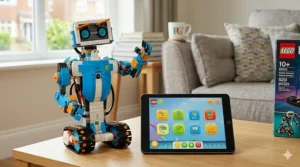
For LEGO Boost: Download the LEGO Boost app (iOS or Android) before Christmas, not on Christmas morning. The app requires a Bluetooth 4.0+ device and iOS 11/Android 5 or later. First-time setup takes roughly 20 minutes, including charging the Move Hub via the included cable. Start with Vernie the Robot — it’s the simplest model and the best introduction to the drag-and-drop sequences. Build the physical model and the app’s coding puzzles simultaneously; they’re designed to reinforce each other.
For LEGO Mindstorms 51515: The MINDSTORMS Robot Inventor app is slightly heavier but more capable. Charge the Intelligent Hub before your first session — it takes about 2–3 hours to full charge, which is rather useful information that doesn’t appear prominently on the box. Begin with Tricky (the app’s recommended starting model, despite the name). Python programming can be introduced gradually once Scratch-based coding feels comfortable — typically after a few weeks for a motivated 10–12-year-old.
Storage tip for UK homes: Both sets include hundreds of small pieces. A LEGO sorting tray — not included — is genuinely worth buying separately. In the smaller bedrooms common to British terraced houses, a flat under-bed storage solution with labelled compartments saves considerable Sunday-morning frustration.
Which Kit Suits Your Child? Real-World UK Scenarios
The curious seven-year-old in Newcastle: Your child has done some Scratch coding at school (virtually every UK primary now includes it in Key Stage 2 computing) and wants to build something physical. LEGO Boost is the right choice. The visual app builds directly on what they’ve already done in class, and the approachable models keep frustration low. Expect three to four months of consistent engagement before the novelty plateau sets in — at which point the customizable robot designs keep things interesting.
The eleven-year-old in Bristol who already programs: They’ve spent two years on Scratch, they’ve done some Python in after-school coding club, and they’re frankly a bit bored of purely screen-based projects. LEGO Mindstorms Robot Inventor 51515 is built for exactly this child. The Python pathway will challenge them for a year or more, and the active online Mindstorms community provides an almost inexhaustible supply of fan models and coding challenges.
The ten-year-old in rural Shropshire with a tight family budget: Mindstorms at marketplace prices is a stretch. LEGO Boost is a more accessible starting point, or alternatively, the Makeblock mBot Neo delivers a comparable coding progression at significantly lower cost — with Wi-Fi connectivity that works perfectly well in a rural broadband environment. The mBot Neo is particularly good value for families who prioritise coding depth over the classic LEGO building experience.
The secondary school student in Edinburgh preparing for FIRST LEGO League: LEGO Education SPIKE Prime is the answer here — curriculum-aligned, FLL-legal, and supported by FIRST LEGO League UK resources. Yes, it costs more. But for a competitive student with structured coaching support, it’s the most purposeful choice on this list.
The Discontinued Dilemma: What UK Buyers Need to Know in 2026
Here’s the reality check that deserves its own section. Both LEGO Boost and LEGO Mindstorms Robot Inventor were officially discontinued by LEGO on 31 December 2022. As Wikipedia’s LEGO Mindstorms article notes, the line ran from 1998 to 2022 — a remarkable 24-year run that shaped a generation of young engineers.
What does discontinuation mean practically for UK buyers in 2026?
The apps still work — for now. The LEGO Boost and MINDSTORMS apps remain on the App Store and Google Play and function on current devices. LEGO has not announced a hard shutdown date, though ongoing updates and new features are no longer in development.
Marketplace pricing is unpredictable. Amazon.co.uk lists both sets through third-party sellers. Prices fluctuate significantly; unopened sealed boxes command a premium. Always check seller ratings carefully before purchasing, and ensure the product ships from UK warehouse stock for faster delivery and simpler returns under the Consumer Rights Act 2015.
Spare parts remain available. Individual LEGO elements can be ordered via LEGO’s own Bricks & Pieces service or through BrickLink, which has extensive UK-based sellers. Motors and hubs don’t tend to fail under normal use, but it’s reassuring to know replacements are accessible.
The community is alive. The LEGO Mindstorms community — particularly on Reddit’s r/mindstorms and the Eurobricks forums — remains active and deeply helpful. Fan-built models, Python tutorials, and troubleshooting guidance are plentiful.
The bottom line: buying a discontinued LEGO coding kit in 2026 is a reasonable decision, provided you go in with open eyes. These sets offer extraordinary depth for their price (especially at current marketplace levels), and the learning value doesn’t diminish because LEGO has moved on. That said, families wanting an actively supported, future-proofed option should strongly consider LEGO Education SPIKE Prime or the Makeblock mBot Neo instead.
How to Choose Between LEGO Boost vs LEGO Mindstorms in the UK
- Assess your child’s age and current coding experience. Ages 7–9 with no prior experience → Boost. Ages 10+ with school coding exposure → Mindstorms. It really is that straightforward.
- Consider the school curriculum context. UK primary schools use Scratch extensively; LEGO Boost’s visual coding aligns neatly. Secondary schools increasingly use Python — Mindstorms’ Python support bridges classroom and home.
- Check your device situation. Both require a compatible tablet or phone. Ensure you have a device you can dedicate to the LEGO app during sessions; shared family iPads create friction.
- Be honest about budget. Boost at marketplace prices is significantly more affordable. Mindstorms is a premium investment. If budget is tight but coding progression matters, consider the Makeblock mBot Neo as a value alternative.
- Think about longevity. A seven-year-old will likely outgrow Boost within 12–18 months. Mindstorms can engage a motivated child for two to three years. Factor total cost of ownership, not just purchase price.
- Consider the discontinued status. If long-term official support matters to you, pivot to LEGO Education SPIKE Prime or a currently supported alternative.
- Account for your home setup. In a smaller British flat or terraced house, the storage footprint of 847–949 pieces is worth factoring in. Both sets benefit enormously from a proper sorting solution — budget an extra £15–£25 for one.
Features That Actually Matter (And Those That Don’t)
Matters enormously: Python support. The single biggest differentiator between Boost and Mindstorms. Block-based coding is wonderful for getting started, but Python is the language of the actual working world — and of UK secondary school computing. Mindstorms’ Python pathway isn’t a gimmick; it’s a genuine curriculum bridge.
Matters more than you’d think: The rechargeable hub. Boost’s dependency on six AA batteries sounds trivial until you’re replacing them for the fourth time in a month. Mindstorms’ built-in rechargeable hub means longer sessions, lower ongoing cost, and one fewer thing to forget to buy.
Matters less than marketing suggests: Piece count. Mindstorms’ 949 pieces vs Boost’s 847 is largely irrelevant. What matters is the quality and variety of the programmable components — motors, sensors, the hub — not the total brick count.
Doesn’t matter at all: Box size. Both sets come in substantial boxes that will absolutely not fit in the under-stairs cupboard. This is a universal LEGO truth.
Matters for competitive builders: FLL compatibility. Only SPIKE Prime is officially FIRST LEGO League legal. Neither Boost nor Mindstorms 51515 qualifies for FLL competition use, which is worth knowing if your child’s ambitions extend to competitive robotics.
Long-Term Value & Cost in the UK
At first glance, LEGO Mindstorms at around £300–£450 via marketplace feels steep. Spread over two to three years of active engagement, that works out to roughly £10–£15 per month — competitive with a coding subscription service, and considerably more tactile. The Python skills developed are directly applicable to school coursework from Year 7 onwards; several UK parents on Amazon.co.uk reviews specifically mention improvements in their child’s computer science grades after sustained Mindstorms use.
LEGO Boost at around £100–£150 represents excellent value for an 18-month engagement window at ages 7–9. The risk is buying it too late — a nine-year-old who already has solid school coding experience will outgrow Boost quickly, making Mindstorms (or a SPIKE Prime) the smarter purchase even if the upfront cost is harder to swallow.
One cost UK buyers sometimes miss: tablet or phone compatibility. Both apps work on relatively recent devices, but if your only spare device is several years old, a compatibility check before purchasing is worthwhile. The LEGO Boost app system requirements are listed on LEGO’s UK website and worth verifying.
✨ Don’t Miss These Exclusive Deals!
🔍 Whether you’re going for LEGO Boost, Mindstorms, or one of our recommended alternatives, click any highlighted product to check current pricing and stock on Amazon.co.uk. Prime members get free next-day delivery on eligible items — well worth checking before committing elsewhere.
Frequently Asked Questions
❓ Is LEGO Boost or LEGO Mindstorms better for a 9-year-old in the UK?
❓ Are LEGO Boost and Mindstorms still available to buy in the UK in 2026?
❓ Can LEGO Mindstorms be used to teach Python coding at home in the UK?
❓ Do LEGO Boost and Mindstorms apps still work on UK iPhones and Android devices in 2026?
❓ What are the best LEGO Mindstorms alternatives available on Amazon.co.uk?
Conclusion
The debate around LEGO Boost vs LEGO Mindstorms ultimately comes down to a single, honest question: where is your child on their coding journey right now?
Boost is a lovely kit — genuinely engaging, appropriately simple, and a superb first experience with motorised LEGO coding sets for children in the seven-to-nine age range. It does what it promises: makes construction meets coding feel fun rather than intimidating. Mindstorms Robot Inventor is something else entirely — a proper engineering platform with real Python capability that can challenge a motivated child for years, and that quietly prepares them for the kind of computing education they’ll encounter in secondary school.
Both sets, it must be said, are now discontinued. That doesn’t make them bad purchases — but it does mean UK buyers should buy with clear eyes, verify app compatibility, and weigh up actively supported alternatives like LEGO SPIKE Prime or the Makeblock mBot Neo where ongoing software development matters.
Whatever you decide, you’re giving a child something genuinely valuable: the experience of building something with their hands and then making it move with their mind. In a world that increasingly rewards people who understand how things work, that’s rather a good investment for a grey British afternoon.
✨ Don’t Miss These Exclusive Deals!
🔍 Ready to take the plunge? Click on any highlighted product in this article to check current pricing and availability on Amazon.co.uk. Whether you’re going for LEGO Boost, Mindstorms, or one of our recommended alternatives, the right coding kit is out there — and your child’s inner engineer is waiting.
Recommended for You
- Best Osmo Coding Starter Kit UK: 7 Top Picks for 2026
- Sphero BOLT Review 2026: Is It the UK’s Best Coding Robot for Kids?
- Wonder Workshop Dash vs Cue: Which Coding Robot Wins in 2026? (UK Guide)
Disclaimer: This article contains affiliate links. As an Amazon Associate, I earn from qualifying purchases. If you purchase products through these links, we may earn a small commission at no additional cost to you.
✨ Found this helpful? Share it with your mates! 💬🤗
