
In This Article
There’s a particular kind of magic that happens when a ten-year-old watches something they’ve programmed — a robot, a car, a rolling ball — do exactly what they told it to do. Not because a game developer decided it should. Because they wrote the logic. That moment of ownership? It’s the closest thing to genuine engineering joy a child can experience at home.
Finding the right coding robots for 10 year olds matters enormously, though. Get it wrong and you end up with an overpriced gadget gathering dust beside the Rubik’s Cube and the ill-fated ukulele. Get it right, and you’ve sparked a skill that the UK Government’s own digital strategy has been explicitly trying to foster in young people for years — computational thinking, logical sequencing, and genuine problem-solving under real-world constraints.
At ten, children occupy a fascinating technical sweet spot. They’ve typically outgrown the purely drag-and-drop toys designed for six-year-olds, yet they’re not quite ready for the deep abstraction of raw text-based Python. They want challenge. They want things to go slightly wrong and to figure out why. The best coding robots for 10 year olds in the UK deliver exactly that — a scaffold from visual block-based coding toward real programming languages, wrapped in something genuinely entertaining.
This guide covers seven real products available on Amazon.co.uk, tested and researched for the UK market — with honest opinions on who each one suits, what the specs actually mean in practice, and where each robot sits in a child’s learning journey.
Quick Comparison Table
| Product | Coding Level | Age Range | Languages | Price Range (GBP) | Best For |
|---|---|---|---|---|---|
| Makeblock mBot2 | Beginner–Intermediate | 8–14 | Scratch, Python | Around £85–£100 | First real STEM robot |
| Ozobot Evo | Beginner | 6–12 | OzoBlockly, colour codes | Around £90–£110 | Screen-light learning |
| Sphero BOLT | Intermediate | 8+ | Scratch, JS, Python | Around £120–£150 | Multi-language progression |
| ELEGOO UNO R3 V4 | Intermediate–Advanced | 10–16 | Arduino C/C++, Block | Around £55–£75 | Hands-on builders |
| Makeblock mBot Ranger | Intermediate | 8–12 | Scratch, Arduino | Around £90–£120 | 3-in-1 versatility |
| Wonder Workshop Dash | Beginner–Intermediate | 6–12 | Blockly, Wonder, Swift | Around £80–£100 | Friendly first robot |
| Kitronik Autonomous Robotics Kit | Advanced | 10–16 | MicroPython, MakeCode | Around £45–£60 | UK-designed STEM depth |
The table above reveals something important: price and complexity don’t always move in lockstep. The ELEGOO kit costs the least and demands the most. The Sphero BOLT costs the most and arguably offers the widest multi-language runway. For most ten-year-olds with no prior experience, the mBot2 or Dash sits in the sweet spot — enough challenge to feel grown-up, enough guidance to avoid a frustrated Saturday afternoon.
💬 Just one click — help others make better buying decisions too! 😊
✨ Don’t Miss These Exclusive Deals!
🔍 Take your STEM learning to the next level with these carefully selected products. Click on any highlighted item to check current pricing and availability on Amazon.co.uk. These picks will help you find exactly the right robot for your child’s stage!
Top 7 Coding Robots for 10 Year Olds: Expert Analysis
1. Makeblock mBot2 — The Gold Standard for First-Time Robot Owners
The mBot2 is the robot that most UK STEM educators would quietly recommend if you caught them off-guard at a school open evening. It arrives mostly assembled — you’re snapping together a handful of components rather than wiring anything — and within about twenty minutes, your child can be making it move, blink, and detect obstacles.
The onboard CyPhy board runs on dual Wi-Fi and Bluetooth, and the companion mBlock app supports both Scratch-style block coding and full Python text code, with a genuinely seamless transition between the two. That transition is what makes this robot particularly valuable at age ten. A child might start dragging blocks in October and be typing actual Python syntax by Christmas. Not metaphorically — the mBlock platform literally lets you switch views mid-project.
The built-in ultrasonic sensor, LED matrix, and speaker mean there’s enough hardware variety to sustain interest for months. The sensor range is around 3–400 cm, which sounds clinical on a spec sheet but in practice means your child can build a robot that slows down before hitting the cat. Relevant. The battery is rechargeable via USB-C — no more hunting for AA batteries at 7pm on a school night.
For UK buyers: the mBot2 is fully available on Amazon.co.uk, compatible with 230V charging, and Prime-eligible for next-day delivery. The UK model arrives with a standard Type G plug adaptor for the USB charger. Compatible with 100+ electronic expansion modules if your child wants to go deeper.
UK reviewers consistently praise how well the mBlock software runs on both iPad and Windows laptop — useful since many British homes have one of each. A few note the documentation is better in English than some competing Chinese-brand kits, which is fair.
✅ Clear Scratch-to-Python transition pathway
✅ Rechargeable battery, USB-C
✅ Huge expansion ecosystem (LEGO-compatible parts)
❌ mBlock app can be slightly slow on older tablets
❌ Wi-Fi setup occasionally temperamental on first use
Price range: around £85–£100. Excellent value for the breadth of the learning journey it enables.
2. Ozobot Evo — Small Bot, Surprisingly Big Concept
The Ozobot Evo is approximately the size of a ping-pong ball, which either sounds charmingly accessible or immediately worrying depending on how tidy your floors are. It’s both. This tiny robot reads colour-coded lines drawn on paper or a tablet screen using optical sensors — meaning your child can literally draw a programme with felt-tip pens and watch it execute in real time.
That sounds gimmicky until you realise it’s teaching the same core concepts as any block-based IDE: sequencing, conditionals, loops. A red-black-red sequence tells the robot to speed up. A red-white-red triggers a spin. Children grasp cause and effect instantly because the feedback is immediate and physical, not buried in a screen animation. For a ten-year-old who’s been around tablets their whole life, something that responds to actual paper feels almost transgressive. In the best possible way.
The OzoBlockly web editor then bridges into more structured block coding, sitting roughly at the same level as early Scratch. Range of motion relies on Bluetooth rather than Wi-Fi — important in smaller UK homes where network congestion or parental Wi-Fi restrictions might otherwise be an issue.
At this price range, the Evo is not cheap for what is essentially a very small autonomous marble. But the learning pathway is genuinely well-designed, and it’s been adopted in hundreds of UK primary schools, which lends it a certain credibility. If your child’s school already uses them, buying one for home creates an immediate, familiar bridge.
✅ Unique colour-code programming (works offline, no app required to start)
✅ Excellent for children who find screen-only interfaces boring
✅ Widely used in UK primary schools — familiar to many Year 5–6 pupils
❌ Easy to lose (genuinely — it is small)
❌ Limited hardware expansion compared to kit-based robots
Price range: around £90–£110. Worth every penny for the right child; less so if yours needs to build something with their hands.
3. Sphero BOLT — The Robot That Grows With Your Child For Years
The Sphero BOLT is Sphero’s most sophisticated product to date — a transparent programmable ball with a built-in 8×8 LED matrix, infrared sensors, compass, and accelerometer. You can teach it to navigate mazes, display real-time data on its LED grid, or have it communicate with other BOLTs using infrared signals. That last feature is genuinely clever: you can create multi-robot systems where two BOLTs pass information between them, which gets into territory that starts feeling less like a toy and more like an actual distributed systems exercise.
The Sphero Edu app supports four distinct programming interfaces: Draw (trace a path on-screen), Blocks (Scratch-style), JavaScript, and Python. This four-rung ladder is the BOLT’s killer feature. A ten-year-old starts drawing paths; by age thirteen, they might be writing JavaScript event handlers. The robot hasn’t changed — their skills have grown into it. Very few products at this price point offer that kind of longitudinal value.
The BOLT is also waterproof and extremely durable. It will survive the kind of enthusiastic first-week testing that typically destroys lesser robots. Given the price, that’s rather reassuring.
For UK buyers: the Sphero BOLT is available on Amazon.co.uk at the higher end of the budget range, but it’s worth noting that UK school robotics competitions increasingly use Sphero products — if your child ever wants to enter a regional coding challenge, having practised on a BOLT is a meaningful advantage.
✅ Four distinct programming interfaces — grows from beginner to advanced
✅ Waterproof, genuinely durable
✅ LED matrix enables creative display and real-time data visualisation
❌ Premium price puts it at the top of the budget for many families
❌ Ball format less intuitive than wheeled robots for pure navigation tasks
Price range: around £120–£150. The most expensive pick on this list, but arguably the only one you’ll still be using at age 15.
4. ELEGOO UNO R3 Smart Robot Car Kit V4 — For the Child Who Wants to Understand Everything
The ELEGOO is the odd one out in this lineup. It’s not particularly friendly, doesn’t come with an encouraging companion app, and arrives as a collection of parts, wires, and an acrylic chassis that you assemble from scratch over the course of an afternoon. For the right child — methodical, technically curious, unbothered by reading instruction sheets — this is precisely why it’s brilliant.
What you’re building is a genuine Arduino-based robot car with an ultrasonic sensor for obstacle avoidance, an IR line-tracking module, and motor control via an L298N driver board. These are not simplified educational analogues of real electronics. These are real electronics. The UNO R3 microcontroller is used in professional prototyping. Your child is learning to talk to hardware directly.
The ELEGOO is the robot that teaches you why robots work, not just how to make them go. The assembly process — identifying components, connecting correct ports, uploading code via Arduino IDE — mimics a real engineering workflow in miniature. Research from Frontiers in Education suggests this type of hands-on physical computing develops significantly stronger computational thinking than purely screen-based coding tools.
That said: this is not a robot to hand a child and walk away. It benefits enormously from a parent or older sibling sitting alongside for the first build. Once assembled, though, the platform is essentially limitless. Your child can modify the code, add new sensors, change behaviours — it’s a full programming environment, not a walled garden.
Available on Amazon.co.uk well under £75, it represents extraordinary value for money.
✅ Genuine Arduino hardware — real-world engineering foundations
✅ Exceptional value for the complexity on offer
✅ Modular: sensors can be swapped, code can be anything
❌ Assembly takes 2–3 hours and requires patience and adult support
❌ Arduino IDE is not beginner-friendly — expect a learning curve
Price range: around £55–£75. The best choice for technically curious kids who want to understand electronics, not just use them.
5. Makeblock mBot Ranger 3-in-1 — Three Robots in One Chassis
The mBot Ranger is Makeblock’s more ambitious sibling to the mBot2 — it ships with enough parts to build three distinct robot configurations: a land raider tank, a nervous bird (a bipedal walking robot), and a self-balancing car. That last form — the self-balancing car — is genuinely impressive. It uses onboard gyroscope feedback to stay upright on two wheels like a miniature Segway, and programming it to balance is an exercise in real-time feedback loops that quietly introduces children to concepts like PID control without ever using that term.
This 3-in-1 structure means the Ranger has a longer active lifespan than most single-form robots. Children will rebuild it into different configurations over months, and each configuration presents a different programming challenge. The Tank mode is perfect for obstacle navigation. The bird form exercises servo motor control. The balancing car is a proper algorithmic puzzle.
It supports both Scratch and Arduino C, with around 16 pre-built coding projects included — enough to keep a motivated ten-year-old busy for a good month before they start inventing their own. UK parents reviewing it on Amazon.co.uk consistently mention the build quality feels premium for the price, and the mBlock software (shared with the mBot2) is reliable on Windows and iOS.
✅ Three buildable configurations keep long-term interest alive
✅ Self-balancing mode introduces genuine algorithmic thinking
✅ Shared mBlock ecosystem with mBot2 — familiar if upgrading
❌ More complex assembly than the standard mBot2
❌ At the higher end of the mid-range budget
Price range: around £90–£120. Ideal for children who’d rather rebuild something than simply reprogramme it.
6. Wonder Workshop Dash — The Most Approachable Robot on This List
Dash is not the most technically sophisticated entry here. It’s not meant to be. What Dash does exceptionally well is remove every conceivable barrier to entry — it’s pre-built, connects instantly via Bluetooth, and comes with five free programming apps ranging from simple tap-to-drive through to Swift Playgrounds (Apple’s actual beginner iOS coding environment). No assembly. No software downloads that take forty-five minutes on a school night. Just switch it on and go.
For a ten-year-old who’s hesitant about coding — perhaps more interested in creative storytelling than technical problem-solving — Dash is the gentlest possible on-ramp. The Blockly app is bright, rewarding, and designed by educators who understand how children actually learn. The Wonder app adds accessories like a xylophone attachment or a launcher, giving kids a tangible reason to programme beyond “make it move.”
The limitation is obvious: Dash has a ceiling, and a motivated ten-year-old will hit it within six to twelve months. At that point you’d be looking at transitioning to an mBot2 or Sphero BOLT. That’s not a failure — it’s a deliberate entry-level design. Think of Dash as the first chapter of a longer STEM story rather than the entire book.
For UK buyers: fully available on Amazon.co.uk, often Prime-eligible, and compatible with UK devices without any adapter concerns. The Dot companion ball can be added to expand the system.
✅ Zero setup friction — the most parent-friendly robot on this list
✅ Five free apps, including Apple Swift Playgrounds integration
✅ Ideal for creative children who need engagement before technique
❌ Hits a ceiling faster than more advanced kits
❌ Proprietary accessory system limits deeper hardware modification
Price range: around £80–£100. Worth every penny as a first robot — but plan your upgrade path.
7. Kitronik Autonomous Robotics Kit for BBC micro:bit — The Proudly British Option
If you’ve not heard of Kitronik, you’re not alone — they’re a Nottingham-based educational electronics company whose products are quietly ubiquitous in UK schools and robotics clubs, and almost invisible in mainstream consumer media. Which is a shame, because this kit is rather excellent.
The Autonomous Robotics Kit is designed specifically for the BBC micro:bit, a piece of hardware developed in the UK and distributed to every Year 7 pupil in England and Northern Ireland since 2016. The BBC micro:bit is programmed using Microsoft MakeCode (a block-based editor) or MicroPython — a genuine, full-featured subset of Python. If your child’s school already has a micro:bit in a drawer somewhere, this kit will give it an entirely new purpose.
What you build is a two-wheeled robot buggy with line-following, obstacle avoidance, and proximity detection. The Kitronik documentation is some of the best-written in this sector — clear, UK-focused, and genuinely written for children rather than translated from Mandarin. The MicroPython pathway, in particular, offers the most direct bridge to real professional Python coding of anything on this list at this price.
At around £45–£60 on Amazon.co.uk — not including the micro:bit itself — this is the most affordable sophisticated option here. Budget accordingly if you need to buy the micro:bit separately (around £15).
✅ UK-designed, UK-focused documentation
✅ MicroPython — a genuine bridge to professional Python
✅ Works with the micro:bit your child might already own
❌ Requires separate micro:bit purchase if not already owned
❌ Less visual appeal than polished consumer robots — more of a workshop kit
Price range: around £45–£60 (micro:bit extra). The best value technical kit on this list, especially for families already in the BBC micro:bit ecosystem.
How to Choose a Coding Robot for Your 10-Year-Old in the UK
Getting this decision right requires thinking about three things: where your child is now, where you want them to be in eighteen months, and how much of a faff you can tolerate on a Sunday afternoon.
1. Assess their current coding experience honestly. Has your child used Scratch at school? Then they can step straight into mBot2 or Sphero BOLT territory. Completely new to coding? Start with Dash or Ozobot Evo — both reward exploration before they demand formal logic.
2. Consider their learning style. Does your child love building with their hands? ELEGOO or Kitronik will delight them. More interested in programming behaviour than constructing hardware? mBot2 or Sphero BOLT are cleaner fits.
3. Think about the lifespan of the toy. An Ozobot Evo is genuinely excellent but has a natural ceiling. The Sphero BOLT or mBot Ranger will still be interesting at age fourteen. Consider how quickly your child tends to exhaust new interests.
4. Check your home tech ecosystem. Dash and Sphero work best with Apple devices (iOS, Mac). mBot2 and ELEGOO work well on Windows laptops. Kitronik integrates with whatever the school issued. None of this is a dealbreaker, but it affects setup smoothness — and in British homes where the family tablet might be a three-year-old Android, that matters.
5. Budget for accessories. The headline Amazon.co.uk price is never the whole story. ELEGOO may need rechargeable 18650 batteries. Kitronik needs a micro:bit. mBot2 expansion packs add cost later. Factor in a realistic running budget over twelve months.
6. Check UK curriculum alignment. The UK National Curriculum for Computing at Key Stage 2 specifically covers algorithms, debugging, and logical reasoning. Every robot on this list addresses at least two of those — but mBot2, ELEGOO, and Kitronik align most directly with KS2 and KS3 Computing objectives.
7. Don’t ignore the parent experience. The robot that requires four hours of firmware configuration on a Mac you don’t own is not the robot for your family, regardless of how technically brilliant it is.
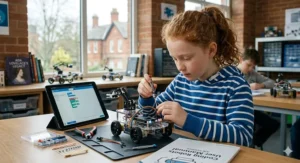
Getting the Most From Your Robot: A Practical Setup Guide for UK Parents
The biggest waste in educational robotics is unboxing a kit, spending ninety minutes getting it working, then leaving the child to figure it out alone. Here’s how to actually make it stick.
Week 1 — Follow the guided missions religiously. Every robot on this list ships with structured introductory challenges. Don’t skip them in favour of “free play” immediately, even with a confident child. The missions introduce the specific syntax of that robot’s environment, and a child who has tried to write a custom programme without that foundation will very quickly give up.
Week 2–3 — Introduce constraints, not freedom. Rather than “do whatever you want,” try specific challenges: “make the robot knock over this empty loo roll from 30 centimetres away” or “programme it to stop exactly on this piece of tape.” Constrained challenges develop algorithmic precision far better than open-ended play.
UK climate tip: If you’re testing outdoor navigation — common with wheeled robots on patio or garden paths — British drizzle will affect some sensors. Ultrasonic sensors on ELEGOO and mBot2 are generally waterproof enough for light outdoor use; avoid leaving any robot charging in a damp garage or garden shed.
Storage tip: For smaller British homes, all these robots store easily in the boxes they came in. The ELEGOO and mBot Ranger are the bulkiest; both fit in a standard underbed storage box. The Ozobot Evo fits in a coat pocket.
Parental coding literacy: You genuinely don’t need to know how to code to support your child here. The best thing you can do is ask questions: “Why did it turn right there?” “What would happen if you changed that number?” “Can you make it do the same thing a different way?” The pedagogy literature on this, including work published by BERA (British Educational Research Association), consistently shows that parental question-asking outperforms parental instruction-giving at this age.
Real-World Scenarios: Matching the Robot to the Child
Sometimes the most useful thing a buying guide can do is get out of the abstract and into the specific.
Profile 1 — Amara, London, Year 5, loves Minecraft, completely new to coding. Amara builds elaborate Minecraft worlds and thinks in systems — she instinctively understands that actions have consequences, she just hasn’t formalised it. She’d be bored by Ozobot Evo within two months but overwhelmed by ELEGOO’s wiring. The mBot2 is the obvious pick. The visual-to-text code transition mirrors how Minecraft’s command blocks work, and the expansion module system scratches the builder itch.
Profile 2 — Ben, Manchester suburb, Year 5, has a BBC micro:bit from school, highly interested in how things work. Ben is already asking why his micro:bit LEDs flash and how the compass sensor knows which direction is north. The Kitronik kit turns his school device into a full robot platform without doubling up on hardware. He’ll be reading the MicroPython documentation voluntarily within six weeks.
Profile 3 — Isla, rural Northumberland, Year 6, has tried Scratch at school, finds it “a bit babyish.” Isla needs challenge to stay engaged. The Sphero BOLT’s multi-language ladder — from Draw through JavaScript — gives her genuine progression to chase. More importantly, the BOLT’s infrared multi-robot communication feature means her and a friend can build interacting robot systems during a sleepover, which is exactly the collaborative, socially embedded learning that research from the National Centre for Computing Education shows produces the most sustained engagement.
Common Mistakes When Buying Coding Robots in the UK
A few missteps come up repeatedly among UK buyers — easily avoided with foreknowledge.
Buying based on features rather than pathway. The robot with the most sensors and the longest spec sheet is not automatically the right choice. What matters is whether the learning pathway matches where your child is starting. A £150 robot that a child abandons in three weeks teaches nothing.
Forgetting about app compatibility. Several popular robots — including some US-market variants — have companion apps that require iOS 14+ or Android 10+. Check the app requirements against your family’s actual devices before purchasing.
Ignoring the UKCA marking question for electronics. Post-Brexit, electronics sold on Amazon.co.uk should carry either UKCA or CE marking (CE remains acceptable in Great Britain until further notice under current Trading Standards guidance). Reputable brands like Makeblock, Sphero, and ELEGOO all meet these requirements for UK sale. Less-known brands on Amazon.co.uk marketplaces occasionally don’t — worth checking if buying a very cheap generic alternative.
Underestimating assembly time for younger buyers. The ELEGOO robot car kit is rated for 8+ on the box. At ten, the assembly is very doable — but plan for 2–3 hours and don’t start the night before a birthday party.
Buying a US-voltage model by accident. Always purchase from Amazon.co.uk, not from third-party sellers shipping from Amazon.com. UK mains are 230V/50Hz with Type G plugs. Most reputable brands use universal switching power supplies, but it’s worth confirming before plugging anything in.
Benefits vs Traditional Alternatives
| Approach | Coding Depth | Physical Engagement | Feedback Type | UK Price Range |
|---|---|---|---|---|
| Coding Robot | High | High | Immediate, physical | £50–£150 |
| Coding App (iPad) | Medium | Low | Visual on-screen | Free–£50/yr |
| School Coding Club | Medium | Medium | Group, structured | Free |
| Scratch (browser) | Medium | None | Visual on-screen | Free |
| Robotics Competition Kit | Very High | Very High | Competitive | £200+ |
Educational robotics consistently outperforms purely screen-based tools for developing computational thinking, according to research published in Frontiers in Education (2024). The physical cause-and-effect feedback loop — programme it, watch it move, understand immediately why it went wrong — creates a learning experience that a Scratch animation simply cannot replicate. That said, a coding robot is a complement to apps and school clubs, not a replacement. The best outcomes come from children who encounter coding in multiple contexts.
Long-Term Cost and What to Expect After the First Year
Most UK parents buying coding robots are thinking about the upfront Amazon.co.uk price. Few think about what happens when their child is still passionate about robotics twelve months later — and that’s where the real cost analysis gets interesting.
The mBot2 and ELEGOO platforms are the best long-term investments here. Both are open-source compatible with large international communities (Arduino forums, mBlock community) where free projects, code libraries, and challenge ideas are plentiful. The Sphero BOLT’s multi-language support means it simply doesn’t age — your child can always find a harder thing to do with it.
Expansion costs vary: mBot2 add-on packs run around £15–£40 each. ELEGOO sensor modules are typically under £10 individually from Amazon.co.uk. The Kitronik ecosystem has low marginal cost given the micro:bit is already owned. Ozobot and Dash accessories are more proprietary and more expensive per unit.
It’s also worth knowing that the UK has a genuine community infrastructure around educational robotics. Primary and secondary school coding clubs, Code Club UK events, and regional robotics competitions all provide a real-world context for the skills your child develops at home. A robot that builds competition-relevant skills — the BOLT, mBot2, or Kitronik — is worth proportionally more than its price tag suggests.
FAQ
❓ What age is appropriate for coding robots for 10 year olds in the UK?
❓ Are coding robots aligned with the UK school curriculum?
❓ Do coding robots for children need Wi-Fi, and will they work in a UK home with parental controls?
❓ What coding language should a 10-year-old start with on a robot?
❓ Can I buy a coding robot as a birthday or Christmas gift without the child already knowing how to code?
Conclusion: The Robot That Changes How They Think
A good coding robot doesn’t just teach a child to programme. It teaches them that problems are solvable — that something broken can be debugged, that a surprising result is information rather than failure, and that patience applied correctly produces results. These are not trivial lessons. They are, frankly, rather important ones.
For most ten-year-olds in the UK in 2026, the Makeblock mBot2 remains the single most well-rounded starting point — available on Amazon.co.uk, competitively priced, with a genuine learning pathway from Scratch to Python and a platform that expands as skills grow. The Sphero BOLT is the premium pick for families who want to invest once in something that lasts into secondary school. And for the technically curious child who wants to understand the why, not just the what, the ELEGOO UNO R3 V4 or Kitronik micro:bit kit will deliver a depth of education that belies their modest price tags.
Whatever you choose: buy it, set aside a proper afternoon to unbox it together, and ask more questions than you answer.
✨ Ready to Find the Perfect Robot?
🔍 Click on any of the highlighted products above to check current pricing and availability on Amazon.co.uk — these hand-picked choices are designed to match every budget and skill level!
Recommended for You
- Cubetto vs Matatalab Which Is Better for Kids in UK 2026?
- Bee-Bot vs Blue-Bot Comparison: Which Is Best for UK Classrooms? (2026)
- Best Coding Toys for 4 Year Olds UK 2026: 7 Expert Picks
Disclaimer: This article contains affiliate links. As an Amazon Associate, I earn from qualifying purchases. If you purchase products through these links, we may earn a small commission at no additional cost to you.
✨ Found this helpful? Share it with your mates! 💬🤗
