
In This Article
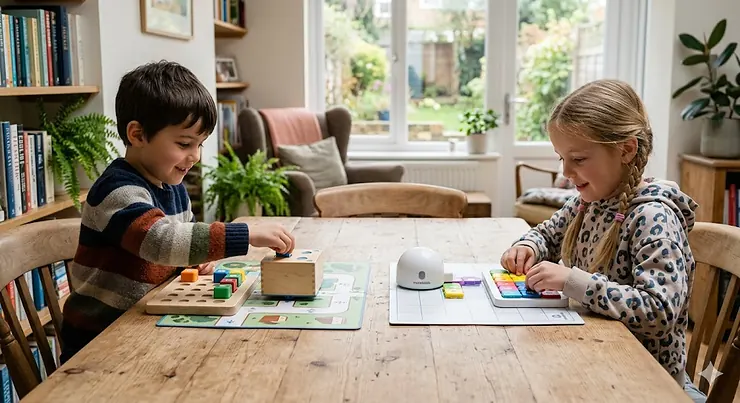
Here’s the thing about teaching a four-year-old to code: they don’t care about syntax. They don’t care about Python versus JavaScript. What they care about is whether the small robot on the floor is going to crash into the sofa or find its way to the castle. And that, rather beautifully, is exactly what Cubetto and Matatalab have figured out.
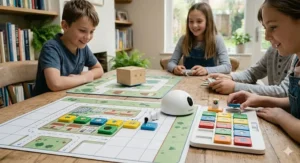
If you’re asking “Cubetto vs Matatalab which is better?” then you’ve already done something rather sensible — you’ve narrowed the field. Both of these screenless coding robots represent the gold standard in tangible, hands-on computer science for the early years. Neither requires a tablet, an app, or a child who can read. Both sit in that lovely pedagogical sweet spot where play and genuine learning are genuinely indistinguishable from each other.
But they’re not the same toy. Not even close. One is a beautifully minimalist wooden robot born in London, the other a camera-powered, block-recognising marvel from Shenzhen with a strong foothold in primary classrooms across the UK. Choosing between them comes down to your child’s age, your budget in GBP, and — critically — whether you want something you can pull out at home in five minutes or a tool that will grow with a class of thirty over several years.
Both are available on Amazon.co.uk, both ship with Prime, and both are genuinely worth your money. But only one is right for your situation. Let’s find out which.
Quick Comparison: Cubetto vs Matatalab at a Glance
| Feature | Cubetto (Primo Toys) | Matatalab Pro Set | Matatalab Lite |
|---|---|---|---|
| Recommended Age | 3–6 | 4–9 | 3+ |
| Interface Type | Wooden blocks on board | Camera-recognition tower + blocks | Remote control / button coding |
| Screen Required? | ❌ No | ❌ No | ❌ No |
| Material | Wood | Plastic | Plastic |
| Price Range (GBP) | Around £120–£160 | Around £130–£170 | Around £35–£55 |
| Best For | Toddlers, Montessori, home | Classrooms, ages 4–9 | Youngest starters, budget pick |
| UK Amazon Availability | ✅ Yes | ✅ Yes | ✅ Yes |
| Expandable? | ✅ (Adventure Packs) | ✅ (Artist, Musician add-ons) | Limited |
From this table, a few things jump out. Cubetto is the younger child’s first coding companion — tactile, wooden, and reassuringly simple. The Matatalab Pro Set is the richer educational toolkit, better suited to children who want more complexity and variety. And the Matatalab Lite is a clever entry point that costs roughly a third of the other two, which is nothing to sniff at when you’re buying a Christmas present for a three-year-old who might also be perfectly happy with a cardboard box.
💬 Just one click — help others make better buying decisions too! 😊
✨ Don’t Miss These Exclusive Deals!
🔍 Take your child’s early coding education to the next level with these carefully selected products. Click on any highlighted item to check current pricing and availability on Amazon.co.uk. Prices include VAT and Prime members enjoy next-day delivery on eligible orders.
Top 7 Coding Robots for Young Children: Expert Analysis
1. Primo Toys Cubetto Playset — The Original Screen-Free Coding Classic
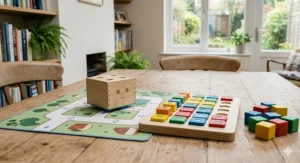
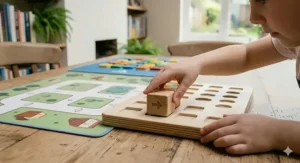
Cubetto is, in the simplest possible terms, a small wooden cube with a face and a mission to get home. The genius is in its interface: a physical programming board with four rows of slots, into which children place coloured wooden blocks representing forward, left, right, and function commands. Press the button. Watch Cubetto trundle across the play mat. Repeat until the giggles subside — which takes a while.
Primo Toys was founded in London and Cubetto became the most crowdfunded ed-tech invention in Kickstarter history, raising over $1.5 million from thousands of backers — which tells you something about the appetite for this kind of screenless, hands-on learning.
The wooden construction is relevant beyond aesthetics. In an era when British parents are increasingly concerned about screen time and plastic waste — and when living rooms in smaller British homes and flats need toys that don’t feel like corporate tech installations — Cubetto’s warm, simple presence is rather disarming. It looks like a toy, not a gadget.
What most parents overlook: Cubetto teaches the concept of functions — arguably the most sophisticated idea in early coding — through a red “subroutine” row on the board. This is genuinely impressive for age three, and it puts Cubetto a step ahead of simpler directional robots in terms of long-term pedagogical value.
UK availability:
✅ Sold directly on Amazon.co.uk, Prime eligible. Price range: Around £120–£160 for the full playset (includes robot, board, play mat, and story book).
✅ Pros: Beautiful wooden construction | True Montessori alignment | Teaches functions/subroutines at age 3 | No batteries to worry about in the board
❌ Cons: Limited to core movement commands without add-on packs | Robot is battery-powered (3x AA)
Best for: Parents of children aged 3–5 who want something elegant, durable, and genuinely educational without the tech-toy aesthetic.
2. Matatalab Pro Set Coding Robot — The Classroom Powerhouse That Works at Home Too
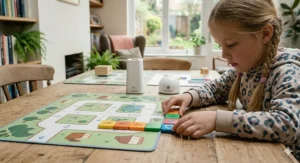
The Matatalab Pro Set operates on a different principle entirely. Instead of slotting blocks into a board, children lay their coding blocks — all 99 of them — onto a flat control board. The command tower sits above it, scanning the arrangement with an image recognition camera, then transmitting the programme wirelessly to the MatataBot on the play mat. It’s essentially a camera that reads your child’s code and executes it. Which is, honestly, quite brilliant.
The result is a system that feels more like “real” coding than Cubetto’s linear slot-based approach. The blocks can encode not just movement, but music, looping, and conditional logic. An EdTech Impact review notes educator feedback suggesting it’s particularly effective for children between 5 and 8 — which aligns with the UK Key Stage 1 computing curriculum.
For UK classroom use, the Pro Set’s 99-block count is a genuine advantage. A group of six children working collaboratively can each handle a section of the programme, which creates the kind of co-operative computational thinking that UK primary teachers are increasingly required to evidence in their planning.
Price range: Around £130–£170. Available on Amazon.co.uk, Prime eligible, with free delivery on orders over £20.
✅ Pros: Hugely expandable (Artist, Musician, Sensor add-ons) | Image recognition feels genuinely futuristic | Strong classroom credentials
❌ Cons: More components to lose (99 blocks in a small home is an adventure) | Setup takes longer than Cubetto
Best for: Families with children aged 5–8, or teachers looking for a Key Stage 1 coding tool that goes beyond basic navigation.
3. Matatalab Lite Coding Robot — The Budget Starting Point That Punches Above Its Weight
The Matatalab Lite is a different beast from its bigger sibling — pocket-sized, button-driven, and approximately a third of the price. Rather than a camera tower and coding board, the Lite uses a small remote control with directional buttons. In “coding mode,” children programme a sequence of moves before executing them. In “control mode,” it’s essentially a responsive RC car for toddlers.
Three distinct modes — remote control, gyro control, and coding — mean this grows alongside a child’s confidence rather than becoming redundant after a month. It’s compatible with LEGO bricks for DIY track-building, and one parent reviewer on Amazon.co.uk noted their three and five-year-old were fully engaged within twenty minutes of unboxing, with zero parental intervention required after setup.
The Lite doesn’t teach functions or image recognition. It won’t survive a Key Stage 1 computing lesson intact. But for a first encounter with the idea that sequences of commands produce predictable outcomes, it’s a quietly excellent little robot.
Price range: Around £35–£55 on Amazon.co.uk.
✅ Pros: Outstanding value | Screen-free and app-free | Three play modes suit different ages and stages
❌ Cons: Limited pedagogical depth compared to the full Matatalab set | Small remote buttons less intuitive than physical blocks for very young children
Best for: Parents on a budget, or households where a child under four needs a first coding toy before graduating to something more complex.
4. Matatalab Coding Set (Original Family Edition) — The Original That Started It All
Before the Pro Set arrived with its 99 blocks, there was the original Matatalab Coding Set — 37 blocks, a command tower, a double-sided game map, and three challenge booklets. It uses the same image-recognition camera system as the Pro Set and introduces identical core concepts (sequencing, debugging, looping), just with a slightly smaller block library.
For a single child learning at home, the 37-block original is arguably easier to manage than the 99-block Pro Set. Fewer pieces to store, fewer to lose behind the radiator. The double-sided game map gives enough variety to keep a child engaged across several weeks, and the challenge booklets provide a structured progression that parents appreciate — particularly in British homes where you need the toy to do the work rather than require adult facilitation at every session.
The image recognition camera — the command tower — reads the coding blocks from above in a system that feels genuinely impressive when you first see it in action. There’s something almost magical about watching a child’s physical arrangement of blocks translate into robot movement.
Price range: Around £90–£130 on Amazon.co.uk.
✅ Pros: Simpler to manage for home use than the Pro Set | Same core technology at lower entry price | Strong challenge booklet progression
❌ Cons: 37 blocks may feel limiting once a child is confident | Less value long-term than buying the Pro Set outright
Best for: A single child aged 4–7 starting out with Matatalab at home, with room to add expansion packs later.
5. Cubetto Adventure Pack — Big City — Extending the Cubetto Universe
Once your child has mastered the basic play mat that comes with the Cubetto Playset, the Cubetto Big City Adventure Pack offers a natural next step. It adds a new double-sided map and story book set in an urban environment — relevant, arguably, to the large number of British children growing up in cities — plus new coding challenges that introduce debugging and algorithm refinement.
The adventure packs are what transform Cubetto from a one-term toy into a multi-year educational companion. There’s also an Ancient Egypt pack, a Space pack, and a Woodland pack — each with map and story book — meaning a child can revisit the same hardware with entirely fresh context. This is clever product design and genuinely good value over time: the robot and board you bought at age three can still be delivering new challenges at age six.
Price range: Around £15–£25 per adventure pack on Amazon.co.uk.
✅ Pros: Extends Cubetto’s educational lifespan significantly | Each pack is a self-contained narrative world | Strong cross-curricular value (geography, storytelling, history)
❌ Cons: Requires the core Cubetto Playset, which is a separate purchase | Limited in number compared to Matatalab’s add-on ecosystem
Best for: Parents who already own Cubetto and want to keep the learning fresh without buying a whole new system.
6. Learning Resources Botley 2.0 — The UK Classroom Favourite Worth Knowing About
Not strictly part of the Cubetto vs Matatalab which is better debate, but Botley 2.0 deserves mention as the third major player in screenless UK coding robots. While American-born, it’s widely stocked on Amazon.co.uk, Prime-eligible, and turns up in countless UK primary classrooms alongside Bee-Bot.
Botley operates via a remote control that snaps instructions directly onto the robot — no mat required, no tower, no camera. Up to 120 commands can be programmed in a single sequence, which is extraordinary for a toy in this category. It also detects objects and responds to light, adding a sensor dimension that neither Cubetto nor the entry-level Matatalab sets provide.
The key trade-off: Botley’s button-based input is less intuitive for very young children than physical blocks, and it lacks the narrative richness of Cubetto’s story books or the expandability of Matatalab’s add-on system. It’s a strong competitor, but it sits slightly differently in the market — more “extended primary” than “early years.”
Price range: Around £50–£80 on Amazon.co.uk for the full activity set.
✅ Pros: Up to 120 command sequences | Object detection | No separate play mat required
❌ Cons: Less narrative/thematic depth | Remote coding less developmentally appropriate for under-5s than block-based systems
Best for: Reception and Year 1 classrooms that want an affordable, robust, no-fuss coding tool.
7. MatataStudio Tale-Bot Pro — Storytelling Meets Early Coding
The MatataStudio Tale-Bot Pro is Matatalab’s answer to the question: “What if you could teach coding and early literacy at the same time?” This robot reads picture cards placed in sequence on its back, then narrates a story while executing the corresponding movements. It’s designed specifically for ages 3–5 — the preschool bracket — and it’s the most direct competitor to Cubetto in terms of developmental stage.
The OID (Optical ID) sensor on the Tale-Bot Pro reads cards rather than camera-scanning blocks, which means it’s faster to set up than the Matatalab tower system. It’s also considerably quieter in operation, which matters if you have a child who attends a nursery with “quiet play” time or simply a flat with thin walls and neighbours.
Available on Amazon.co.uk with Prime delivery. Price range: Around £50–£80.
✅ Pros: Combines early literacy with coding concepts | Fast setup | Perfect age match with Cubetto (3–5)
❌ Cons: Limited expandability compared to the full Matatalab system | Less tactile depth than Cubetto’s wooden blocks
Best for: Parents torn between Cubetto and Matatalab for a three-year-old — the Tale-Bot Pro is a genuine alternative at a lower price point.
✨ Don’t Miss These Exclusive Deals!
🔍 Check current pricing and availability on Amazon.co.uk for all the products mentioned above. Prime members enjoy free next-day delivery on eligible orders — perfect for last-minute birthday presents or term-start purchases.
A Practical Guide to Getting Started — And Making It Last
You’ve bought the robot. It’s arrived. The packaging is intimidating. Here’s how to get from box to brilliant in the first thirty days — with a few notes specific to British homes and schedules.
First session (15–20 minutes max): Don’t try to teach anything. Just let your child explore. With Cubetto, put a few blocks in and press the button. Watch their face when it moves. With Matatalab, do the same — place three or four blocks on the control board, press the orange button, and step back. The “wow moment” does the pedagogical heavy lifting, and you don’t need to explain sequencing on day one.
By week two: Introduce the challenge booklets (both Cubetto and Matatalab include these). The booklets are designed to progress from simple to complex, and they genuinely work — particularly Matatalab’s, which scaffolds concepts in a left-to-right reading direction that one educator described as particularly intuitive for UK Reception-age children.
Storage tip for British homes: Both sets come in boxes, but neither box survives repeated daily use for more than a fortnight. Invest in a small A4 ziplock bag system for Matatalab’s blocks (which are small and numerous) and a shallow tray for Cubetto’s programming board. In a flat or terraced house where storage is perpetually at a premium, keeping these systems accessible without becoming a floor-level trip hazard takes some thought upfront.
Battery note: Cubetto’s robot requires 3x AA batteries. The Matatalab command tower and robot are rechargeable via USB-C — a meaningful advantage in 2026 when most British families have recharged devices as part of the bedtime routine, and the drawer full of random AA batteries from 2019 is running increasingly thin.
Rainy day relevance: In a UK November — which is to say, a grey Tuesday that could easily be mistaken for 4 PM at 11 AM — having a screen-free activity that keeps a four-year-old focused for forty minutes is worth approximately its weight in gold. Both of these sets deliver that. Consistently.
UK School Context: Which One Fits the Computing Curriculum?
This matters more than you might expect, because a toy that aligns with what your child is already doing in school creates genuine reinforcement — and because several UK primary schools actively encourage parents to extend learning at home.
The UK National Curriculum for Computing at Key Stage 1 (ages 5–7) requires children to “understand what algorithms are,” “create and debug simple programmes,” and “use logical reasoning to predict the behaviour of simple programs.” Every product on this list maps to those objectives, but they do it differently.
Cubetto maps most naturally to the earliest layer — the idea that instructions execute in sequence, that debugging means changing a block, and that a function is a reusable chunk of behaviour. It’s ideal for nursery and Reception (ages 3–5).
Matatalab goes further. Its conditional blocks and looping mechanisms address Year 1 and Year 2 objectives more directly. If your child’s school uses Matatalab (an increasing number of UK primaries do, particularly those in the London and Greater Manchester areas), having the same system at home creates a direct bridge between school and home learning that’s pedagogically valuable.
Academic evidence supports both: Research cited on ResearchGate includes both Cubetto and Matatalab in empirical studies on computational thinking in early childhood — validating both as genuine educational tools rather than toys with marketing language.
What Real Parents and Educators Say: Cutting Through the Noise
A product review on Amazon.co.uk is, of course, a different beast from a peer-reviewed study. But when the same themes recur across dozens of independent reviews, they’re worth noting.
On Cubetto: Parents consistently praise the durability. The wooden construction genuinely survives rough handling from toddlers — the blocks have been described as “indestructible” by more than one reviewer, which matters when you’ve spent £130+ on a toy. The story books receive particular praise from parents with children who love narratives, and the Montessori alignment resonates with families already using Montessori materials at home. The most common criticism: at around £120–£160, it’s a significant investment, and the robot’s functionality without add-on packs can feel somewhat limited once a child has mastered the basic movements.
On Matatalab: Educators consistently highlight the image-recognition technology as a genuine differentiator — the camera system is notably more reliable than older optical systems on competing products, and the left-to-right block reading direction aligns well with early literacy development. EdTechImpact reviewers specifically note its suitability for ages 5–8 and its strong classroom track record. The most common home-user complaint: the sheer number of small blocks in the Pro Set requires an organised household, or a parent who doesn’t mind finding coding blocks inside the sofa cushions for months.
Common Mistakes When Buying a Coding Robot for Young Children
1. Buying for the wrong age. Cubetto is legitimately usable at age three. Matatalab’s full system is genuinely more appropriate from age four or five onwards. The Matatalab Lite bridges this gap, but don’t buy the Pro Set for a three-year-old and expect it to go well.
2. Ignoring expandability. Both Cubetto and Matatalab are designed to grow. If you buy the core set and then feel the product has “run out of steam” after three months, you’ve missed the expansion ecosystem. Check the add-on availability on Amazon.co.uk before purchase.
3. Expecting instant engagement. Screen-based toys deliver instant dopamine. Physical coding robots require a child to tolerate the gap between input and outcome — which is, actually, the point, but it means the first session can occasionally feel flat. Most parents report that engagement dramatically increases after the first two or three play sessions once the child understands the system.
4. Overlooking STEM gender bias. Both Cubetto and Matatalab are designed to be gender-neutral, and both succeed. But parents can inadvertently undermine this by framing the toy as “the robot toy” rather than “the coding toy.” Research from the UK’s Royal Society consistently highlights the importance of early, positive exposure to computing for all children, particularly girls — so the framing matters.
5. Buying a US-voltage model. Both Cubetto and Matatalab units sold on Amazon.co.uk are UK-compatible (USB-C charging, rechargeable components). However, if you’re buying from a third-party or international seller, confirm UK compatibility. The Cubetto robot takes standard AA batteries, so voltage is irrelevant for the robot itself, but any rechargeable components should be confirmed compatible with UK 230V/50Hz supply.
FAQ: Cubetto vs Matatalab Which Is Better — Your Questions Answered
❓ Is Cubetto or Matatalab better for a three-year-old?
❓ Are Cubetto and Matatalab available with free delivery on Amazon.co.uk?
❓ Which coding robot is better for UK primary schools and classrooms?
❓ Do these coding robots require a screen or app to work?
❓ Is Cubetto Montessori-approved, and does that matter for UK buyers?
Conclusion: The Verdict on Cubetto vs Matatalab Which Is Better
Here’s the honest answer: neither is universally better. They’re built for slightly different children, different ages, and different contexts — and if you try to pick the “objectively superior” robot without accounting for your specific situation, you’ll talk yourself in circles.
Buy Cubetto if: your child is three to five, you value natural materials and narrative-driven play, you have a smaller home where minimalism matters, and you want a toy that aligns with Montessori or early years principles. It’s the most beautiful object in this category, and beauty in a toy is not trivial — it matters to how often it gets played with.
Buy Matatalab Pro Set if: your child is five or older, you want something with more computational depth and expandability, you’re buying for a classroom or home-school context, or you simply want more variety from a single system. The camera-recognition technology is genuinely impressive and the add-on ecosystem means you won’t outgrow it quickly.
Buy Matatalab Lite if: budget is a constraint, your child is on the younger end, or you want a trial run before committing to a larger system.
The question of Cubetto vs Matatalab which is better ultimately resolves to: Cubetto for the youngest and most tactile learners; Matatalab for children ready for more complexity. Both are excellent. Both are available on Amazon.co.uk. Both will produce the kind of concentrated, screen-free, joyful learning that makes you feel briefly triumphant as a parent — which is, in the end, rather the point.
✨ Don’t Miss These Exclusive Deals!
🔍 Check current pricing and availability for Cubetto, Matatalab, and all the coding robots mentioned in this guide on Amazon.co.uk. Click any highlighted product name to see today’s price — and with Prime, your order could arrive tomorrow.
Recommended for You
- Bee-Bot vs Blue-Bot Comparison: Which Is Best for UK Classrooms? (2026)
- Best Coding Toys for 4 Year Olds UK 2026: 7 Expert Picks
- Grimms vs Tickit Wooden Toys: 7 Best Picks for UK Families 2026
Disclaimer: This article contains affiliate links. As an Amazon Associate, I earn from qualifying purchases. If you purchase products through these links, we may earn a small commission at no additional cost to you.
✨ Found this helpful? Share it with your mates! 💬🤗
