

In This Article
Here’s a thought that might raise an eyebrow over your morning cuppa: your four-year-old already understands coding. Not in the “staring at a screen and typing Python” sense, obviously. But the moment they tell their toy dog to “sit, then roll over, then fetch” — that’s sequencing. That’s an algorithm. That’s computational thinking in a dinosaur onesie.
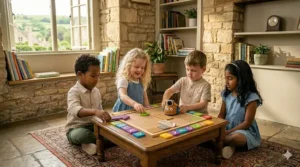
Coding toys for 4 year olds aren’t about producing the next software engineer before Reception class. They’re about nurturing the kind of logical, step-by-step thinking that will serve your child across every subject, every career, every flat-pack furniture assembly crisis they’ll ever face. The research backs this up convincingly: a systematic review published in Computers and Education Open found that with age-appropriate instructional design, young children can develop early computational thinking skills alongside communication, collaboration, and problem-solving abilities — all from hands-on play.
The British computing curriculum now embeds programming concepts from Key Stage 1, which starts at age five. A good coding toy at four is simply the warmest possible introduction — one that feels like play because, for a four-year-old, it genuinely is.
The best ones on this list are almost entirely screen-free. No tablets straining small eyes in a darkened living room. No subscription needed. Just a robot mouse, a wooden cube, or a cheerful bee that goes precisely where your child tells it to go — or hilariously doesn’t, which is arguably more instructive.
All seven products below are available on Amazon.co.uk and appropriate for children aged four. Prices are correct in range at time of research but do change — always check current pricing on Amazon.co.uk.
Quick Comparison: Top Coding Toys for 4 Year Olds UK at a Glance
| Product | Type | Screen-Free? | Price Range | Best For |
|---|---|---|---|---|
| TTS Bee-Bot | Floor robot | ✅ Yes | £40–£55 | First-ever coding toy |
| Learning Resources Code & Go Robot Mouse Activity Set | Floor robot + maze | ✅ Yes | £30–£45 | Active builders & maze lovers |
| Primo Cubetto Playset | Wooden robot | ✅ Yes | £80–£110 | Creative, tactile learners |
| Learning Resources Coding Critters Rumble & Bumble | Interactive pet robot | ✅ Yes | £35–£50 | Storytelling & imaginative play |
| MatataStudio Tale-Bot Pro | Smart floor robot | ✅ Yes | £45–£65 | Tech-curious families wanting more features |
| Learning Resources Botley 2.0 Coding Robot | Remote-programmed robot | ✅ Yes | £55–£75 | Slightly older 4s & young 5s |
| LEGO Education DUPLO Coding Express | Train set + coding | ✅ Yes | £130–£160 | LEGO-mad households |
A note on the table: The price spread here is wider than you might expect — from around £30 for the Robot Mouse to over £130 for the LEGO DUPLO set. That gap reflects genuinely different ambitions. The Robot Mouse is brilliant for a rainy Saturday afternoon introduction; the LEGO DUPLO Coding Express is more of a long-term STEM investment that’ll grow with your child. Don’t default to the priciest option. Default to the one that matches your child’s current interests.
💬 Just one click — help others make better buying decisions too! 😊
✨ Don’t Miss These Exclusive Deals!
🔍 Ready to spark your child’s curiosity? Click any highlighted product to check current pricing and availability on Amazon.co.uk. These picks represent some of the best screen-free STEM toys available in the UK right now!
Top 7 Coding Toys for 4 Year Olds: Expert Analysis
1. TTS Bee-Bot Programmable Floor Robot
The Bee-Bot is the godfather of British preschool coding toys — genuinely. You’ll find one in virtually every Reception classroom in England, and for good reason. It’s a squat yellow bee about the size of a large mug, with four directional buttons and a green “go” on its back. Children press the buttons to programme a sequence of up to 200 steps, hit go, and watch it waddle obligingly across the carpet. Or into the skirting board. Debugging begins early.
What makes Bee-Bot work so brilliantly for four-year-olds is the sheer physicality of it. The robot is chunky and durable — it can be dropped, sat upon, and generally mistreated in ways that more delicate toys simply cannot. The 15cm step length means children can lay out a grid on the floor and make genuine spatial calculations. It also supports audio recording, so children can personalise their Bee-Bot’s sounds, which is an unexpectedly charming feature for this age group.
The rechargeable battery (USB lead included) is a sensible touch — no hunting for AA batteries at 7am. It is marginally less feature-rich than some newer rivals, but what it lacks in bells and whistles it makes up for in classroom-proven reliability. UK teachers have trusted it for over a decade; that’s not nothing.
UK parents on Amazon.co.uk frequently note how closely it mirrors their child’s school experience — a real advantage when you want home learning to feel familiar and coherent rather than like homework.
✅ Classroom-tested and teacher-approved
✅ Rechargeable via USB — no battery faff
✅ Compatible with extensive range of themed mats and accessories
❌ Fewer features than newer competitors
❌ The accessory mats are sold separately and costs add up
Price range: around £40–£55 on Amazon.co.uk. Exceptional value for a toy with this much educational credibility.

2. Learning Resources Code & Go Robot Mouse Activity Set
Meet Colby — a small, earnest, button-eyed robot mouse who lives only to travel through mazes. The Code & Go Robot Mouse Activity Set is Learning Resources at their most sensibly designed: 83 pieces including the mouse itself, coding cards, 16 interlocking maze panels, and a cheerful companion mouse called Jack.
The concept is straightforward and rather clever. Children press the directional buttons on Colby’s back, building a sequence of moves, then press go and watch him navigate whatever maze they’ve constructed. The genius is in that construction phase — children aren’t just programming a route, they’re designing the problem first, which doubles the learning opportunity. As a review on the Whiteboard Blog noted, Code & Go Mouse toys are ideal for four-year-olds and above, teaching early step coding while fostering logical and critical thinking in both classroom and home settings.
For UK families in smaller homes — the typical semi-detached or terraced house with its modest floor space — the compact maze format is genuinely practical. No massive grid required; this works brilliantly on a kitchen table, a bedroom floor, or even the dining room at a rainy birthday party. The pieces store neatly in a resealable bag, which matters more than manufacturers seem to realise.
The coding cards introduce written symbolic representation of commands — a subtle but important bridge towards later digital programming. UK buyers report consistently high engagement from children aged four and five.
✅ Maze-building doubles the problem-solving scope
✅ Compact and tidy — ideal for smaller British homes
✅ Coding cards introduce symbolic thinking early
❌ The maze pieces can scatter across a room with remarkable efficiency
❌ Colby’s battery life is finite and he requires AAA batteries (not included)
Price range: £30–£45 on Amazon.co.uk. One of the best-value entry points on this list.
3. Primo Toys Cubetto Playset
Cubetto is the posh option. That’s not a criticism — it’s a description. Made of hardwearing birch wood by Primo Toys, a London-founded company that took its Kickstarter funding and turned it into a genuinely beautiful educational product, Cubetto is a small square wooden robot that sits on a fabric adventure map while your child controls it entirely through physical, tangible coding blocks.
There’s no screen. No batteries in the coding board. Children physically place coloured wooden blocks into a sequential programming queue on the control board — forward, left, right, function — then press a single button. Cubetto executes the programme. The blocks are Montessori-inspired, which means they’re designed to be understood before they can be read: shape and colour communicate meaning before words do. This makes Cubetto genuinely accessible to four-year-olds, including early readers and those with additional needs.
The fabric adventure maps — featuring ocean, space, forest, and city themes — come with storybooks that frame the coding challenges as narrative adventures. This is the real insight of Cubetto: four-year-olds don’t want to learn to code. They want to help a wooden robot find its way home through a magical forest. The coding is almost incidental.
It’s available on Amazon.co.uk, and UK schools and nurseries have adopted it warmly. The premium price reflects the material quality and the depth of the curriculum-linked resources available to teachers and parents. The updated Cubetto+ model now charges via USB-C, which is a genuinely useful update for 2026.
✅ No screen whatsoever — completely physical interaction
✅ Montessori-inspired design works across learning styles and abilities
✅ Beautifully made — genuinely durable wood construction
❌ The highest price on this list — a significant investment
❌ The adventure maps are sold separately, which stings a bit
Price range: £80–£110 on Amazon.co.uk. Worth every penny for the right family; possibly excessive for those who simply want a starter coding toy.
4. Learning Resources Coding Critters Rumble & Bumble
What if the coding toy was also a pet you could take care of? That’s the central conceit of Coding Critters — and it’s a rather brilliant one for four-year-olds, who frequently can’t tell the difference between a toy and a living creature anyway.
Rumble is a small dinosaur robot with buttons on his back. Bumble is his tiny companion. Together they come with a 23-piece playset — cave, slide, volcano launcher — and a storybook full of coding challenges. Children programme Rumble’s movements by pressing directional buttons in sequence, then watch him navigate his little prehistoric world. Press his nose and he switches into Play Mode: you can feed him, pet him, make him dance, sing a silly song. It’s coding wrapped in the emotional warmth of a Tamagotchi.
Learning Resources are a British-market staple at this point; their products are widely stocked on Amazon.co.uk and the broader UK educational retail market. At around £40 and currently available with Prime delivery, Rumble represents solid value in the mid-range.
What most UK buyers overlook: the sequence of up to 30 programmable steps is actually quite generous for this age group, allowing more complex challenges as children grow into the toy. One step equals roughly 10.2cm of movement — enough spatial information for parents to set up meaningful distance challenges on the kitchen floor.
UK parents report particularly high engagement from children who are more drawn to characters and narrative than to abstract problem-solving — if your four-year-old talks to their toys already, Rumble is going to be a friend for life.
✅ Pet play mode adds genuine emotional engagement
✅ Storybook structure scaffolds the coding challenges beautifully
✅ Up to 30 programmable steps — room to grow
❌ Runs on AAA batteries (3 required, not included)
❌ The playset pieces are relatively small; keep away from under-threes
Price range: around £35–£50 on Amazon.co.uk. Prime-eligible; often arrives next day if you’ve left the birthday present shopping rather late.
5. MatataStudio Tale-Bot Pro Coding Robot
The Tale-Bot Pro is the new kid on the block — and it brings features that older rivals simply don’t have. Developed by MatataStudio (formerly Matatalab), a company now supplying over 20,000 kindergartens and schools globally, this is a screen-free floor robot with an OID optical recognition sensor underneath. That sensor detects coding cards, interactive stickers, and themed maps, giving children immediate audio feedback and visual confirmation via LED displays. It’s considerably smarter than it looks.
For a four-year-old, the practical experience is this: you press directional command buttons in sequence, place the robot on its interactive map, press go, and it speaks to you as it moves. It tells you where it’s going. It celebrates when it succeeds. It’s considerably more communicative than a Bee-Bot, and for children who respond to audio and verbal reinforcement — which is most of them at this age — that feedback loop is genuinely motivating.
The Activity Box accessories, available separately on Amazon.co.uk, expand the play scenes significantly with new maps and card sets. One UK parent reviewer noted that it does “everything a Bee-Bot can do, but also senses different images, talks and gives feedback, records sounds, can read music, and you can add LEGO DUPLO” — which is an unexpectedly comprehensive feature list for a preschool toy.
The Tale-Bot Pro is currently available on Amazon.co.uk (check current stock, as availability has varied). It supports multiple languages including English, making it suitable across the UK’s wonderfully diverse households.
✅ OID sensor technology provides audio feedback during play
✅ LED display shows step count — early numeracy bonus
✅ LEGO DUPLO compatible for extended creative play
❌ Availability on Amazon.co.uk has been intermittent — worth checking
❌ The Activity Box extras add to total cost
Price range: £45–£65 on Amazon.co.uk. Excellent value given the feature density.
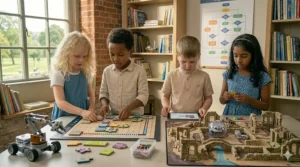
6. Learning Resources Botley 2.0 Coding Robot Activity Set
Technically, Botley 2.0 is recommended for ages five and above. However, it earns its place on this list for one specific reason: four-year-olds who are developmentally more advanced, or who have older siblings to play alongside, can engage with it meaningfully. Think of it as the slightly aspirational choice — something that’ll still feel challenging and exciting at six and seven.
Botley is programmed via a physical remote rather than buttons on his body, which is the key distinction. Children select a sequence of directional commands using the handheld remote — up to 150 steps in six directions — then watch Botley execute them. He can follow black lines, avoid obstacles, transform into 16 different character modes (train, police car, ghost), and accepts additional accessory kits for obstacle courses and chain reactions.
The 46-piece Activity Set includes obstacle cubes, rods, and coding cards. The screen-free promise is absolute — no app, no phone, no tablet. Just a remote, a robot, and an increasingly ambitious obstacle course spreading across your living room floor.
For UK households where space is at a premium, the contained footprint of a Botley obstacle course is actually an advantage over floor robots that demand a large open grid. He works brilliantly on a kitchen table or a cleared dining room.
UK Amazon reviews are consistently enthusiastic, and it’s Prime-eligible for next-day delivery. Worth noting: check the UK model number, as some variants on the platform ship from European warehouses with slightly different plug types for the charging remote.
✅ 46-piece set offers extensive play value
✅ 16 character transformations keep engagement high over time
✅ Obstacle course format is space-efficient for UK homes
❌ Strictly speaking an age-5+ toy; some four-year-olds may struggle
❌ The remote adds a coordination layer that younger fours find fiddly
Price range: £55–£75 on Amazon.co.uk. A worthwhile mid-range investment for the slightly older end of this age group.
7. LEGO Education DUPLO Coding Express
This is the luxury option — and the most structurally different product on the list. Rather than a standalone robot, the LEGO Education DUPLO Coding Express is a train set. But not just any train set. The carriages have specialised colour-reading sensors; when the train passes over specific coloured “action bricks” placed on the track, it performs a corresponding action (stop, go, change direction, play sounds). Children lay the colour bricks to programme the train’s journey. It’s physical coding through one of the most beloved toy formats in British history.
The DUPLO compatibility is the masterstroke. Any family with a collection of DUPLO bricks — which in the UK is most families with young children — can integrate this seamlessly into existing play. The train works with the free LEGO DUPLO Train app for enhanced play, though it functions entirely without it.
At £130–£160, this is the most expensive product here by some margin. It’s primarily an education-market product, available on Amazon.co.uk but perhaps more naturally suited to a nursery setting or a household that’s committed to serious STEM investment. The learning curve for a four-year-old is gentle, however — LEGO DUPLO bricks are already second nature to most children of this age, which removes a significant barrier to engagement.
UK buyers should be aware: this is the LEGO Education variant, meaning it comes with curriculum-linked resources. It is not the same product as the consumer DUPLO train sets; the coding functionality is unique to this version.
✅ DUPLO compatibility makes it instantly familiar
✅ Works without the app — no screen required unless you want it
✅ Curriculum-linked resources included
❌ Significantly more expensive than all other options here
❌ Primarily an education product — may feel over-engineered for casual home use
Price range: £130–£160 on Amazon.co.uk. Best suited to committed STEM households or nursery/childminder settings.
Setting Up for Success: A Practical Guide to Using Coding Toys at Home
Buying a coding toy is the easy part. Getting a four-year-old to engage with it meaningfully — and keep engaging with it — is the bit nobody puts on the packaging.
Start with the story, not the instructions. Four-year-olds are not interested in button nomenclature. They’re interested in whether the mouse finds the cheese, whether the dinosaur escapes the volcano, whether the bee reaches the flower. Frame every play session as a story rather than a lesson. “Colby is trying to get home for tea — can you help him?” works considerably better than “let’s practise sequencing.”
Let them get it wrong. The most valuable learning in early coding is debugging — the process of realising your instructions didn’t work and working out why. British parents who are used to stepping in and fixing things may need to resist the instinct. When Bee-Bot crashes into the skirting board, that’s not failure. That’s data. Let your child sit with it for a moment before offering a clue.
Use the floor. All of these floor robots work better on a hard floor than on carpet, which can affect movement accuracy. If you live in a carpeted flat (very common in UK cities), a piece of lino offcut or even a hard-backed mat makes a genuine difference to how predictably the robot moves.
Rainy-day rotation. One of the joys of screen-free coding toys is that they don’t require wifi, power sockets, or a charged device. On the grey, damp Saturday mornings that constitute about 60% of the British year, these toys work reliably and quietly without any setup. Keep them near the kitchen table, not buried in a toy box.
Storage matters in smaller homes. Most of these sets have more pieces than the box suggests. A small craft organiser or zip-lock bag system for the coding cards and accessories will save considerable Sunday-morning stress.

Which Coding Toy Suits Your Child? Real-World UK Scenarios
Different families, different needs. Here’s how the choices map against the kind of households you’ll actually find in Britain.
The London flat family with limited space. You’re in a two-bedroom flat in Hackney, floor space is genuinely at a premium, and you don’t want a toy that requires a dining room table cleared and a grid mat unfurled. Go for the Coding Critters Rumble & Bumble — self-contained, the playset is compact, and the emotional engagement factor means your four-year-old will want to play with it daily rather than intermittently.
The Montessori-leaning family in the Cotswolds. You’ve already invested in wooden toys, open-ended play materials, and a general disposition against plastic. Cubetto is your answer. It’s beautiful, it’s wooden, it’s philosophically aligned with the Montessori approach, and it’ll survive being passed down to a younger sibling without looking tired.
The Edinburgh family whose child is obsessed with trains. Obvious answer: LEGO DUPLO Coding Express, especially if you already have DUPLO bricks in the house. The coding learning is almost sneaky — it doesn’t feel educational at all, which is exactly how it should feel for a four-year-old.
The teacher-parent who wants home to mirror school. If your child’s school already uses Bee-Bot (and the majority of UK Reception classes do), then bringing a TTS Bee-Bot home creates a reassuring continuity. They’ll arrive home talking about something they’ve actually done in class, and the home toy reinforces that learning immediately.
The family on a careful budget. The Code & Go Robot Mouse set, available for around £30–£35, genuinely punches above its weight. It’s not the flashiest option, but the maze-building component makes it far more extensible than a simple floor robot, and the Learning Resources brand is well-supported in the UK.
How to Choose Coding Toys for 4 Year Olds in the UK: 6 Criteria That Actually Matter
There is no shortage of advice about STEM toys, much of it written by people who’ve never had to clean crayon off a Bee-Bot. Here’s the practical framework.
1. Screen-free is almost always better at this age. Four-year-olds already get enough screen time. The research on screen-free physical coding toys consistently shows that hands-on, embodied learning produces better retention of computational concepts in young children than app-based alternatives. More practically: a screen-free toy is one fewer device to charge, update, and prevent from becoming a YouTube-watching platform.
2. Durability trumps features. A coding toy that breaks after three uses has taught your child nothing except disappointment. Look for products with chunky, robust construction. Learning Resources and TTS (Bee-Bot’s manufacturer) both have strong UK reputations for build quality.
3. Match the toy to your child’s interests, not the box age range. Age ranges on educational toys are conservative guides, not absolute rules. A developmentally advanced four-year-old will find Botley 2.0 engaging; a slightly younger four-year-old might find a simple floor robot overwhelming. You know your child.
4. Check UK availability and delivery. All products on this list are available on Amazon.co.uk. Prime members get next-day delivery on most — genuinely useful when you’ve remembered a birthday the previous evening, which happens to the best of us.
5. Consider what grows with the child. The best coding toys at age four still offer challenges at age six or seven. Bee-Bot’s accessory mats expand the educational scope enormously; Botley 2.0 adds complexity through its multiple coding modes and accessory packs. An investment that lasts three years costs less per use than a toy outgrown in six months.
6. Ignore the price-quality assumption. Cubetto’s premium price reflects material quality and depth of curriculum resources, not that it teaches coding better than a Robot Mouse. Both are excellent. The price gap buys you wood instead of plastic and a philosophy rather than additional features.
Common Mistakes When Buying Coding Toys for 4 Year Olds
Buying for your aspirations rather than their age. The most common mistake is purchasing something that requires reading, typing, or abstract symbol recognition that a four-year-old simply hasn’t developed yet. Anything that requires a companion app with a text-based interface is almost certainly not appropriate. Stick to physical button-programming for this age group.
Overlooking the batteries question. In the UK, the “batteries not included” convention is a particular irritation. Three AAA batteries might seem trivial, but at 7am on a Christmas morning they loom very large. Check before you buy, and stock up. The Bee-Bot and Cubetto’s board are rechargeable; the Robot Mouse and Coding Critters are not.
Buying only one toy for multiple children. Floor robot toys are genuinely more engaging with two children — one programmes, one watches and critiques. If you have two children in the four-to-seven range, consider whether you need two units or whether a single set with collaborative features (like Cubetto’s multi-player coding challenges) works better.
Expecting immediate understanding. The UK’s Key Stage 1 computing curriculum doesn’t expect algorithmic thinking until age five to seven. A four-year-old pressing random buttons and watching what happens is not failing — they’re exploring. That exploration phase can last weeks, and it’s fine.
Ignoring UK consumer protections. Under the Consumer Rights Act 2015, you’re entitled to a full refund within 30 days if a product is faulty, and repair or replacement for up to six years. Online purchases also carry a 14-day cooling-off period under Consumer Contracts Regulations. If a toy arrives damaged or malfunctions within a reasonable timeframe, Amazon.co.uk’s returns process is straightforward.
Coding Toys vs Traditional Alternatives: What the Research Actually Says
| Learning Approach | Skills Developed | Screen Time | Price Range | Best For |
|---|---|---|---|---|
| Screen-free coding toy (e.g., Bee-Bot) | Sequencing, directionality, debugging | None | £30–£110 | Ages 3–6 |
| Coding app (e.g., ScratchJr) | Visual programming, logic | High | Free | Ages 5–8 |
| Board game (e.g., Robot Turtles) | Turn-taking, strategy | None | £20–£35 | Group play, ages 4–8 |
| Traditional play (building blocks) | Spatial reasoning, creativity | None | £10–£50 | All ages |
| Classroom robot (Blue-Bot) | Advanced sequencing, app integration | Optional | £70–£100 | Ages 5+ |
The headline finding from the academic literature — including research cited by the ERIC educational resources database — is that physical, screen-free coding tools produce comparable or superior learning outcomes to digital-only approaches at the preschool age. Countries with robust computing education initiatives, including the UK, show high adoption rates of tangible coding tools precisely because they work.
Traditional wooden building toys remain excellent for spatial reasoning and fine motor skills, but they don’t introduce the specific concept of sequential instruction — the idea that you can give a machine a list of commands and it will follow them in order. That concept requires something that responds, moves, or reacts. A coding toy.
FAQ
❓ At what age can children start using coding toys?
❓ Are coding toys for 4 year olds available with free delivery on Amazon.co.uk?
❓ Do coding toys for preschoolers need to be screen-free?
❓ Are these coding toys safe and UKCA-certified for UK use?
❓ Can coding toys help children who will be starting Reception in the UK?
Conclusion: The Best Coding Toy for 4 Year Olds in the UK Is the One They’ll Actually Play With
There’s a neat temptation when buying educational toys to optimise for the curriculum rather than the child. To buy something because it should teach them something, rather than because they’ll love it. Resist that instinct.
The TTS Bee-Bot remains the gold standard for its classroom credibility and sheer reliability. The Code & Go Robot Mouse Activity Set is the best-value entry point for families on a considered budget. Cubetto is for households who want something beautiful and philosophically coherent. Coding Critters Rumble & Bumble is for children who lead with their hearts rather than their logic circuits.
All of them teach the same foundational thing: that you can give a machine instructions, watch what happens, and change the instructions if you didn’t get the result you wanted. That’s computational thinking. That’s also just… good thinking. And it starts at four, on a kitchen floor, with a small yellow bee and an enormous amount of enthusiasm.
✨ Don’t Miss These Exclusive Deals!
🔍 Click any highlighted product to check current pricing and availability on Amazon.co.uk. All picks are Prime-eligible and perfect for birthdays, Christmas, or an ordinary Tuesday when the rain isn’t showing any signs of stopping.
Recommended for You
- Grimms vs Tickit Wooden Toys: 7 Best Picks for UK Families 2026
- Melissa & Doug vs Hape Montessori: 7 Best Wooden Toys UK 2026
- 7 Best Hundred Board Montessori for UK Kids 2026
Disclaimer: This article contains affiliate links. As an Amazon Associate, I earn from qualifying purchases. If you purchase products through these links, we may earn a small commission at no additional cost to you.
✨ Found this helpful? Share it with your mates! 💬🤗
