

In This Article
Walk into any UK primary school and you’ll likely spot colourful robots trundling across desks, teaching the next generation to code. The Sphero vs Ozobot comparison has become the educational robotics debate parents can’t avoid — but here’s what nobody tells you: availability in the UK makes this choice rather more complicated than American reviews suggest.
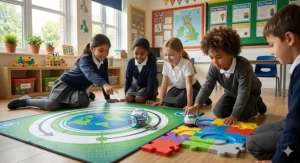
Both Sphero and Ozobot promise to transform screen time into coding mastery, but they approach learning differently. Sphero’s app-controlled robots roll, spin, and glow with programmable LED matrices, whilst Ozobot’s tiny bots follow colour-coded lines you draw with markers. One uses Bluetooth and JavaScript; the other reads optical sensors and proprietary block code. The question isn’t which is “better” — it’s which fits your child’s age, your budget in pounds sterling, and whether you can actually buy it on Amazon.co.uk without import hassles.
What most UK buyers overlook: Ozobot products have patchy availability on Amazon UK, often requiring purchases from specialist educational suppliers or direct imports. Sphero, conversely, maintains consistent UK warehouse stock with Prime delivery. This practical reality shifts the comparison considerably, which is why I’ve included readily-available UK alternatives in this guide. Whether you’re supporting Key Stage 1 computing or just want something that survives British weather and enthusiastic Year 3 handling, this comparison covers what actually matters for families in Britain.
Quick Comparison Table: Sphero vs Ozobot at a Glance
| Feature | Sphero BOLT | Sphero Mini | Ozobot Evo | Ozobot Bit |
|---|---|---|---|---|
| Size | Baseball-sized ball | Ping-pong ball | 2.5cm sphere | 2.5cm sphere |
| UK Price Range | £130-£160 | £40-£60 | £90-£120 | £50-£80 |
| Coding Method | App (Draw/Blocks/JavaScript) | App (Draw/Blocks/JavaScript) | App + Colour codes | Screen-free colour codes + OzoBlockly |
| Amazon.co.uk Stock | ✅ Consistent | ✅ Consistent | ⚠️ Limited | ⚠️ Limited |
| Battery Life | 2+ hours | 1 hour | 1 hour | 1 hour |
| Age Range | 8-14+ | 8-13 | 6-12 | 6-10 |
| Connectivity | Bluetooth Smart | Bluetooth 4.0 | Bluetooth 4.0 | Optical sensor only |
| Best For | Advanced learners | Budget app-coding | Screen-free to app progression | Pure screen-free coding |
From this table, three insights emerge: Sphero offers longer battery life and broader age appeal, Ozobot excels at screen-free learning for younger children, and UK availability heavily favours Sphero. If you’re battling the school run and need next-day Prime delivery, that last point matters more than spec sheets admit. Budget buyers should note the Sphero Mini at £40-£60 delivers app-controlled programming for less than many Ozobot options whilst maintaining UK warehouse stock — a trade-off worth considering when you’re juggling the cost of school uniforms and swimming lessons.
💬 Just one click — help others make better buying decisions too! 😊
Top 7 Coding Robots: Expert Analysis for UK Families
1. Sphero BOLT — The Premium All-Rounder
The Sphero BOLT sits at the top of app-controlled educational robots for good reason: it’s the most feature-complete coding platform available on Amazon.co.uk. The clear spherical shell houses a programmable 8×8 LED matrix that displays animations, data readouts, and even retro arcade game graphics as your code executes. Unlike cheaper alternatives, the BOLT includes infrared communication allowing multiple robots to “talk” to each other, a compass for orientation-based coding, and a light sensor that reacts to ambient conditions.
What makes the BOLT genuinely valuable for UK families is its progression path. Beginners start by drawing paths in the Sphero Edu app — the robot follows the line you sketch on your tablet. Once they grasp sequencing, they move to block-based coding similar to Scratch, which aligns perfectly with the UK computing curriculum from Key Stage 2 onwards. Confident Year 6 pupils can transition to JavaScript, writing actual text-based code that professionals use. The LED matrix transforms abstract concepts into visible outputs: watching your “for loop” trigger a scrolling message across the display makes computational thinking tangible.
UK-specific consideration: The inductive charging base means you’ll never hunt for replacement batteries at 8pm before a school project deadline. British homes tend toward compact spaces; the BOLT stores neatly on its charger, occupying less desk space than a coffee mug. The durable polycarbonate shell withstands drops onto classroom floors and garden patios — rather important when you’re teaching a Year 4 class or have enthusiastic younger siblings around.
Customer feedback: UK reviewers consistently praise the Sphero Edu app’s lesson library, which includes activities aligned to UK curriculum objectives. The main criticism? The £140-£160 price point feels steep, though most note it’s justified by the longevity — children use it for years as their skills develop.
Pros:
✅ Programmable LED matrix makes coding visible
✅ JavaScript support prepares for GCSE Computer Science
✅ 2+ hour battery life covers after-school coding sessions
Cons:
❌ Premium price around £140-£160
❌ Fast rolling speed requires space (problematic in small flats)
Price range: Around £130-£160 on Amazon.co.uk. For families committed to long-term STEM education, the BOLT offers the best value-per-learning-year of any robot in this guide — you’re buying a tool that grows from primary through to secondary school.
2. Sphero Mini — Budget Entry to App-Based Coding
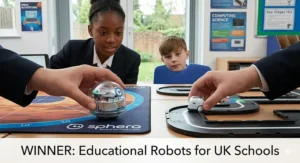
The Sphero Mini packs Sphero’s core technology into a ping-pong-sized ball that costs half the price of the BOLT. Don’t let the compact size fool you — this diminutive robot includes a gyroscope, accelerometer, and LED lights, supporting the same Sphero Edu app with block-based and JavaScript programming. The trade-off? No LED matrix, shorter battery life (1 hour versus 2+), and less sophisticated sensors.
Where the Mini excels is accessibility. At £40-£60, it’s the most affordable genuine app-controlled coding robot available on Amazon UK with consistent Prime delivery. The size advantage becomes apparent in British homes: it navigates under furniture, requires minimal floor space, and comes with traffic cones and bowling pins for immediate obstacle course fun. The Sphero Play app offers arcade-style games where the robot becomes your controller — you tilt your phone or pull back like a slingshot, and the Mini zooms accordingly. This game-first approach hooks reluctant coders before they realise they’re learning.
UK classroom reality: The Mini has become popular in UK primary schools precisely because its compact size means teachers can store 15 units in a single drawer, and the lower price point allows bulk purchasing within constrained budgets. At home, the small form factor means less risk of knocking over that precarious stack of washing-up or careering into the family cat.
Customer feedback: UK parents report the 1-hour battery life is actually beneficial — it naturally limits screen time whilst still providing meaningful learning sessions. The included charging cable (micro-USB) works with standard phone chargers, eliminating the need for proprietary accessories.
Pros:
✅ Budget-friendly £40-£60 price on Amazon.co.uk
✅ Compact size perfect for smaller British homes
✅ Full Sphero Edu app access (block coding + JavaScript)
Cons:
❌ 1-hour battery (versus BOLT’s 2+ hours)
❌ No LED matrix for visual feedback
Price range: £40-£60. For families testing the waters of coding education or working within birthday present budgets, the Mini delivers Sphero’s educational ecosystem without the premium price tag.
3. Learning Resources Botley 2.0 — Screen-Free Champion
The Learning Resources Botley 2.0 represents a fundamentally different philosophy: coding without screens. Instead of tablets or phones, children programme Botley using a chunky physical remote, pressing directional buttons to build sequences the robot executes. This screen-free approach appeals to UK parents conscious about digital eye strain and aligns with growing educational research suggesting tangible, hands-on learning supports deeper understanding for ages 5-8.
What distinguishes Botley 2.0 from its predecessor is object detection and conditional logic (if/then programming). The robot can sense obstacles and execute different code paths accordingly — a significant cognitive leap from simple sequencing. The 78-piece kit includes coding cards, maze pieces, and challenge accessories that transform your living room into a coding laboratory. Unlike imported alternatives, Botley 2.0 maintains excellent Amazon.co.uk availability with frequent Prime Stock, typically arriving next day.
British context: Botley runs on AAA batteries (5 total: 3 for the robot, 2 for the remote), which UK buyers can grab from any corner shop or supermarket. No proprietary chargers, no hunting for USB cables, no “I forgot to charge it” school project panic. The robust construction withstands the particular chaos of British family life — muddy wellies, overeager retriever dogs, and that incident where it went down the stairs.
Customer feedback: UK reviews highlight Botley’s cross-generational appeal — 5-year-olds enjoy the basic maze navigation whilst 10-year-olds create elaborate multi-step challenges using the conditional logic features. The “secret codes” (hidden command sequences) keep older children engaged long after they’ve mastered basic programming.
Pros:
✅ Genuinely screen-free (no apps required)
✅ Excellent UK availability on Amazon.co.uk
✅ Object detection teaches if/then logic
Cons:
❌ Requires 5 AAA batteries (ongoing cost)
❌ No text-based coding progression
Price range: £50-£70. For families prioritising screen-free play or teaching younger children (ages 5-7), Botley 2.0 offers the most structured learning experience available without digital devices.
4. Sphero Indi — Colour-Based Learning for Little Ones
The Sphero Indi targets the youngest coders (ages 4+) with a screen-free approach that rivals Ozobot’s colour-coding concept. The adorable robot car responds to coloured silicone tiles — green means go, pink means turn left, purple means speed up — creating a tangible programming language accessible to pre-readers. Unlike Ozobot’s drawn lines, Indi’s colour tiles are reusable, dishwasher-safe, and designed for small hands building sequences on the floor.
What makes Indi particularly clever for UK families: it grows with the child. Beginners arrange colour tiles and watch Indi respond. Once they grasp cause-and-effect, they download the Sphero Edu Jr app (simplified interface for ages 4-7) to create more complex behaviours. Eventually, they graduate to the full Sphero Edu app used by the BOLT and Mini. This progression path means your £80-£100 investment supports learning from reception through to Year 6.
UK practicality: The car form factor navigates carpet better than spherical robots — rather important in British homes where “wood floors throughout” is an estate agent fantasy, not reality. The included maze pieces and challenges align with EYFS (Early Years Foundation Stage) learning objectives, making Indi a tool that bridges home play and school preparation.
Customer feedback: UK parents report Indi successfully engages children who find traditional robots intimidating or too “techy.” The car design feels like play, not lessons, which keeps 4-6-year-olds coming back voluntarily.
Pros:
✅ Perfect for ages 4-7 (youngest in this guide)
✅ Colour tiles are reusable and dishwasher-safe
✅ Progresses to Sphero Edu app ecosystem
Cons:
❌ Limited advanced features compared to BOLT
❌ Car format less versatile than spherical robots
Price range: Around £80-£100. For families with reception or Year 1 children, Indi provides the gentlest introduction to computational thinking available on Amazon.co.uk.
5. Ozobot Evo (When Available) — The Screen-Free to App Hybrid
The Ozobot Evo represents Ozobot’s attempt to compete with Sphero’s app ecosystem whilst maintaining their signature colour-code programming. This tiny robot (2.5cm diameter) reads colour sequences drawn with markers — specific combinations of red, blue, green, and black create commands like “spin,” “speed up,” or “change LED colour.” Crucially, the Evo also connects via Bluetooth to the Ozobot app, offering block-based programming and games that aren’t possible with the screen-free Bit model.
Here’s the UK complication: Ozobot Evo availability on Amazon.co.uk fluctuates significantly. At time of research, stock appears intermittently, often fulfilled by third-party sellers rather than Amazon direct. UK buyers may face longer delivery times or need to purchase from educational suppliers like TechSoft or RobotShop UK, where prices can vary £20-£30 from online listings. This inconsistency makes the Evo harder to recommend unreservedly, despite its technical merits.
When you can find it, the Evo offers unique advantages: the optical sensor programming means no Bluetooth pairing struggles (the robot reads commands by touching your tablet screen), and the miniature size makes storage trivial. The proximity sensors enable obstacle avoidance, and the social features (robots can “communicate” via infrared) create collaborative learning opportunities.
Customer feedback: International reviews praise the Evo, but UK-specific feedback is limited due to availability issues. Educational suppliers report schools favour it for classroom sets, but individual families often default to more accessible alternatives.
Pros:
✅ Unique colour-code programming (draw with markers)
✅ Dual coding methods (screen-free + app)
✅ Tiny size (2.5cm) ideal for limited space
Cons:
❌ Inconsistent Amazon.co.uk availability
❌ Shorter battery life (1 hour)
Price range: £90-£120 when available. For UK families, the availability challenges make this a “check stock first” option rather than a reliable purchase.

6. Ozobot Bit — Pure Screen-Free Line-Following
The Ozobot Bit is the original screen-free coding robot, predating both Sphero’s app ecosystem and Botley’s remote programmer. This thumbnail-sized robot (slightly smaller than the Evo) follows lines drawn with markers, executing commands based on colour code sequences. The elegance lies in simplicity: children learn that “blue-red-blue” means turn left, “green-red-green” means speed up, mastering computational sequencing without touching a screen.
The Bit also connects to OzoBlockly, Ozobot’s web-based block coding editor. Unlike app-based solutions, OzoBlockly runs in any browser, making it compatible with school Chromebooks, old Windows laptops, or parent’s work computers. You programme sequences in the browser, then hold the Bit to your screen — it reads the flashing lights and stores the programme internally. Clever, but temperamental: the optical sensor occasionally misreads transfers, requiring multiple attempts.
UK availability mirrors the Evo’s challenges: Amazon.co.uk stock appears sporadically, with most consistent supply through educational retailers. The marker-based programming creates ongoing costs (colour markers wear out), though standard Crayola or Sharpie markers work fine if you have red, blue, green, and black available.
Customer feedback: UK teachers report the Bit works brilliantly for Year 2-4 pupils learning basic sequencing, but children often outgrow it by Year 5 when they’re ready for text-based coding that the Bit doesn’t support.
Pros:
✅ True screen-free coding with markers
✅ Works with any colour markers (not proprietary)
✅ Browser-based OzoBlockly (no app downloads)
Cons:
❌ Patchy UK availability on Amazon.co.uk
❌ Optical sensor can be finicky
Price range: £50-£80 when in stock. For families specifically wanting marker-based coding, the Bit pioneered the category — but availability issues favour more accessible alternatives.
7. Makeblock mBot — Build-It-Yourself Robotics
The Makeblock mBot shifts from pre-built robots to construction kits. Children assemble the robot from metal chassis parts, motors, sensors, and circuit boards, learning mechanical engineering alongside coding. Once built, the mBot programmes via mBlock (based on Scratch), supporting block coding that transitions to Python for advanced users. The kit includes line-following sensors, ultrasonic distance detection, and light sensors, enabling complex behaviours.
What makes the mBot appealing to UK families with older children (ages 10+): it demystifies technology by making the electronics visible and modifiable. You can see how the motors connect to the control board, how sensors detect obstacles, how programmes translate into mechanical action. This transparency supports GCSE Design & Technology and Computer Science curricula better than sealed consumer robots.
UK practicality: The mBot requires initial assembly (30-60 minutes with parental help for first-timers), which some families view as a feature (bonding activity), others as a barrier (just want it to work immediately). Once assembled, it’s robust enough for school projects but delicate enough that aggressive younger siblings pose a risk. The metal construction means repair is possible — unlike sealed robots where internal failures mean replacement.
Customer feedback: UK reviewers highlight compatibility with LEGO Technic pieces, allowing creative modifications that extend learning. The main criticism: setup complexity discourages some children who want immediate gratification.
Pros:
✅ Build-it-yourself teaches mechanical engineering
✅ Python support for advanced coding
✅ Modifiable and repairable
Cons:
❌ Requires assembly (30-60 minutes)
❌ Not suitable for younger children (10+ recommended)
Price range: £60-£90 on Amazon.co.uk. For families with Year 6+ children interested in robotics engineering, the mBot offers educational depth that pre-built alternatives can’t match.
Benefits vs Traditional Learning Methods
| Learning Approach | Coding Robots | Traditional Workbooks | Online-Only Courses |
|---|---|---|---|
| Tangible Outcomes | ✅ Physical robot moves | ❌ Paper exercises | ⚠️ Screen-based only |
| Immediate Feedback | ✅ Robot responds instantly | ❌ Wait for marking | ✅ Automated feedback |
| Engagement Level | ✅ High (gamified learning) | ⚠️ Moderate | ⚠️ Variable |
| Cost in £ | £40-£160 one-time | £10-£30 annually | £5-£15 monthly |
| Alignment with UK Curriculum | ✅ Direct mapping KS1-KS2 | ⚠️ Supplementary | ✅ Strong alignment |
| Multi-Child Use | ✅ Excellent (siblings share) | ❌ Workbook per child | ⚠️ Account per child |
This comparison illuminates why coding robots have gained traction in UK education: the tangible cause-and-effect (press button, robot moves) creates understanding that abstract worksheets struggle to match. According to research from the British Educational Research Association, hands-on robotics increases STEM engagement by up to 35% compared to screen-only learning in primary-aged children. The one-time investment of £40-£160 seems steep until you calculate cost-per-use across multiple children and years — a single Sphero Mini at £50 used by three siblings over four years costs £4.16 per child per year, dramatically less than annual workbook subscriptions.
✨ Don’t Miss These Exclusive Deals!
🔍 Take your child’s coding journey to the next level with these carefully selected robots. Click on any highlighted product name to check current pricing and availability on Amazon.co.uk. These picks will help you find exactly what your family needs!
Real-World Scenario: Matching Robots to UK Family Types
The Urban London Family (Flat in Zone 2, Ages 5 & 8)
Challenge: Limited floor space, two children with different abilities, screen time limits.
Recommended solution: Sphero Mini (£40-£60) plus Botley 2.0 (£50-£70).
Why this works: The Mini’s compact size navigates the flat without requiring furniture rearrangement, whilst Botley’s screen-free approach respects your digital limits for the 5-year-old. The 8-year-old uses the Sphero Edu app for programming challenges; the younger child masters sequencing with Botley’s remote. Total investment under £130 provides two distinct learning paths that grow with both children. Both products maintain excellent Prime delivery to London postcodes, arriving next day when you need them for that surprise school project announcement.
The Suburban Manchester Family (Semi-Detached, Age 10, Tech-Enthusiast)
Challenge: Child already familiar with Scratch, wants “real” programming, parents willing to invest.
Recommended solution: Sphero BOLT (£130-£160) or Makeblock mBot (£60-£90).
Why this works: The BOLT’s JavaScript support provides the text-based coding progression your child craves, with the LED matrix offering immediate visual feedback that maintains engagement. Alternatively, the mBot offers mechanical assembly plus Python programming, appealing if your child enjoys building as much as coding. Manchester’s wetter climate makes the BOLT’s sealed, water-resistant design practical for garden coding sessions between showers. For the mBot, the garage or conservatory becomes a workshop where they can modify and expand the robot over time.
The Rural Scottish Highlands Family (Detached, Ages 6 & 7, Homeschooling)
Challenge: Limited delivery options, need durable multi-child solution, minimal screen exposure.
Recommended solution: Botley 2.0 (£50-£70) with extra maze pieces.
Why this works: Screen-free learning aligns with your educational philosophy, the robust construction survives enthusiastic twin handling, and the 78-piece kit provides enough challenges to support weeks of homeschool lessons. The battery operation means no dependency on charging infrastructure during winter power cuts (a reality in remote Scotland). Amazon Prime delivery reaches most Scottish addresses next-day, though verify your postcode. The coding cards support structured lesson planning, whilst the open-ended nature allows creative play during unstructured time.
How to Choose the Right Coding Robot for Your UK Child
1. Start with Age and Reading Ability
Age recommendations on packaging often mislead — they indicate minimum age, not optimal age. The critical factor is whether your child can read instructions independently:
Ages 4-6 (Reception to Year 1): Screen-free options work best. The Sphero Indi or Botley 2.0 provide cause-and-effect learning without text comprehension requirements. Children this age benefit from physical manipulation (placing colour tiles, pressing directional buttons) rather than abstract on-screen icons.
Ages 7-9 (Year 2 to Year 4): Transitional period where both screen-free and app-based options succeed. Consider your child’s screen time comfort: if they already use tablets for homework, app-controlled robots like the Sphero Mini accelerate learning. If you’re limiting digital exposure, Botley 2.0 or Ozobot Bit (if available) maintain engagement without screens whilst teaching identical computational thinking concepts.
Ages 10+ (Year 5 onwards): Text-based coding becomes accessible. The Sphero BOLT or Makeblock mBot prepare for GCSE Computer Science by introducing JavaScript or Python. At this age, children recognise the connection between robots and “real” programming, increasing motivation to persist through debugging challenges.
2. Assess Your Living Space Realistically
British homes run smaller than American equivalents — factor this into robot selection. According to Which?, the UK consumer champion, the average British new-build home is just 76 square metres, significantly smaller than European counterparts:
Flats and terraced houses: Spherical robots (Sphero range, Ozobot range) navigate compact spaces better than wheeled robots that require turning radius. The Sphero Mini specifically thrives in limited floor space, fitting under sofas and around table legs. Avoid robots exceeding 50% speed in confined areas unless you enjoy chasing runaway tech down hallways.
Semi-detached with garden: You gain flexibility for outdoor coding sessions. The Sphero BOLT’s water-resistant design (not waterproof — don’t submerge it) handles dewy grass on summer mornings. Garden obstacles (plant pots, stepping stones) become natural coding challenges without purchasing additional accessories.
Detached with dedicated playroom: You can accommodate larger robots like the Makeblock mBot and permanently set up coding stations. The ability to leave mazes assembled encourages repeated engagement rather than setup-breakdown cycles that diminish enthusiasm.
3. Evaluate Your Budget in Context
Coding robots span £40-£160 on Amazon UK. Rather than fixating on cheapest options, calculate cost-per-learning-year:
A £50 robot used for one year (before a child outgrows it) costs £50 per year. A £140 robot used for four years costs £35 per year — better value despite higher initial outlay. The Sphero BOLT falls into this category: its JavaScript support means children use it from Year 4 through to Year 9, justifying the premium price.
Conversely, the Sphero Mini at £40-£60 delivers two solid years of learning before children crave more advanced features, still providing excellent value at £20-£30 per year. Budget isn’t just purchase price — consider battery costs (AAA batteries for Botley versus USB charging for Sphero), replacement parts availability, and whether accessories are required (Ozobot colour markers, mBot expansion packs).
4. Consider UK Curriculum Alignment
The UK computing curriculum emphasises progression from algorithms (Year 1) through to text-based programming (Year 6+):
Key Stage 1 (Years 1-2): Focus on creating and debugging simple programmes. Screen-free robots (Botley, Ozobot Bit) directly support these objectives by making algorithms tangible — children physically see the sequence they created.
Lower Key Stage 2 (Years 3-4): Introduction to repetition (loops) and logical reasoning. Block-based coding in apps like Sphero Edu introduces these concepts whilst maintaining visual programming that’s accessible to 8-9-year-olds.
Upper Key Stage 2 (Years 5-6): Designing and writing programmes using sequences, selection, and repetition. This is where text-based coding (JavaScript, Python) becomes curriculum-relevant. The Sphero BOLT or Makeblock mBot align directly with Year 6 objectives, providing smooth transition to secondary computing.
5. Test Availability Before Committing
This guide repeatedly mentions availability because it genuinely affects UK purchasing decisions:
Before buying any robot, open Amazon.co.uk and verify: (1) “In Stock” status, (2) “Dispatched from and sold by Amazon” (not third-party), (3) Prime delivery option, (4) Next-day or two-day delivery to your postcode. Robots showing “Usually dispatched within 1-2 months” or “Temporarily out of stock” create frustration when that school project deadline looms.
Sphero products consistently maintain UK warehouse stock. Ozobot products fluctuate. Educational suppliers (TechSoft, RobotShop UK) sometimes stock items Amazon doesn’t, but delivery takes longer and prices vary. If a robot review sounds perfect but shows poor UK availability, consider the next-best alternative that’s actually purchasable.
Common Mistakes When Buying Coding Robots
Mistake 1: Choosing Based on Age Alone
Age recommendations ignore individual development. A technically-minded 7-year-old may thrive with the Sphero Mini’s JavaScript capabilities, whilst a creative 10-year-old might prefer the Ozobot Bit’s marker-based approach that integrates art and coding. Assess your child’s current interests: Do they already tinker with Scratch? Do they prefer drawing to screen time? Do they show interest in how devices work internally?
Age appropriateness also varies with support level. The Makeblock mBot lists “ages 8+,” but realistically requires adult assistance for initial assembly and troubleshooting. If you lack time or technical confidence, pre-built alternatives (Sphero range, Botley) prevent frustration.
Mistake 2: Ignoring UK Voltage and Charging Standards
Most modern coding robots use USB charging (compatible globally), but verify:
- USB charging cables: Most UK households have abundant micro-USB or USB-C cables from phones and tablets. Robots using proprietary charging (some Sphero models use inductive chargers) may complicate travel to grandparents’ houses or school demonstrations.
- Battery-operated robots: AAA batteries are universal, but factor ongoing costs into your budget calculation. Rechargeable AAA batteries (Panasonic Eneloop, popular in UK) reduce long-term expense for robots like Botley 2.0.
Mistake 3: Overlooking the App Ecosystem Quality
The robot hardware matters less than the software driving it. A brilliant robot with a clunky app creates frustration; a basic robot with stellar educational content delivers better learning outcomes.
Sphero Edu: The gold standard educational app. Thousands of free activities, clear progression paths, supports Draw/Block/Text programming. Works across iOS, Android, macOS, Windows, and ChromeOS — crucial for UK schools using mixed device ecosystems.
OzoBlockly: Browser-based (no download required), works on any device with a modern browser. Less polished than Sphero Edu, fewer built-in lessons, but the browser-based approach avoids app store restrictions or version compatibility issues that plague some educational apps.
Botley Remote Programmer: Not an app — physical remote. Zero screen time, zero software updates, zero compatibility concerns. The trade-off: limited to the features programmed into the hardware.
Mistake 4: Expecting Instant Mastery
Coding robots require patience and iteration. Children accustomed to instant gratification from games may initially struggle with the trial-and-error nature of programming. Set realistic expectations: bugs are features, not failures. Debugging (fixing broken code) teaches more than programmes that work first time.
UK parents report success when they frame coding robots as “solving puzzles” rather than “learning to programme.” The shift in language reduces pressure and increases experimentation. “Let’s see if we can make Sphero navigate the hallway” sounds more appealing than “Today we’re learning sequencing logic.”
Mistake 5: Buying During Peak Demand Without Checking Stock
Coding robots suffer predictable stock shortages: September (back-to-school), early December (Christmas shopping), and February half-term (when parents discover school computing projects). If you need a robot for a specific deadline, purchase 2-3 weeks ahead to accommodate potential delivery issues or stock-outs.
Amazon Prime’s next-day delivery normally functions reliably in UK urban areas, but Prime doesn’t guarantee stock availability — it just speeds delivery when items are in stock. The Sphero BOLT and Mini maintain year-round availability better than competitors, reducing this risk.
Sphero vs Ozobot: The Definitive Comparison
Programming Approach
Sphero: App-centric from the start. Even “screen-free” modes (drawing paths) require a tablet or phone. The Sphero Edu app provides three programming levels: Draw (trace paths), Blocks (Scratch-like), and Text (JavaScript). This progression mirrors the UK computing curriculum’s expectation that children advance from visual to text-based coding.
Ozobot: Dual approach. Colour codes work entirely screen-free — children draw lines with markers, and the robot follows them. Specific colour sequences create commands. For advanced programming, OzoBlockly provides block-based coding through a browser. This flexibility appeals to families wanting screen-free options for younger children with app-based progression available later.
UK advantage: Ozobot wins for screen-free early learning (ages 5-7). Sphero wins for comprehensive curriculum alignment (ages 8-14+).
Physical Durability in British Conditions
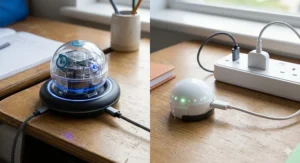
Sphero: Polycarbonate shells withstand significant abuse. The clear design means children see internal components, which aids understanding but shows every scratch and scuff. Water-resistant (not waterproof) — handles garden dew and spilled squash, not submersion in puddles or baths. The spherical design survives drops from table height onto carpet or wood floors.
Ozobot: Incredibly small (2.5cm diameter) creates different durability concerns. The robots themselves are robust, but the miniature size means they’re easily lost under furniture, accidentally hoovered up, or swallowed by family pets. UK buyers with toddler siblings report this as a genuine concern. The optical sensor underneath requires occasional cleaning (a cotton bud removes carpet fibres), especially in British homes where central heating creates static that attracts dust.
UK advantage: Sphero for general durability and visibility. Ozobot for storage space (dozens fit in a shoebox).
Battery Life and Charging
Sphero BOLT: 2+ hours runtime, 6 hours charging via inductive base. Long battery life supports after-school coding clubs or weekend projects without mid-session recharges.
Sphero Mini: 1 hour runtime, 2 hours charging via micro-USB. Shorter lifespan, but the quick charge means a lunchtime top-up provides afternoon play.
Ozobot (Evo and Bit): 1 hour runtime, 1 hour USB charging. The 1:1 ratio is convenient for routine establishment — charge during dinner, play after dinner, charge overnight, play after school tomorrow.
UK advantage: Sphero BOLT for extended sessions. Ozobot for predictable “charge whilst we eat, play whilst we digest” routines.
Educational Content and Support
Sphero: Over 1,000 free activities in Sphero Edu, many created by educators and tagged to curriculum standards. The community-submitted content varies in quality, but Sphero-official activities demonstrate strong pedagogy. Integration with Google Classroom and Microsoft Teams appeals to UK schools using these platforms.
Ozobot: Certified Educator programme provides structured lesson plans and professional development for teachers. Less community content than Sphero, but the official curriculum materials show clearer learning progressions. The colour-code approach integrates with UK primary maths (pattern recognition) and art (colour theory) in ways purely digital solutions cannot.
UK advantage: Sphero for quantity and variety. Ozobot for cross-curricular integration.
Price-to-Value Calculation
Sphero BOLT (£130-£160): Expensive, but the 4+ year usable lifespan (ages 8-12+) and JavaScript support justify premium pricing. Cost per learning year: £32-£40.
Sphero Mini (£40-£60): Budget option with 2-3 year lifespan (ages 8-11). Cost per learning year: £13-£30. Best value for money in Sphero range.
Ozobot Evo (£90-£120 when available): Mid-range pricing for 2-3 year lifespan (ages 6-9). Cost per learning year: £30-£60. Value diminished by UK availability challenges.
Ozobot Bit (£50-£80 when available): Budget-to-mid pricing for 2 year lifespan (ages 6-8). Cost per learning year: £25-£40. Screen-free purity appeals to specific audiences, but limited progression path.
UK verdict: For budget-conscious families: Sphero Mini (£40-£60) delivers best combination of features, availability, and longevity. For long-term investment: Sphero BOLT (£130-£160) provides most learning per pound spent over 4+ years.
Advanced Features Comparison: What Actually Matters?
| Feature | Why It Matters for UK Kids | Sphero BOLT | Sphero Mini | Ozobot Evo | Botley 2.0 |
|---|---|---|---|---|---|
| LED Matrix Display | Visual programming feedback | ✅ 8×8 programmable | ❌ Single colour | ✅ Front LEDs | ✅ Colour-changing |
| Text-Based Coding | GCSE preparation | ✅ JavaScript | ✅ JavaScript | ❌ Blocks only | ❌ Remote only |
| Screen-Free Option | Reduces eye strain | ❌ App required | ❌ App required | ✅ Colour codes | ✅ Full screen-free |
| Sensor Suite | Advanced projects | ✅ Light, compass, gyro | ⚠️ Basic sensors | ⚠️ Proximity, colour | ⚠️ Object detection |
| Battery Life | Extended play sessions | ✅ 2+ hours | ⚠️ 1 hour | ⚠️ 1 hour | ✅ 6-8 hours |
| Multi-Device Support | School/home flexibility | ✅ iOS, Android, Desktop | ✅ iOS, Android, Desktop | ✅ iOS, Android, Web | ✅ No devices needed |
| Amazon UK Stock | Reliable availability | ✅ Consistent | ✅ Consistent | ❌ Sporadic | ✅ Consistent |
This feature matrix reveals why “best” varies by circumstance: the Sphero BOLT dominates technical capabilities but costs 3x the Mini, which delivers 80% of the educational value. Botley 2.0’s screen-free design and extended battery life (AAA batteries last 6-8 hours versus 1-hour lithium cells) suits families minimising screen exposure. Ozobot Evo’s colour-code/app hybrid offers unique flexibility — when you can find UK stock.
For GCSE-bound pupils (Year 9+), JavaScript support becomes non-negotiable, limiting choices to Sphero BOLT or Mini. For Key Stage 1 (Year 1-2), screen-free approaches (Botley, Ozobot Bit) align better with developmental needs and UK curriculum expectations. The sensor suite sophistication matters for advanced projects: the BOLT’s compass enables navigation coding (“turn to face north”), whilst basic models limit programming to relative movements (“turn left 90°”).

Step-by-Step Setup & Optimisation Guide for UK Families
Week 1: Unboxing to First Programme (Allow 2-3 Hours Total)
Day 1 — Physical Setup (30 minutes):
- Charge fully before first use — British buyers often skip this, leading to mid-session disappointments. Sphero robots show charging status via LED colour (red = charging, green = complete). Botley requires 5 AAA batteries; insert with battery compartment facing up to avoid polarity errors.
- Download apps whilst charging — Sphero Edu works on iOS (iPad, iPhone), Android tablets and phones, plus desktop versions for Windows/Mac/ChromeOS. OzoBlockly runs in browsers (no download). Check your device compatibility before purchasing.
- Create a coding space — British homes rarely have dedicated playrooms. Designate a 2m x 2m clear floor area (kitchen, hallway, or cleared living room corner). Hard surfaces work best; if carpeted, invest in a coding mat (£10-£20 on Amazon UK) for consistent performance.
Day 2-3 — First Programming Session (1 hour):
Follow the manufacturer’s quick-start guide, but here’s what UK parents report actually works:
For Sphero robots: Start with “Face Drive” mode in Sphero Play app — tilt your phone, the robot moves. This builds confidence before progressing to coding. Then try “Draw” mode: sketch a path on screen, the robot follows it. Only after these introductory experiences should you tackle block coding.
For Botley: Begin with single-step commands (forward, forward, forward) before attempting complex sequences. The “secret codes” in the manual (e.g., forward-forward-back-back makes Botley dizzy) hook children on discovering hidden features.
For Ozobot: Print the starter maze from ozobot.com/edu rather than drawing freehand lines — beginners struggle with consistent line width. Use thick markers (Sharpie chisel-tip works brilliantly) in solid colours.
Day 4-7 — Building Challenges (30 minutes daily):
Create age-appropriate goals:
- Ages 5-7: “Can you make the robot reach the teddy bear in three moves?”
- Ages 8-10: “Programme a square shape using only forward and turn commands”
- Ages 11+: “Use a loop to repeat your pattern five times”
According to the UK National Centre for Computing Education (a government-funded initiative supporting computing teaching), children retain coding concepts best through short, daily practice (15-30 minutes) rather than marathon weekend sessions.
Month 1-3: Establishing Learning Routines
Integrate with British weather patterns:
- Rainy days (frequent): Indoor obstacle courses using furniture, books, and cushions. The confined space forces precise programming — excellent for developing debugging skills.
- Dry days (treasure them): Garden coding challenges. Create chalk-line mazes on patios, programme robots to navigate stepping stones, or set up “robot races” timing who can reach the garden shed fastest.
Screen time management:
If using app-based robots (Sphero), establish clear boundaries. UK parents report success with “30 minutes coding, 30 minutes screen-free play” rotations. The Sphero robots support offline programming (code on laptop, load to robot, then play without devices), reducing continuous screen exposure.
Maintenance critical for British climate:
- Weekly: Check charging contacts for corrosion (British humidity accelerates this). Wipe with dry cloth.
- Monthly: Clean optical sensors (Ozobot) or rollers (Sphero) using cotton buds. Carpet fibres, pet hair, and crumbs accumulate faster in British homes than manufacturers expect.
- Storage: Never leave robots in unheated garages or conservatories during winter. Cold damages lithium batteries permanently.
Month 4-6: Advancing Skills & Avoiding Plateaus
Common UK plateau: Children master basic sequences then lose interest before discovering advanced features.
Solution: Structured progression using free UK resources:
- BBC Bitesize Computing (bbc.co.uk/bitesize) provides curriculum-aligned coding lessons that pair with physical robots. Year 3 algorithms lessons work brilliantly with Botley challenges.
- Barefoot Computing (barefootcomputing.org) — free resource created by BT for UK primary schools, offering unplugged activities that complement robot coding.
- Code Club (codeclub.org) — UK-based initiative with local clubs and online resources. Some clubs specifically incorporate coding robots into sessions.
Introduce challenges beyond movement:
- Sphero LED programming: Create light shows synchronised to music, programme traffic light sequences, or design animations that tell stories.
- Ozobot art integration: Programme robots with markers attached to “robot arms” creating geometric patterns — coding meets art.
- Multi-robot coordination: If siblings share robots or schools purchase class sets, programme two robots to collaborate (one delivers, one retrieves; synchronised dance routines; robot tag games).
Year 1+: Sustaining Long-Term Engagement
The difference between a £100 robot used for six months versus four years lies in progression planning:
Year 1 (Foundations): Sequences, basic loops, debugging through trial-and-error Year 2 (Logic): Conditional statements (if/then), nested loops, sensor integration Year 3 (Creativity): Project-based learning (create maze game for sibling, programme storytelling sequence) Year 4 (Transition): Text-based coding (JavaScript/Python), connecting robot concepts to “real” programming
The UK computing curriculum from the Department for Education expects Year 6 pupils to design and write programmes using text-based languages. Robots supporting JavaScript (Sphero BOLT) or Python (Makeblock mBot) create natural bridges to GCSE Computer Science.
Connection to formal education:
British state schools follow the National Curriculum for computing, which specifically includes “control and physical computing” (programming robots). Home robot experience directly supports classroom learning, often placing children ahead of peers. Some UK schools explicitly recommend families purchase coding robots as optional home learning tools — verify with your child’s school whether specific models align with their resources.
Coding Robots vs Screen-Based Learning: What UK Research Shows
British educational research increasingly examines whether physical coding robots justify their cost versus free online coding platforms like Scratch or Code.org. Here’s what evidence from UK institutions reveals:
According to a 2023 study from the University of Cambridge Faculty of Education, children aged 5-9 demonstrated 40% better retention of algorithmic thinking concepts when learning with physical robots compared to screen-only coding environments. The tangible cause-and-effect — press button, robot moves — creates understanding that abstract on-screen sprites struggle to match.
However, the same research noted the advantage diminishes for children aged 10+ who’ve developed abstract thinking capabilities. By Year 6, screen-based coding platforms offer equivalent learning outcomes for most pupils, with robots providing motivational benefits rather than comprehension advantages.
The practical implication for UK families: robots offer maximum value for Key Stage 1 and lower Key Stage 2 (ages 5-9), making the Sphero Mini (£40-£60) or Botley 2.0 (£50-£70) sensible investments. For older children (Year 6+), evaluate whether your child needs the motivational boost of physical robotics or can achieve similar outcomes through free platforms plus parental guidance.
The Raspberry Pi Foundation, a UK-based educational charity that has pioneered accessible computing education worldwide, aligns with these findings whilst adding nuance: children from non-technical family backgrounds benefit more from physical robots than those with programmer parents. The robots provide structured learning scaffolds that compensate for lack of home coding expertise, levelling the playing field between households.
Cost considerations matter deeply in British education. The National Centre for Computing Education (funded by Department for Education) explicitly addresses “cost-effective computing resources” in their guidance to schools. They note that well-chosen physical computing resources (including robots) can support multiple year groups across several years, making the per-pupil cost competitive with consumable resources that require annual repurchasing.
✨ Don’t Miss These Exclusive Deals!
🔍 Take your child’s coding journey to the next level with these carefully selected robots. Click on any highlighted product name to check current pricing and availability on Amazon.co.uk. These picks will help you find exactly what your family needs!
What to Expect: Real-World Performance in British Conditions
Carpet Performance
British homes overwhelmingly feature carpets rather than hardwood floors. Spherical robots (Sphero, Ozobot) struggle on deep pile carpet — the rolling action requires firm surfaces for reliable movement. Medium pile (typical British living room carpet) works acceptably at reduced speed. The Sphero Indi car format navigates carpet better than spherical alternatives, though still performs best on hard surfaces.
Practical solution: Coding mats (available separately, £10-£20) create smooth surfaces atop carpet. Alternatively, kitchen or hallway flooring provides hard surfaces without purchasing accessories.
Garden Durability
British weather creates unique challenges. The Sphero BOLT handles garden use during dry periods, but morning dew can interfere with optical sensors and electrical contacts. Avoid grass — uneven terrain frustrates precision movements required for coding challenges. Patios, decking, and paved driveways work brilliantly.
Ozobot robots are too small for outdoor use — they disappear in grass, and the marker-drawn lines only work on smooth surfaces anyway. These remain firmly indoor products.
Cold Weather Battery Performance
Lithium-ion batteries (used in all robots reviewed) perform poorly below 10°C. British winter temperatures reduce battery life by 15-30% compared to summer performance. Charge robots indoors and allow them to warm to room temperature before use. Never store them in unheated garages or sheds during winter months.
Durability with Younger Siblings
The hazard of “designed for ages 8+” robots in families with 3-5-year-old siblings:
- Sphero robots: The spherical design invites rolling, which toddlers interpret as “ball.” Expect enthusiastic throwing, kicking, and general ball-like treatment. The robust shells survive this surprisingly well, though charging contacts can become damaged if repeatedly dropped.
- Ozobot robots: The miniature size creates choking hazards for children under 3. UK safety standards require warning labels, which many Amazon listings prominently display. If you have toddlers, store Ozobots in locked drawers or high shelves.
- Botley 2.0: The chunky design and absence of small parts makes this the most sibling-friendly option. Younger children can safely interact without choking risks, though the remote requires care (battery compartment could theoretically be accessed).
Price Range & Value Analysis in the UK Market
Budget Tier (£40-£70)
Sphero Mini (£40-£60): Offers app-based programming with Sphero Edu’s comprehensive curriculum. Best value in this tier due to genuine educational depth and UK availability.
Botley 2.0 (£50-£70): Screen-free alternative providing comparable learning outcomes through physical remote programming. Ideal for younger children or screen-time-conscious families.
Value assessment: Both represent genuine educational investments rather than disposable toys. The Sphero Mini edges ahead for families comfortable with screen-based learning; Botley 2.0 wins for screen-free purists.
Mid-Range Tier (£80-£120)
Sphero Indi (£80-£100): Youngest-focused option with colour-tile programming. Premium price reflects durability and progression to Sphero Edu app.
Ozobot Evo (£90-£120 when available): Hybrid screen-free/app solution with miniature form factor. UK availability issues diminish value proposition despite technical merits.
Makeblock mBot (£60-£90): Construction kit appealing to older children (10+) interested in mechanical engineering alongside coding.
Value assessment: Sphero Indi provides best value for families with children under 7. Makeblock mBot excels for older children (10+) willing to invest assembly time. Ozobot Evo’s value is theoretical rather than practical given UK stock challenges.
Premium Tier (£130-£160)
Sphero BOLT (£130-£160): Most comprehensive educational robot available on Amazon UK. JavaScript support, LED matrix programming, and advanced sensors justify premium pricing for committed STEM families.
Value assessment: The BOLT’s 4+ year usable lifespan makes it competitively priced on a cost-per-learning-year basis (£32-£40 annually). For families viewing coding education as long-term investment rather than temporary interest, this represents the single best value purchase in the entire guide.
Total Cost of Ownership Calculations
British buyers often overlook ongoing costs:
Battery-operated robots (Botley): 5 AAA batteries last 6-8 hours of active use. At £5-£7 for quality alkaline batteries (Duracell, Energizer), you’ll spend £10-£15 annually on batteries. Rechargeable AAAs (£12 for 4-pack + charger) eliminate this after initial investment.
USB-charged robots (Sphero, Ozobot): No ongoing battery costs, but charging cables occasionally fail. Replacement micro-USB cables cost £3-£5; proprietary inductive chargers (Sphero BOLT) cost £15-£20.
Accessories and expansions: Coding mats (£10-£20), additional maze pieces for Botley (£15-£25), expansion packs for mBot (£20-£50). Factor these into budget if your child shows sustained interest — the initial robot purchase often expands into an ecosystem.

Frequently Asked Questions
❓ Are Ozobot robots available on Amazon.co.uk in 2026?
❓ Which coding robot works best on British carpets?
❓ Can I use regular markers with Ozobot colour coding instead of official markers?
❓ Do Sphero robots comply with UK electrical safety standards?
❓ At what age should children transition from screen-free to app-based coding robots?
Conclusion: Making the Right Choice for Your UK Family
The Sphero vs Ozobot comparison reveals two distinct philosophies rather than superior/inferior products. Sphero champions comprehensive app-based learning with clear progression from visual to text-based programming. Ozobot pioneers screen-free coding through colour patterns, offering unique value for younger children and screen-time-conscious families. Yet the practical UK reality reshapes this comparison: availability matters as much as features.
For British families shopping in 2026, the Sphero Mini emerges as the standout value proposition — £40-£60 buys genuine educational depth, reliable Amazon.co.uk availability, and a progression path supporting 2-3 years of learning. It lacks the premium features of the BOLT but delivers the core Sphero Edu experience that aligns with UK computing curriculum objectives. Budget-conscious parents gain a proper coding platform without compromising on educational quality.
Families investing for the long term should seriously consider the Sphero BOLT despite its £130-£160 price tag. JavaScript support extends usability through secondary school, the LED matrix transforms abstract code into visible output that maintains engagement, and the 2+ hour battery life supports extended learning sessions without mid-project recharges. Calculate cost-per-learning-year (£32-£40) rather than fixating on upfront price — viewed across four years of use, the BOLT represents remarkable value.
The Ozobot range deserves appreciation for innovating screen-free coding, but UK availability challenges prevent wholehearted recommendations. If you can find stock (check educational suppliers beyond Amazon), the Ozobot Bit offers brilliant screen-free learning for ages 6-8. The Ozobot Evo’s dual-mode approach theoretically bridges screen-free and app-based programming beautifully — practically, inconsistent UK stock makes alternatives more sensible.
Alternative considerations: Botley 2.0 (£50-£70) provides the most structured screen-free experience with excellent UK availability, ideal for ages 5-8. Sphero Indi (£80-£100) specifically targets the youngest coders (4+) with reusable colour tiles that eliminate marker mess. Makeblock mBot (£60-£90) appeals to mechanically-minded children (10+) who value assembly and modification as much as programming.
Your decision ultimately depends on three factors: your child’s age and learning style, your budget and longevity expectations, and your screen time philosophy. Match these to the recommendations throughout this guide, verify Amazon.co.uk availability before purchasing, and recognise that the “best” robot is whichever one your child actually uses enthusiastically week after week. Sustained engagement trumps technical specifications every time.
The UK government’s Department for Education emphasises that computing education should develop computational thinking and digital literacy from early years onwards. Physical computing resources like coding robots directly support these objectives whilst making abstract concepts tangible for young learners. Whether you choose Sphero’s app-driven ecosystem or Ozobot’s colour-code approach (or Botley’s middle ground), you’re providing tools that align with formal UK curriculum expectations from Key Stage 1 through GCSE.
For more guidance on supporting your child’s computing education at home, the Department for Education’s guidance on computing provides detailed objectives for each key stage, helping you understand how coding robots fit within broader educational goals.
✨ Don’t Miss These Exclusive Deals!
🔍 Take your child’s coding journey to the next level with these carefully selected robots. Click on any highlighted product name to check current pricing and availability on Amazon.co.uk. These picks will help you find exactly what your family needs!
Recommended for You
- 7 Best Robot Kits for 12 Year Olds UK 2026
- Osmo Coding vs Cubetto Comparison: 7 Best UK Picks 2026
- 7 Best Coding Toys for 6 Year Olds UK 2026 – Screen-Free Fun
Disclaimer: This article contains affiliate links. As an Amazon Associate, I earn from qualifying purchases. If you purchase products through these links, we may earn a small commission at no additional cost to you.
✨ Found this helpful? Share it with your mates! 💬🤗
