
In This Article
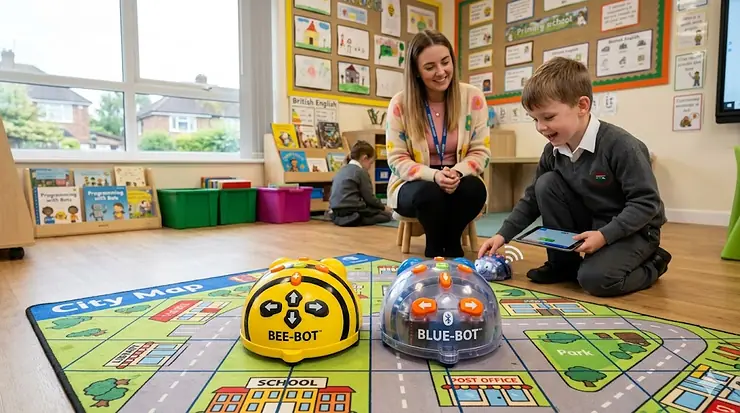
There’s a moment every Reception or Year 1 teacher knows well. You set a little yellow robot down on the carpet mat, a wide-eyed five-year-old presses “go,” and the thing trundles off in precisely the wrong direction. Cue five seconds of stunned silence, followed by an eruption of laughter, frantic debugging, and — if you’re lucky — a tiny lightbulb moment. That’s computing education at its best. And two robots have dominated that moment in British primary schools for years: the Bee-Bot and the Blue-Bot.
Making the right Bee-Bot vs Blue-Bot comparison isn’t just about which one looks cooler on the shelf. It’s about curriculum fit, budget, durability under the reign of a Year 2 class, and whether you actually need Bluetooth or if a simpler, screen-free approach suits your pupils better. For parents considering one at home, the stakes are slightly lower — but the question remains just as valid. This guide exists to answer it properly, with actual insight rather than a reworded spec sheet.
So let’s get into it. The Bee-Bot vs Blue-Bot comparison, done properly, for a British audience in 2026.
Quick Comparison: Bee-Bot vs Blue-Bot at a Glance
| Feature | Bee-Bot (Standard) | Bee-Bot See & Say | Blue-Bot (Standard) | Blue-Bot See & Say |
|---|---|---|---|---|
| Programming Method | On-robot buttons | On-robot buttons | On-robot + Bluetooth app | On-robot + Bluetooth app |
| Memory Steps | 200 | 200 | 200 | 200 |
| Bluetooth | ❌ | ❌ | ✅ | ✅ |
| Screen-Free | ✅ | ✅ | Optional | Optional |
| See & Say Feature | ❌ | ✅ | ❌ | ✅ |
| 45-Degree Turns | ❌ | ❌ | ✅ (via app/TacTile) | ✅ (via app/TacTile) |
| TacTile Code Reader Compatible | ❌ | ❌ | ✅ | ✅ |
| Rechargeable | ✅ | ✅ | ✅ | ✅ |
| Approximate Price Range | Under £80 | ~£80–£95 | ~£90–£110 | ~£100–£120 |
| Best For | EYFS, early KS1 | KS1 with inclusion needs | KS1–KS2 transition | KS1–KS2, screen-free coding |
From this table alone, you can already see the essential truth of the Bee-Bot vs Blue-Bot comparison: these aren’t competing products so much as a natural progression pair. Bee-Bot is where you start; Blue-Bot is where you go next. The See & Say variants add audio personalisation and inter-robot detection — genuinely useful for classrooms with children who have auditory or visual processing needs. What the table can’t show you is which one survives being sat on by a seven-year-old. We’ll get to that.
💬 Just one click — help others make better buying decisions too! 😊
✨ Don’t Miss These Exclusive Deals!
🔍 Take your classroom coding setup to the next level with these carefully selected products. Click on any highlighted item to check current pricing and availability on Amazon.co.uk. These picks will help you find exactly what you need!
Top 7 Bee-Bot and Blue-Bot Products: Expert Analysis
1. Bee-Bot Programmable Floor Robot (Single, Rechargeable) — The Classic Starting Point
If you’ve ever been in a British primary school in the last decade, you’ve almost certainly seen this little yellow robot. The standard Bee-Bot is the entry point for the entire range — and for good reason. It moves in steps of 15 cm, turns in precise 90-degree increments, and stores up to 200 steps in its memory. That’s enough programming capacity to send it on a fairly elaborate adventure around an alphabet mat without a single tablet in sight.
What does that mean practically? For a Reception child or early Year 1 pupil, the screen-free nature of the Bee-Bot is a genuine educational strength, not a limitation. Children physically press buttons, predict outcomes, observe what happens, and adjust. They’re learning to debug — a foundational computational thinking skill — without needing to navigate an interface. The National Centre for Computing Education’s Teach Computing specifically cites the Bee-Bot as ideal for delivering KS1 computing objectives around simple algorithms and programming.
UK teachers consistently praise its near-indestructibility. One common classroom observation: these robots survive drops, enthusiastic handling, and the kind of treatment that would reduce most electronics to expensive rubble. The USB recharging is convenient — you can top it up from a laptop during lunchtime.
Pros:
- ✅ Genuinely screen-free — no device dependency
- ✅ Extremely durable; built for classroom punishment
- ✅ Huge accessory ecosystem (mats, activity tins, grids)
Cons:
- ❌ No Bluetooth; limits progression once pupils are ready
- ❌ No 45-degree turns restrict programming complexity
Best for: EYFS and early KS1 classrooms; parents wanting a screen-free home coding toy for ages 3–6. Price range: Under £80 single unit — check current price on Amazon.co.uk.
2. Bee-Bot See & Say (Rechargeable) — The Accessible, Personalised Version
The Bee-Bot See & Say is the newer, more feature-rich sibling of the standard model, and it addresses something the original never quite managed: genuine personalisation and accessibility. Children can record their own audio for each button press, so the robot effectively narrates its own journey. Imagine a class where the forward button says “to the library!” in a child’s own voice. That’s the kind of engaged, cross-curricular learning that makes a computing lesson memorable.
The inter-robot detection feature — where See & Say units greet each other when they come close — might sound like a gimmick. It isn’t. It creates natural collaborative scenarios where groups of children work with multiple robots simultaneously, introducing the earliest seeds of networked thinking. For pupils with auditory processing needs or those who benefit from multi-sensory learning, the audio feedback is a genuine support tool rather than a novelty.
UK school SENCO staff have noted this variant is particularly effective in mixed-ability settings. The audio customisation also makes it brilliant for cross-curricular use: record French vocabulary for an MFL mat activity, or phonics sounds for a literacy session.
Pros:
- ✅ Customisable audio supports SEN and cross-curricular learning
- ✅ Bot-to-bot detection adds collaborative dimension
- ✅ Same durable build as the standard model
Cons:
- ❌ Higher price point than standard Bee-Bot
- ❌ Still no Bluetooth for tablet-based programming
Best for: Inclusive classrooms, EYFS with SEN pupils, cross-curricular computing activities. Price range: Around £80–£95 — check current price on Amazon.co.uk.
3. Blue-Bot Programmable Bluetooth Robot (Single) — The Natural Upgrade
Here’s where the Bee-Bot vs Blue-Bot comparison gets genuinely interesting. The standard Blue-Bot does everything the Bee-Bot does — same button-based programming, same step size, same durable chassis — but adds Bluetooth connectivity that opens up a significantly richer programming experience. Connect it to a tablet, PC, or Mac via the free Blue-Bot app (available on iOS, Android, and as desktop software), and suddenly your pupils aren’t just pressing physical buttons: they’re writing sequences on-screen, sending them wirelessly, and watching the robot execute their code.
That leap matters enormously for KS1-to-KS2 transition. The UK National Curriculum for Computing expects children to move from simple algorithms toward designing, writing, and debugging programs — and the Blue-Bot’s app facilitates that progression naturally. The 45-degree turn capability (accessible via the app or TacTile Reader) also unlocks programming challenges that the Bee-Bot simply cannot offer.
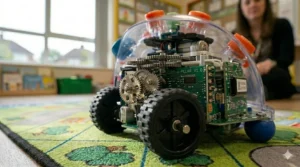
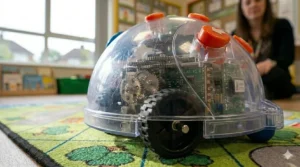
The transparent shell is a lovely design choice: children can see the components inside, which invites curiosity about what’s actually happening when they press go. It’s a small detail, but it sparks the kind of “wait, what’s that bit for?” conversation that good STEM teaching is built on. Note: the app requires iPad 3 or later, which is worth checking before purchasing for older tablet fleets.
Pros:
- ✅ Bluetooth expands to tablet/PC programming
- ✅ 45-degree turns for more complex algorithms
- ✅ Transparent shell provokes curiosity about computing internals
Cons:
- ❌ Requires compatible device for Bluetooth features
- ❌ Slightly higher price than Bee-Bot
Best for: Upper KS1 and KS2 classrooms ready to bridge on-robot to screen-based programming. Price range: Around £90–£110 — check current price on Amazon.co.uk.
4. Blue-Bot See & Say (Rechargeable) — The Full Package
Think of the Blue-Bot See & Say as the flagship of the entire range. It combines every feature of the standard Blue-Bot — Bluetooth, app connectivity, 45-degree turns, transparent shell — with all the audio personalisation and inter-robot detection of the See & Say variants. It’s the version you buy when you want one robot that can grow with your pupils from Reception through to Year 3 or 4 without feeling like it’s holding them back.
For schools building a long-term computing curriculum rather than plugging a one-term gap, this is the model that makes the most financial sense. Yes, it costs more upfront. But when you’re amortising the cost over five or six years of classroom use, the extra outlay per unit is fairly negligible — and you’re not faced with a cupboard full of robots that feel outdated after eighteen months.
Pros:
- ✅ Maximum feature set across the entire range
- ✅ Supports EYFS through KS2 progression
- ✅ Audio personalisation aids inclusion
Cons:
- ❌ Highest price point in the range
- ❌ Some features require compatible devices
Best for: Schools making a long-term investment; classrooms needing one robot that spans multiple year groups. Price range: Around £100–£120 — check current price on Amazon.co.uk.
5. TTS Bee-Bot Docking Station (6-Bot Charging Hub) — The Classroom Logistics Lifesaver
No one talks about the logistics of managing a class set of floor robots, but they absolutely should. Six robots need charging. Six robots need storage. Without a proper system, you’re doing a lot of USB cable management on a Tuesday afternoon, which is nobody’s idea of professional development. The TTS Bee-Bot Docking Station solves this problem elegantly: six robots charge simultaneously, stored neatly, ready to go.
The practical value for UK primary schools — where cupboard space is perennially at a premium and computing lessons often follow immediately after a hectic lunch — cannot be overstated. Drop the robots in the dock at the end of a session, they charge overnight, they’re ready by morning. It’s compatible with both Bee-Bot and Blue-Bot units, which means if you’re running a mixed class set (a sensible choice, as we’ll discuss), one dock handles everything.
UK teachers who’ve switched to docking stations consistently report that the sheer reduction in administrative faff makes computing lessons run measurably more smoothly. Worth every penny of the outlay.
Pros:
- ✅ Compatible with Bee-Bot and Blue-Bot
- ✅ Dramatically reduces charging/storage admin
- ✅ Robust build suited for daily school use
Cons:
- ❌ Additional cost on top of robot purchase
- ❌ Bulky; requires dedicated cupboard space
Best for: Schools running class sets of 6+ robots; any teacher who values their sanity. Price range: Check current price on Amazon.co.uk.
6. TTS Blue-Bot TacTile Code Reader — Screen-Free Coding for Older Pupils
Here’s a product that often gets overlooked in the Bee-Bot vs Blue-Bot comparison but arguably changes the game for upper KS1 and KS2 classrooms. The Blue-Bot TacTile Code Reader is a physical card-based system: pupils arrange tangible coding tiles into a sequence, slot them into the reader, and it sends the algorithm wirelessly to the Blue-Bot. No screen required.
Why does this matter? Because it gives you a genuinely screen-free coding experience — the benefits of physical, hands-on learning — while introducing the more complex programming concepts (loops, repetition, 45-degree turns) that go beyond what on-robot buttons allow. As TTS’s own educators note, it also makes debugging visible: pupils can see their code laid out in front of them, identify the error tile, and fix it. That’s a transformative pedagogical shift compared to trying to remember what you programmed two minutes ago.
Teach Computing, the NCCE’s professional development resource for UK teachers, emphasises that physical computing activities help pupils understand debugging in a concrete, tangible way — and the TacTile Reader is perhaps the purest expression of that principle in the Bee-Bot/Blue-Bot ecosystem.
Pros:
- ✅ Screen-free advanced coding — best of both worlds
- ✅ Makes debugging visible and concrete
- ✅ Introduces loops and repetition without a tablet
Cons:
- ❌ Compatible only with Blue-Bot (not Bee-Bot)
- ❌ Some reports of intermittent Bluetooth connectivity in large rooms
Best for: Upper KS1 and KS2 pupils ready for sequencing, repetition, and debugging beyond basic directional programming. Price range: Check current price on Amazon.co.uk.
7. TTS Bee-Bot & Blue-Bot Classroom Pack (Mixed Set) — The Whole-School Solution
For schools serious about building a coherent computing curriculum from EYFS through KS2, the TTS Bee-Bot & Blue-Bot Classroom Pack is the most strategically sensible purchase in the entire range. A mixed set featuring Bee-Bots, Blue-Bots, and a docking station in one package, it’s designed for schools that want to provide genuine progression — starting pupils on Bee-Bots, transitioning them to Blue-Bots as their skills develop, without ever having to replace their entire robot fleet.
TTS has been supplying UK schools for over forty years, and the pack design reflects real classroom insight. The Bee-Bot and Blue-Bot are compatible with the same mats, accessories, and docking stations, which means your investment in curriculum materials carries across both robot types. That cross-compatibility matters enormously for budget-conscious school business managers — you’re not throwing away resources when pupils progress.
Aligned with the UK computing curriculum from KS1 through KS2, the pack supports the National Curriculum’s expectations around creating and debugging simple programs, understanding algorithms, and applying logical reasoning. For a whole-school approach to early coding education, this is the starting point.
Pros:
- ✅ Built-in curriculum progression from EYFS to KS2
- ✅ Shared accessories reduce total cost of ownership
- ✅ TTS’s long UK school supply track record
Cons:
- ❌ Higher upfront cost; requires planning budget
- ❌ Mixed set may need careful management to assign correctly by year group
Best for: Schools implementing a whole-school computing strategy; senior leaders making multi-year curriculum investments. Price range: Check current price on Amazon.co.uk.
📊 Detailed Feature Comparison: Bee-Bot vs Blue-Bot Range
| Bee-Bot Standard | Bee-Bot See & Say | Blue-Bot Standard | Blue-Bot See & Say | |
|---|---|---|---|---|
| Step Size | 15 cm | 15 cm | 15 cm | 15 cm |
| Turn Angle | 90° | 90° | 90° + 45° | 90° + 45° |
| Memory Steps | 200 | 200 | 200 | 200 |
| Rechargeable | ✅ USB | ✅ USB | ✅ USB | ✅ USB |
| Bluetooth | ❌ | ❌ | ✅ | ✅ |
| Free App | ✅ (basic) | ✅ (basic) | ✅ (full) | ✅ (full) |
| TacTile Compatible | ❌ | ❌ | ✅ | ✅ |
| Audio Customisation | ❌ | ✅ | ❌ | ✅ |
| Bot Detection | ❌ | ✅ | ❌ | ✅ |
| Curriculum Fit | EYFS–KS1 | EYFS–KS1 | KS1–KS2 | KS1–KS2 |
The progression logic here is clear: each tier adds meaningful capability without abandoning what made the previous tier valuable. The Bee-Bot’s screen-free simplicity is not a bug to be fixed — it’s precisely the right approach for four and five-year-olds. The Blue-Bot’s Bluetooth and 45-degree turns are not unnecessary complexity — they’re the next natural step once directional thinking is embedded. Schools that buy one type exclusively are arguably missing the point of what this product range was designed to do.
✨ Don’t Miss These Exclusive Deals!
🔍 Ready to upgrade your classroom? Click on any highlighted product above to check current pricing and availability on Amazon.co.uk. These carefully selected picks cover every budget and year group.
Practical Usage Guide: Getting the Most from Your Bee-Bot or Blue-Bot in a UK School
Setting Up for Your First Session
Whether you’ve unwrapped a Bee-Bot or a Blue-Bot, the first lesson rarely goes the way you planned it — and that’s absolutely fine. The following tips come from accumulated classroom experience rather than the box instructions.
Before the lesson: Charge everything. All of it. This sounds obvious, but a flat robot mid-session is a computing lesson killer. If you have a docking station, brilliant. If not, charge via USB the evening before and check the indicator light. The Bee-Bot can be recharged approximately 500 times, so don’t be precious about it.
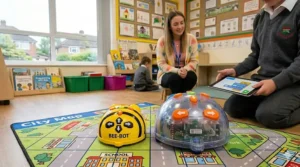
Start with the mat, not the robot. Place pupils around the mat and ask them to predict the route before the robot moves. “How many steps to get from the beehive to the flower?” This activates the forward planning skills that are the real learning objective. The robot is the vehicle, not the destination.
For Blue-Bot Bluetooth setup: The free app works on iOS and Android. Download it before the lesson — do not attempt to download anything in front of a class of twenty-six Year 2s on the school wi-fi. You’ll age a decade in ten minutes.
Managing a Class Set
Introduce a clear labelling system. Number your robots with stickers; assign groups; keep a simple rotation chart. For charging logistics, the docking station pays for itself in time saved within the first half-term.
For Blue-Bot tablet programming: pair each robot to a dedicated device at the start of the year. The Bluetooth pairing process is straightforward but fiddly, and re-pairing mid-lesson is a headache you don’t need.
Cross-Curricular Ideas That Actually Work
- Phonics (Year 1): Programme Bee-Bot to a specific letter on an alphabet mat; pupils say the phoneme when it arrives.
- Maths (Year 2): Use a number grid mat; programme routes to practice number bonds or counting in 2s.
- Geography (KS1): Use a town/world map mat; programme a route between countries or landmarks.
- MFL (KS1–KS2): Record French or Spanish directional words on See & Say buttons; suddenly it’s cross-curricular.
Real-World Scenarios: Which Robot for Which School?
🏫 The Small Village Primary in Derbyshire
Mixed-age class (Year 1/2), one teaching assistant, tight budget. Three classroom sets of equipment to share across four year groups. In this context, the standard Bee-Bot — bought in a class pack of six — is the right call. Durable, simple, no device dependency, broad curriculum coverage. The upfront cost is lower, the training curve for a less digitally confident teacher is minimal, and the robots will last years without issue. Add a set of themed mats and you have everything you need for a full term of computing.
🏫 The Large Urban Primary in South London
Fifty pupils per year group, dedicated computing lead, decent technology budget, a set of class iPads in every year group. This school benefits from a mixed fleet: Bee-Bots for Reception and Year 1, Blue-Bots (ideally See & Say) for Year 2 onwards. The Bluetooth connectivity slots naturally into the existing tablet infrastructure, the progression is built into the curriculum, and the TacTile Code Reader provides a screen-free option for Year 2 sessions where teachers want hands-on coding without screen time.
🏠 The Parent Buying for Home Use
Your six-year-old has come home from school raving about the “bee robot.” You want to extend that enthusiasm at home. The single Bee-Bot — with one or two activity mats — is genuinely sufficient and genuinely educational. You don’t need Bluetooth at home; the screen-free simplicity is arguably better for home use, where screen time is already a point of discussion. Budget accordingly: a single robot plus a couple of mats keeps you comfortably under £120 for a complete home coding setup.
Bee-Bot vs Blue-Bot: Features That Actually Matter (And Those That Don’t)
After all the spec comparisons, a bit of honest filtering is useful.
Features That Actually Matter
✅ Rechargeable batteries. The difference between rechargeable and battery-powered robots in a classroom context is enormous. Changing batteries mid-lesson, across a class set, costs you time and money at a rate that adds up painfully over a school year. All current Bee-Bot and Blue-Bot models are USB rechargeable — this is baseline, non-negotiable, worth confirming on any robot you consider.
✅ Memory capacity. Both the Bee-Bot and Blue-Bot offer 200-step memory, which is more than adequate for the complexity of programs KS1 and early KS2 pupils will write. Older models had 40-step memory — if you find a heavily discounted Bee-Bot with only 40 steps, it’s an old stock unit and worth avoiding.
✅ App GDPR compliance. The Blue-Bot app does not collect personal data, which matters enormously under UK GDPR and the Data Protection Act 2018. This is not a marketing line; it’s a genuine safeguard that makes Blue-Bot straightforwardly deployable in UK schools without additional data processing agreements.
✅ TacTile Reader compatibility. If you’re serious about screen-free advanced coding, TacTile Reader compatibility (Blue-Bot only) is the feature that unlocks it. Don’t overlook this in the Bee-Bot vs Blue-Bot comparison.
Features That Matter Less Than You’d Think
❌ Exact step precision. The Bee-Bot moves in steps of 15 cm ± 8 mm — that tolerance matters on a map mat but is irrelevant for most KS1 learning objectives. Don’t agonise over millimetres.
❌ Colour and aesthetics. It’s tempting to choose based on the blue transparent shell vs the yellow bee design, especially when buying for home. Functionality should win.
❌ Number of included mats. Starter packs often bundle mats that you’ll outgrow or that don’t fit your curriculum. Better to buy the robot alone and select mats that match your scheme of work.
How to Choose Bee-Bot vs Blue-Bot: A Practical Framework for UK Buyers
The Bee-Bot vs Blue-Bot comparison ultimately comes down to five questions. Work through these in order and you’ll know your answer before you reach the checkout.
- What age/year group are you buying for? EYFS and Year 1 → Bee-Bot. Year 2 and above → Blue-Bot. Mixed year groups → consider both.
- Do you have tablets or devices available? If yes, the Blue-Bot’s Bluetooth features justify the extra cost. If no, the Bee-Bot’s screen-free programming is a genuine educational virtue.
- Is inclusion or SEN a priority? If yes, prioritise See & Say variants for either robot — the audio customisation and multi-sensory features make a real, evidenced difference.
- What’s your budget per unit? Bee-Bot is the more cost-effective entry point. For tight school budgets, a class set of Bee-Bots with a docking station delivers excellent curriculum value. If budget stretches, invest in Blue-Bots for the upper year groups.
- Are you building a long-term curriculum or filling a one-term gap? Long-term → Classroom Pack with both robot types. Short-term → whichever single model fits your current year group needs.
Long-Term Cost and Maintenance: What UK Schools Actually Need to Know
The sticker price is only part of the story. Let’s talk total cost of ownership in GBP, because that’s how school business managers actually think — quite rightly.
Charging infrastructure: A docking station adds to upfront cost but pays back in time within months. Factor it in from day one.
Accessories and mats: These are where the costs accumulate. Budget around £15–£40 per mat, and be selective. Alphabet mats, number line mats, and blank grid mats are the workhorses. Themed mats are lovely but often used once and shelved.
Longevity: Both Bee-Bot and Blue-Bot support approximately 500 recharges, which at one full cycle per week translates to nearly ten years of classroom use. The robots genuinely last — UK teachers often report units still functioning after six or seven years of daily school use.
Repairs and replacements: TTS, the UK manufacturer and distributor, offers a UK-based support service. Parts are available domestically; you’re not dealing with lengthy international returns or import complications post-Brexit. That matters for warranty claims and replacement parts availability.
Total cost of ownership: A class set of six Bee-Bots with a docking station and three mats represents a total outlay in the £600–£900 range, which amortised over five years of classroom use is a remarkably cost-effective computing resource. The Blue-Bot equivalent sits a little higher, but the curriculum breadth you gain more than justifies the difference for most UK primary schools.
Common Mistakes When Buying Programmable Floor Robots for UK Schools
A few purchasing pitfalls that come up repeatedly — worth knowing before you sign off a budget.
Buying batteries-required older models. Older Bee-Bot variants with AA batteries are still circulating on the secondhand market and occasionally appear in bulk discount listings. They look identical but the battery faff is a genuine daily classroom pain. Always confirm “USB rechargeable” before purchasing.
Ignoring the tablet compatibility question. Blue-Bot’s app requires iPad 3 or later, or a compatible Android device. Schools with very old iPad 2 fleets can’t use the Bluetooth features — which defeats the purpose of buying Blue-Bot over Bee-Bot. Check your device inventory first.
Buying single units for class use. One robot between thirty children is not a computing lesson. It’s a queue management exercise. A class set of six is the practical minimum; ideally, you want one between every two pupils.
Skipping the docking station. See above. Don’t skip the docking station.
Expecting Blue-Bot to work without a setup session. The Bluetooth pairing is simple, but it requires fifteen minutes of setup before your first lesson. Teachers who skip this step and try to pair mid-lesson report losing most of their teaching time to technical troubleshooting.
FAQ
❓ What is the main difference in a Bee-Bot vs Blue-Bot comparison?
❓ Is Bee-Bot or Blue-Bot better for the UK National Curriculum?
❓ Can Bee-Bot and Blue-Bot be used in the same classroom at the same time?
❓ Are Bee-Bot and Blue-Bot available on Amazon.co.uk with Prime delivery?
❓ Can I use Bee-Bot or Blue-Bot at home with my child?
Conclusion
Strip away the jargon, the spec tables, and the curriculum-alignment buzzwords, and the Bee-Bot vs Blue-Bot comparison comes down to something reassuringly straightforward: these are well-designed, genuinely educational, robustly British classroom tools that do exactly what they claim to do. Bee-Bot introduces the youngest learners to algorithms without a screen in sight. Blue-Bot bridges that tactile, physical experience toward the tablet-based coding that defines KS2 and beyond. The See & Say variants make both robots more inclusive, more personalised, and more versatile across the curriculum.
British primary schools have been relying on this pair for years, and the 2026 versions continue to earn that trust. Whether you’re a computing lead building a whole-school strategy, a class teacher with a term’s budget and six hooks on the wall, or a parent who wants to do something more educational than another hour of YouTube — the Bee-Bot and Blue-Bot range has an answer for you.
The smartest choice for most UK primary schools? Start with Bee-Bots for your youngest year groups. Add Blue-Bots as pupils move into Year 2 and 3. Invest in a docking station from day one. And if budget allows, the See & Say variants offer enough added value — particularly for inclusive settings — to justify the extra outlay. Simple, durable, curriculum-aligned, and genuinely loved by children. That’s a rather solid recommendation.
✨ Don’t Miss These Exclusive Deals!
🔍 Ready to make your decision? Click on any highlighted product in this guide to check current pricing and availability on Amazon.co.uk — and get your classroom coding-ready before the next term begins!
Recommended for You
- Best Coding Toys for 4 Year Olds UK 2026: 7 Expert Picks
- Grimms vs Tickit Wooden Toys: 7 Best Picks for UK Families 2026
- Melissa & Doug vs Hape Montessori: 7 Best Wooden Toys UK 2026
Disclaimer: This article contains affiliate links. As an Amazon Associate, I earn from qualifying purchases. If you purchase products through these links, we may earn a small commission at no additional cost to you.
✨ Found this helpful? Share it with your mates! 💬🤗
